
Most people set up a LinkedIn profile and leave it at that. The ones who get results treat it differently: as a conversion tool, not a resume. Your profile has one job: convince the right person to want to talk to you.
That means being findable in search, immediately credible when someone lands on it, and clear enough about what you do that the right people take action. A profile photo and a job title aren't enough. The whole thing (header, About, Featured, activity, experience) needs to work as a system.
Below are real examples across different styles, industries, and goals, so you can see what that actually looks like in practice.
- A great LinkedIn profile shows your personality, credibility, results, and includes a clear CTA
- The header, About section, Featured section, and activity are the four most important areas to optimize
- There are three profile archetypes: The Fancy Storyteller, The Reputable Specialist, and The Stunning Generalist
- LinkedIn rewards consistent, high-quality content, especially carousels and value-packed posts
What Makes A Good LinkedIn Profile?
Before diving into examples, here's the underlying logic. The profiles below all do a few things well: they make visitors feel like they know the person behind the title; they prove specific expertise rather than claiming it; they show what the person has done for others; and they end with a clear next step. Think of it as one coherent system, not five separate goals.
- Personality comes through: credentials open the door, but personality builds the trust that makes someone pick up the phone
- Specific expertise, not generalist competence: a profile that claims five areas of expertise convinces no one; one that owns a single domain earns search placement and genuine credibility
- Proof over description: what you've done for others persuades; what you've been asked to do doesn't
- Something worth following: the best profiles give people a reason to come back, through content worth reading and opinions worth tracking
- A frictionless next step: every visitor who's interested but confused about what to do next is a missed opportunity
The Structure Of A Great Profile
The Header
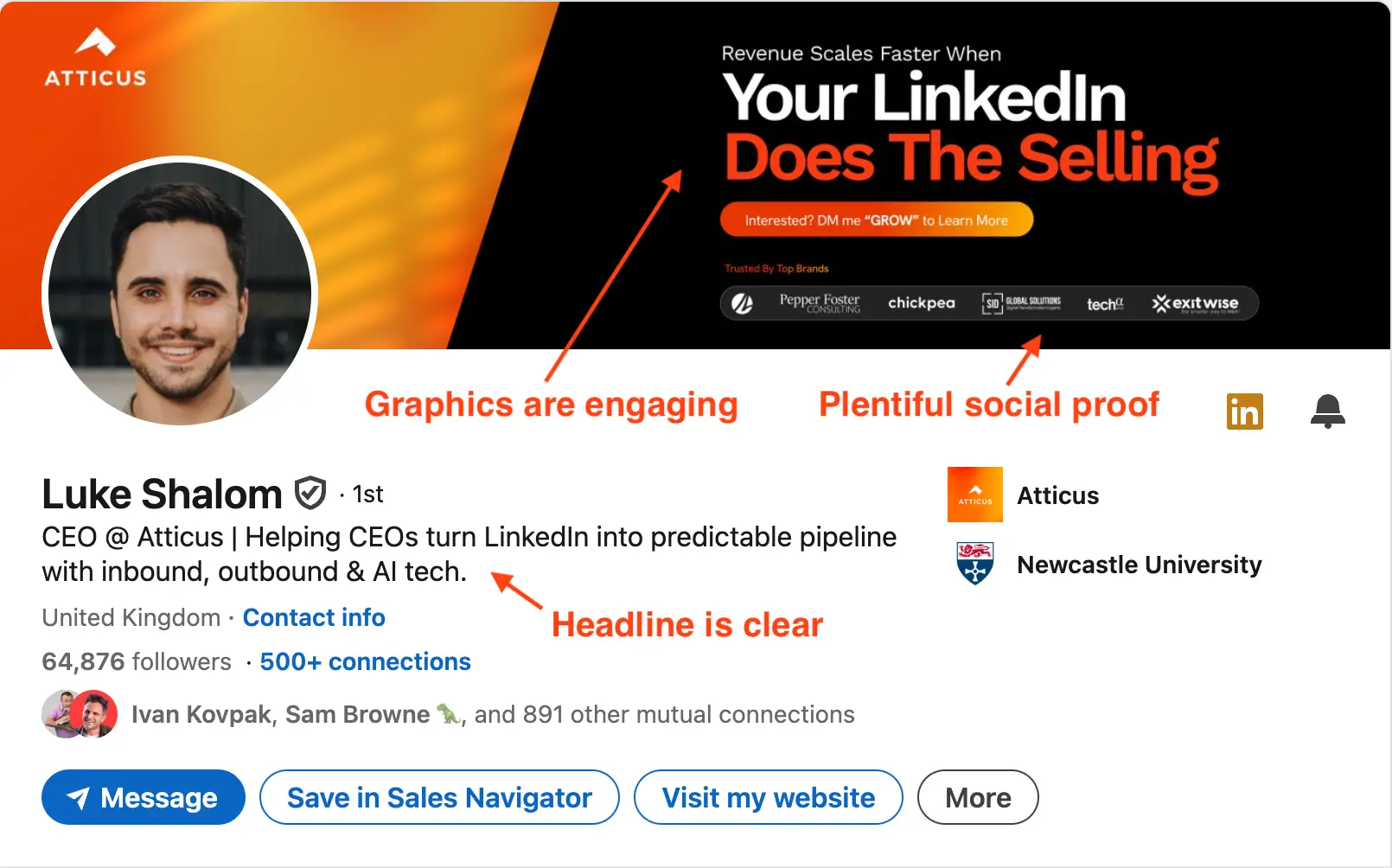
Think of the header as your billboard. Anyone who clicks your profile sees this before reading anything else; you have roughly two seconds to communicate who you are and whether they're in the right place.
Luke's example works because every element has a job. The banner explains his offer at a glance. The headline is specific and keyword-rich. The whole thing looks deliberately built, not left on the default settings LinkedIn gave him.
On the photo: keep it simple. Face forward, decent lighting, uncluttered background. Smile; a warm expression builds faster initial trust than a neutral one. Get a second opinion before finalizing it; most people can't assess their own photo objectively.
- Face visible and recognizable: not a distant shot, not cropped too tight
- Genuine smile: openness signals faster than any headline — it's the first thing people register
- Clean, simple background: nothing competing for attention
- Get feedback first: ask someone you trust before publishing
- Real photo only: LinkedIn now detects AI-generated headshots and treats them as negative trust signals. Avoid them.
Example of A Great Headline

Four things to get right in your headline:
- Be specific: a vague title wastes the 120 characters you have. "Founder" tells nobody anything.
- Match buyer language: use the words your target audience actually searches, not internal jargon or job titles your company invented.
- One human detail: a sport, a city, something real. It makes you memorable in a feed full of identical titles.
- Align with your content: LinkedIn rewards consistency between your profile keywords and what you post about.
The About Section
Two approaches work here, and your choice depends on what you're selling. High-consideration offer (expensive service, long sales cycle)? Open with a strong first two lines that earn the "see more" click; the reader needs to lean in before you ask them to act. Accessible offer, or just want maximum clarity? Lead with your pitch above the fold and don't make anyone dig for it.
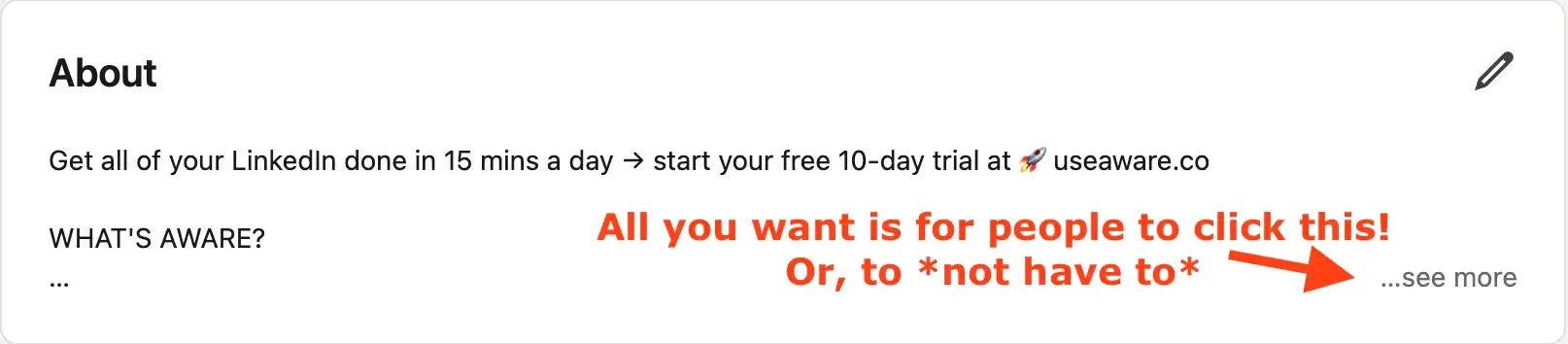
Alex's About leads immediately with what he does (no buildup) because the product is accessible enough that curiosity isn't the right mechanic. The structure that works regardless of approach: who you are, the problem you solve, evidence you've solved it, and a clear next step.
What every About section needs:
- A human opening that establishes who's writing
- The problem you exist to solve
- Proof: results, clients, outcomes, not just claims
- One clear call to action at the end
For the full framework (where your website link should go, how About and Featured work together), read my guide to writing a LinkedIn summary.
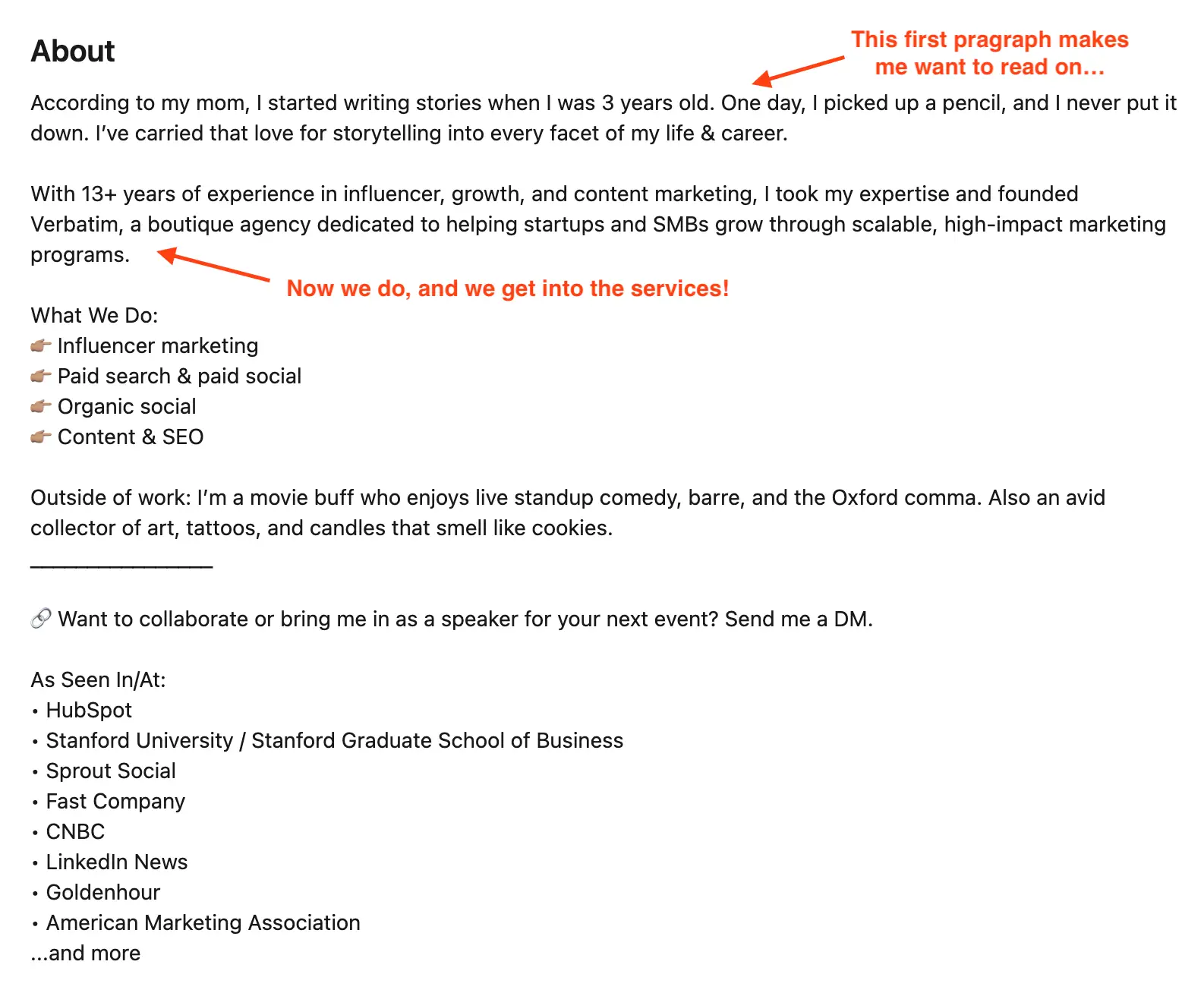
Below is Brianna's version: she opens with a line that deliberately withholds enough to earn the click.
Featured Section
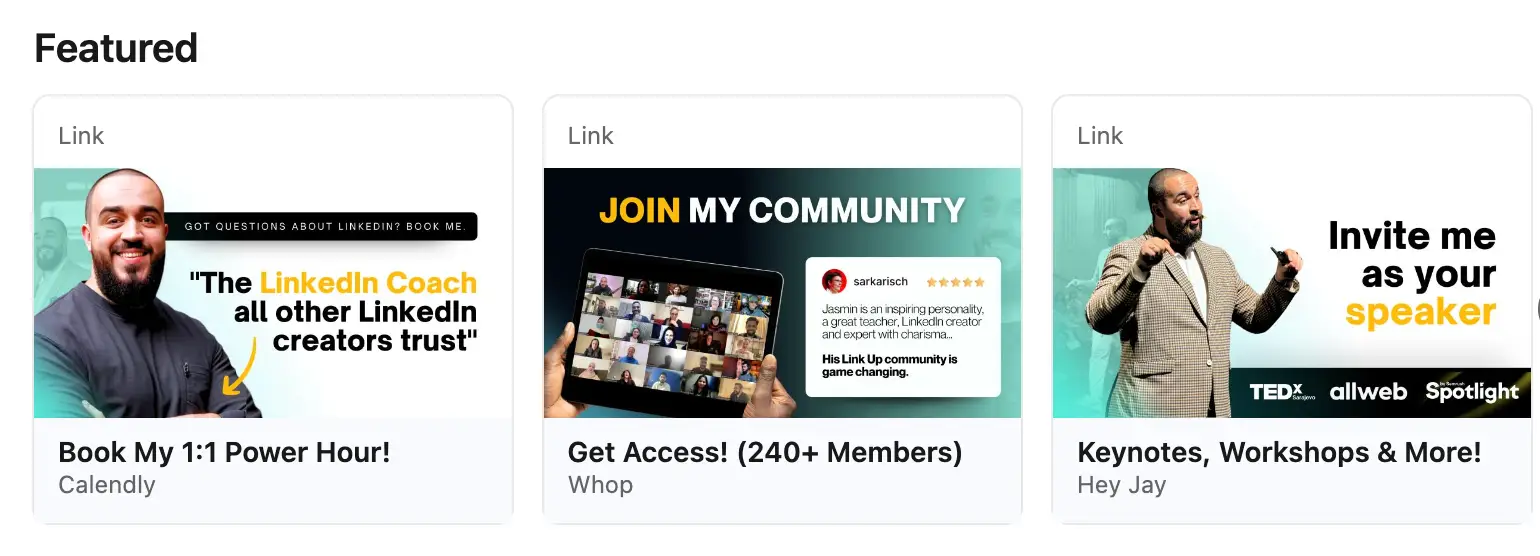
The featured section is your first chance to move a visitor somewhere deliberate. Instead of leaving them to browse, you can direct them: to your best-performing post, a press mention, a lead magnet, or a direct offer link.
Jay pins content that serves a single purpose: funnel the right visitor one step closer to working with him. Every item he features connects back to that goal.
What to pin:
- Your most relevant proof point for the audience you're trying to reach
- A direct link to your offer or lead magnet
- A post or article that shows your thinking at its best
The LinkedIn Activity Section
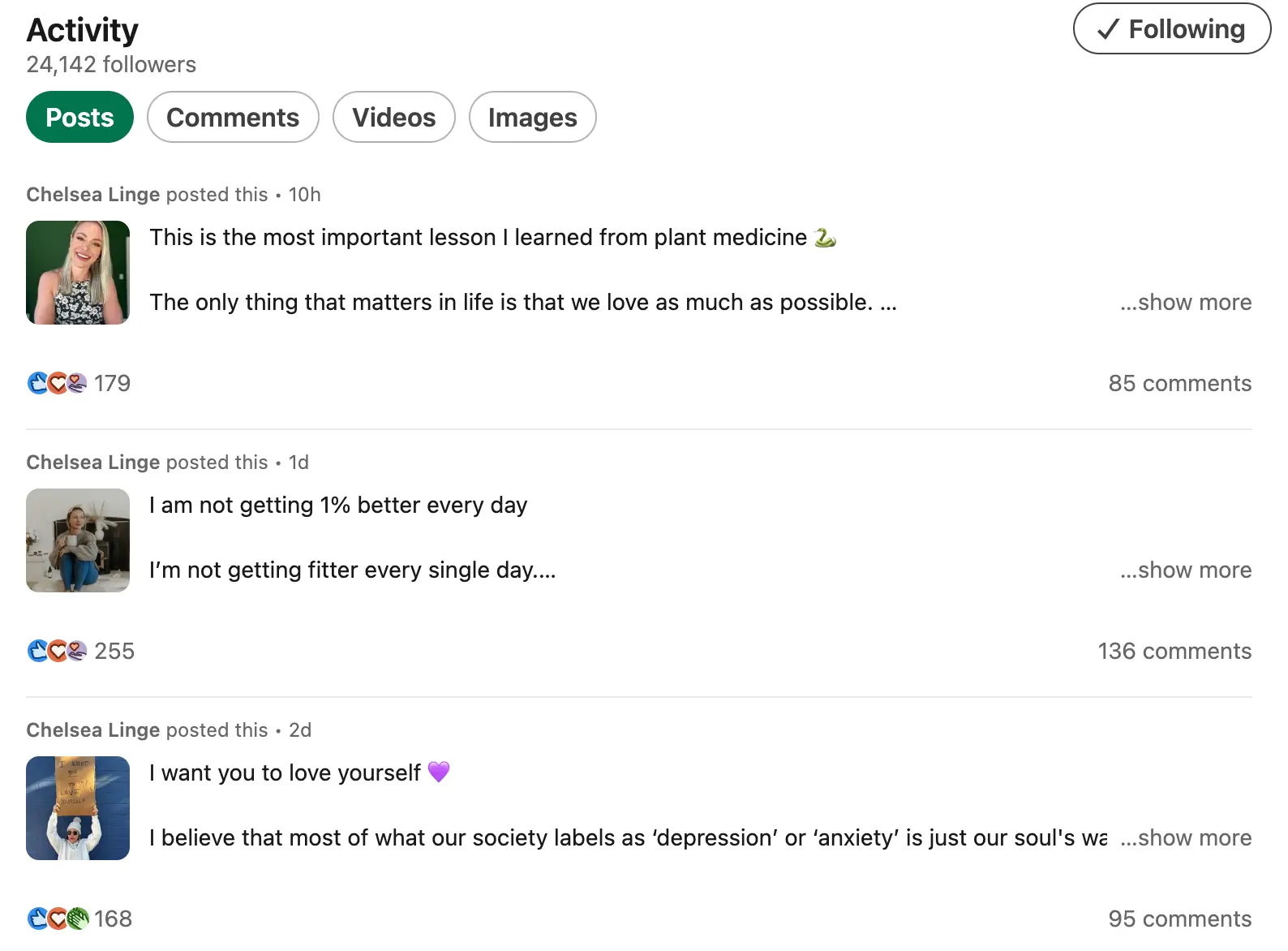
Before reaching out to you, many visitors scroll your recent activity to get a sense of who you are professionally. A quiet profile signals disengagement. A consistent one (regular posts, replies, comments on others' work) tells the visitor you're active in your field and worth following.
That consistency compounds. A good LinkedIn content strategy is one of the most reliable ways to build a network of people who already know you by the time they need what you offer. Posting frequency matters, but so does engagement with others; both show up in your activity feed.
How to build a content habit that sticks:
- Understand your audience specifically enough to know what problems they're working on
- Study what's getting traction in your space, not to copy it, but to understand the formats and topics that resonate
- Build a posting schedule you'll stick to — and make engaging with others a core part of it, not an afterthought; start with the voices your target audience already follows
- Check your numbers regularly and double down on what's already working; don't spread effort equally across everything
Connections And Followers
Social proof on LinkedIn works quietly in the background. A substantial follower count and mutual connections in common do credibility work before a visitor has read a single word. A sparse network sends the opposite signal: it suggests someone new to the platform, or not particularly invested in it.
Building your network deliberately matters more than building it fast:
- Connect with the colleagues and peers you already work alongside
- Follow and connect with leaders whose thinking you respect
- Reach out to potential clients and collaborators, selectively, not in bulk
- Write a message with every connection request that explains why you're reaching out
Experience, Skill, and Recommendations Section
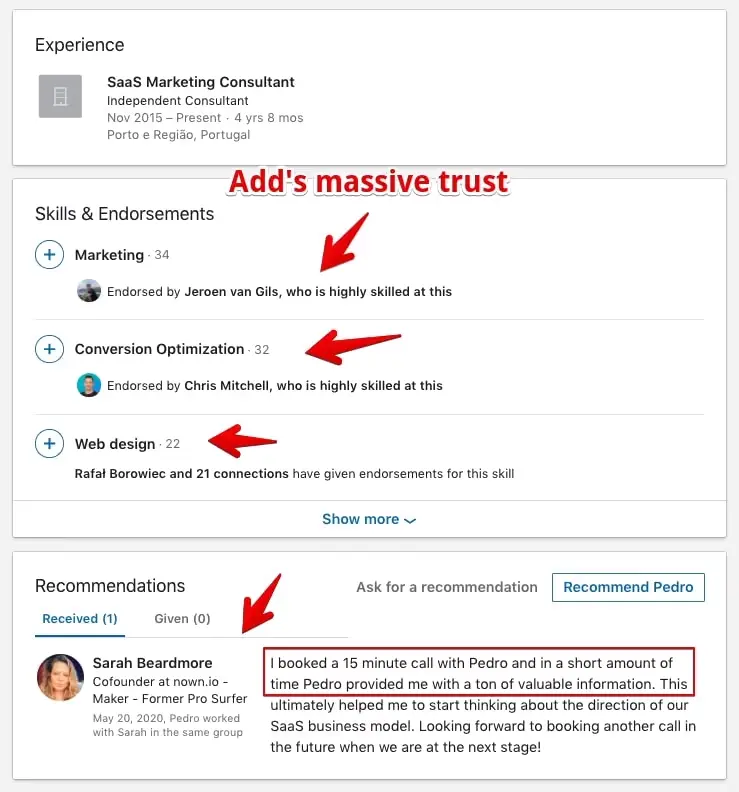
The header and About section capture attention. Experience and Skills is where curious visitors look for confirmation. They want to know: has this person actually done this? The credentials either validate what the rest of the profile promises, or they don't.
Recommendations from credible names in your field carry disproportionate weight. One specific, detailed endorsement from a recognizable person in your industry is worth more than a dozen generic ones from unknowns.
What to focus on:
- Write each role around what you accomplished, not what your job title was
- Keep it current: an outdated Experience section suggests you've moved on or stopped caring
- Ask for endorsements from colleagues who can speak to specific, recent work
- Write recommendations proactively; the care you put into what you give shapes how seriously visitors take what you receive
3 Types Of Profile Owners
Example #1: The Fancy Storyteller
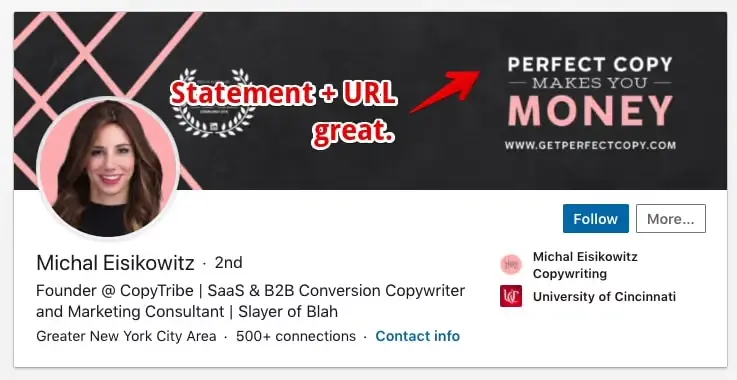
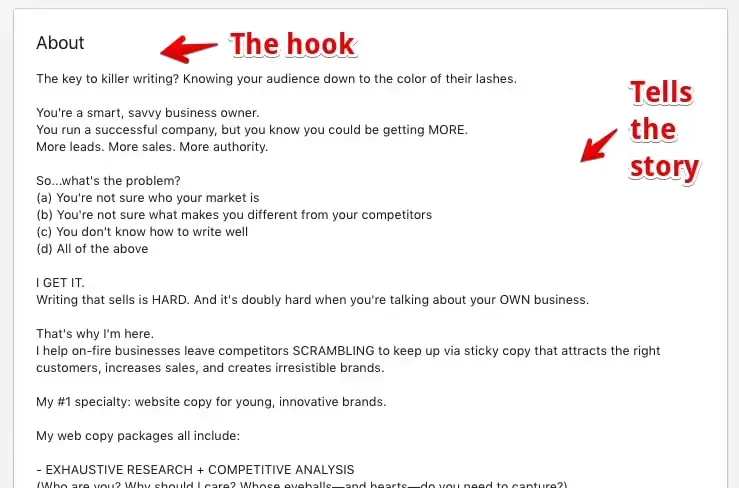
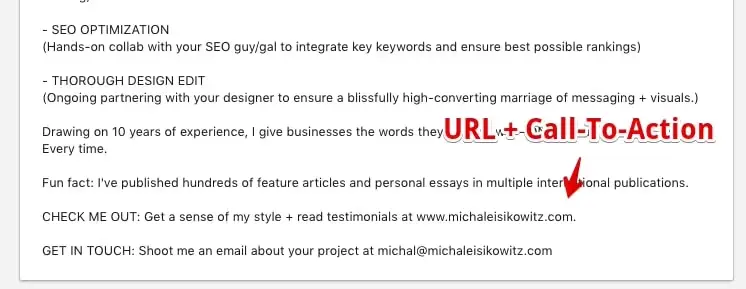
The storytelling approach works when your story is doing actual work: establishing trust, showing how you got to where you are, making the reader feel like they know something real about you. Michal's profile does this well. She moves through a narrative arc that makes you want to scroll.
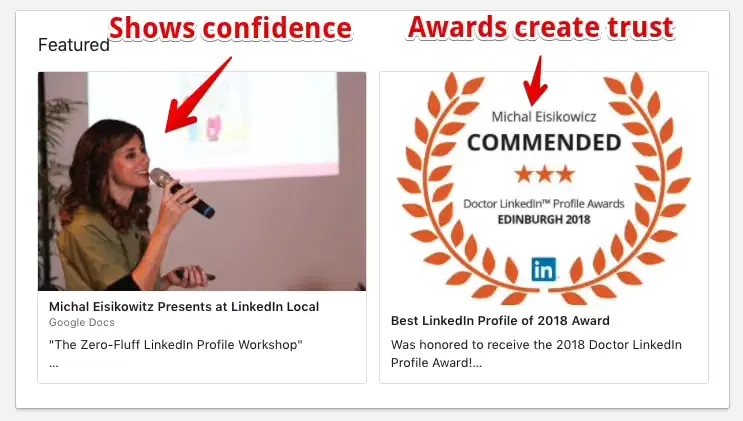
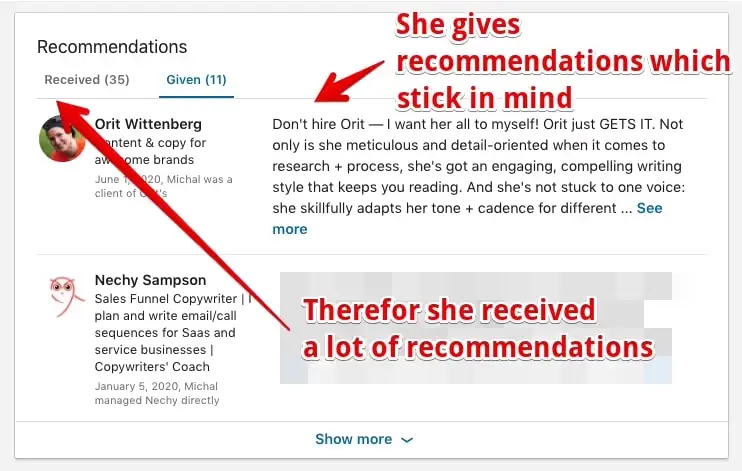
Notice what she does with the featured section and recommendations: she uses them as social proof, not just a list of services. The storytelling structure she uses means visitors finish reading with a sense of who she is, not just what she does:
Use this approach if:
- You have a professional or personal story that's genuinely interesting, not just "I've been in marketing for 12 years"
- Your story functions as marketing: it explains how you came to do what you do and why that matters to your audience
- You want visitors to feel like they know you before they reach out
Where it breaks down:
- A compelling narrative that never lands anywhere. By the end of the About, the reader needs to know what you do, who you serve, and what to do next. Story without direction is just autobiography.
What to take from this example:
- Open with something that earns the scroll: a hook that makes the reader curious about what comes next
- Be generous with your recommendations; the quality of what you give shapes how seriously people take what you receive
Example #2: The Reputable Specialist
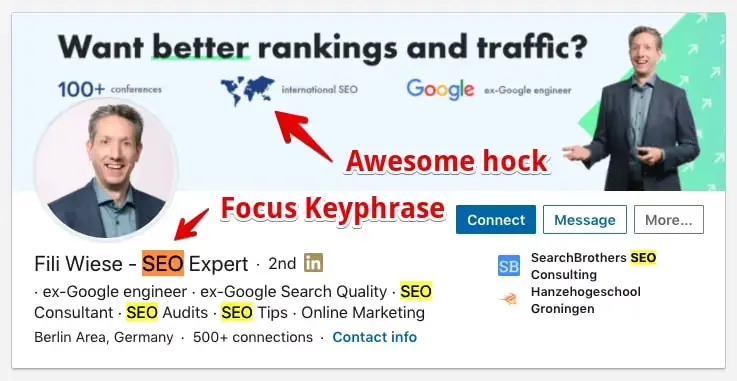
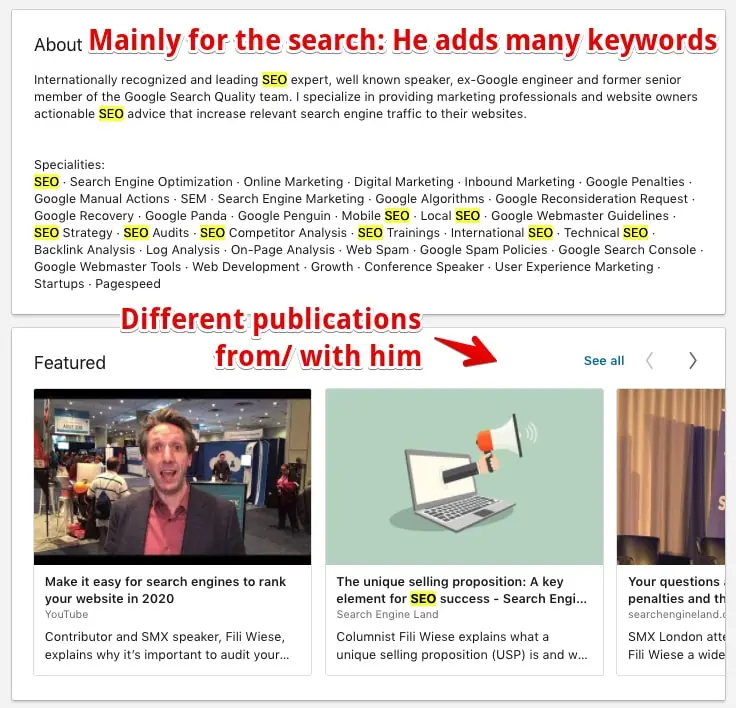
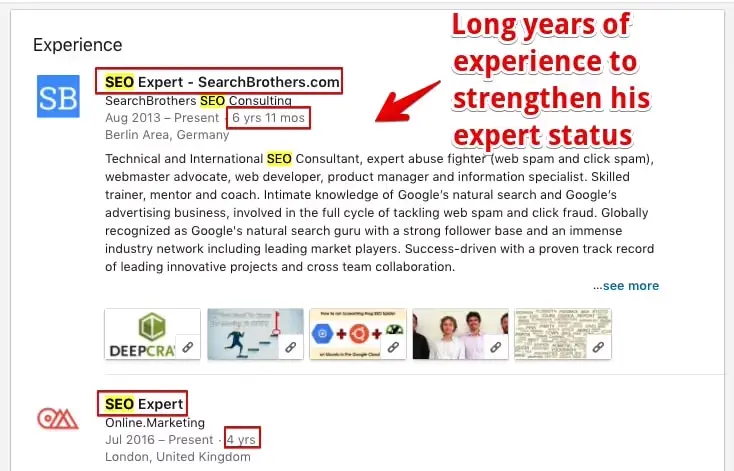
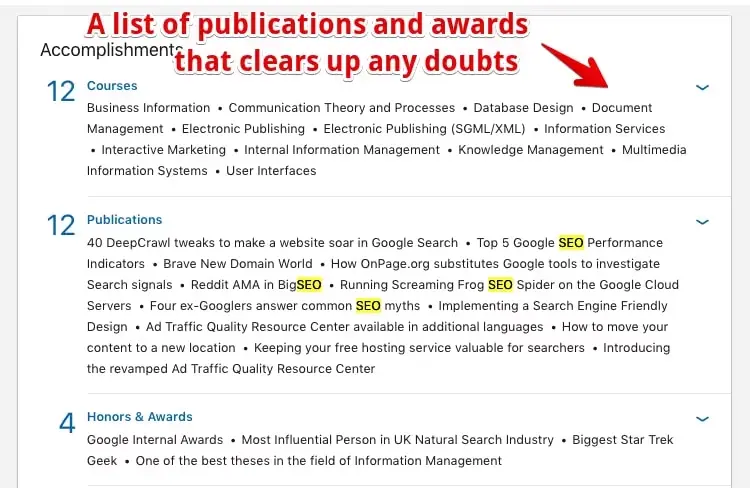
Fili built his entire profile around one word: SEO. It's in his headline, his About section, his experience descriptions, his featured content. Search that term on LinkedIn and he surfaces; he's built every element of his profile to convert that traffic into recognition.
The tradeoff is deliberate: by owning one term completely, he accepts that he'll be passed over for anything adjacent. That's a reasonable trade if your goal is to become the definitive reference for a single thing. (He even added it to his display name.)
Use this approach if:
- You want to be known for one specific thing, not a range of services, not a general category
- Your ideal clients are searching LinkedIn for a specific title, skill, or keyword
Where it breaks down:
- Over-committing to a single term can box you out of adjacent opportunities. Anyone searching for a slightly different role or skill set won't find you. That's the cost of deep specialization.
What to take from this example:
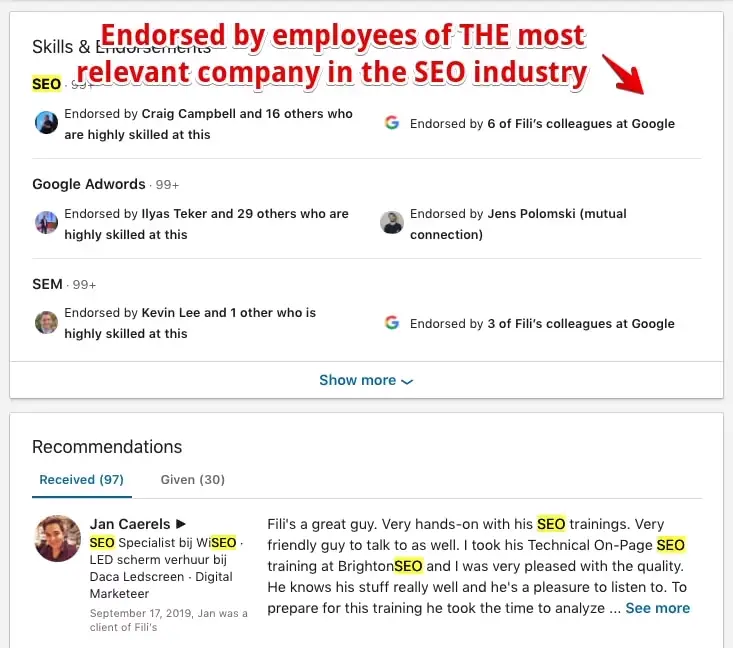
- Endorsements from recognized names in your field reinforce your keyword signal; they're not just vanity metrics
- Your target keyword should appear consistently: headline, About, experience entries, and the content you post
- Feature press mentions and publications; third-party credibility validates what you claim about yourself
- Use your banner to ask a question or make a statement that speaks directly to your target audience
Example #3: The Stunning Generalist
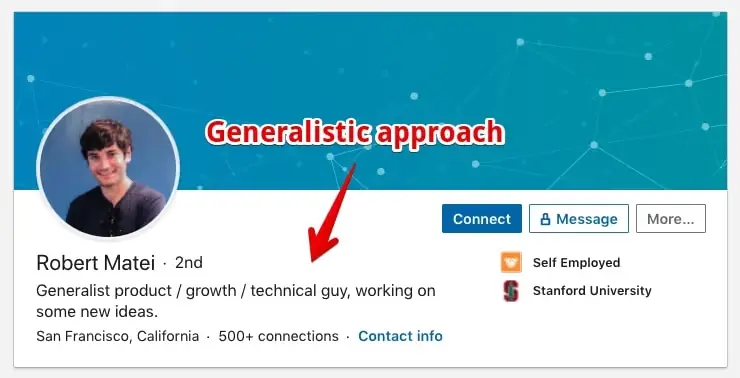
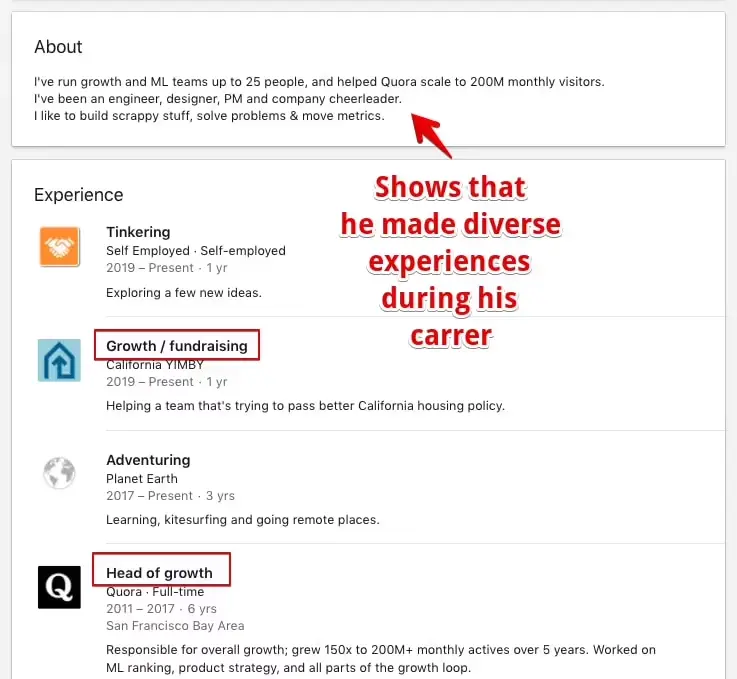
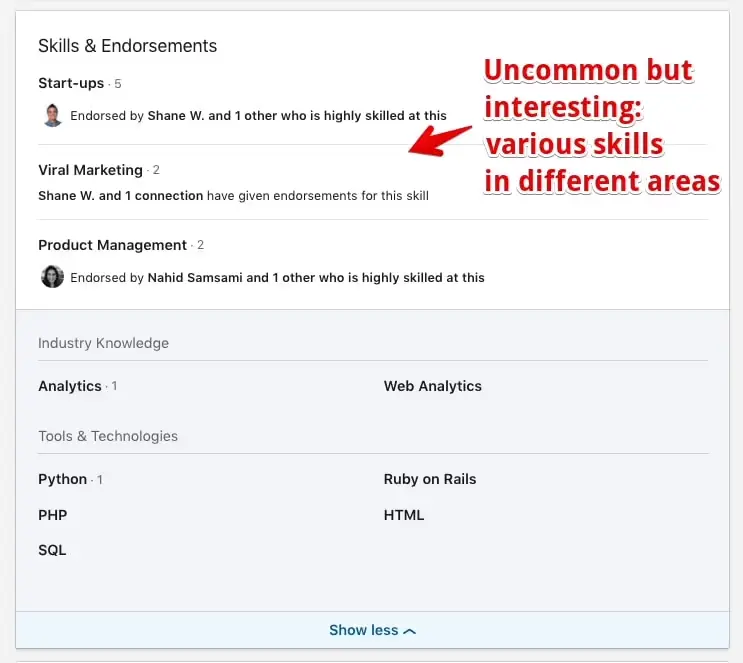
Robert's profile looks nothing like Fili's. Where Fili goes deep on one keyword, Robert spans multiple disciplines. The challenge isn't skill; it's clarity. When you're good at a lot of things, it's harder to make any single visitor feel like you're exactly right for them.
That isn't a reason to avoid this approach. Some roles are explicitly looking for range: growth leadership, fractional work, early-stage founding teams. But the communication work is harder. You can't let the breadth speak for itself; you have to show the through-line that connects everything.
Put it practically: if someone searches for a copywriting expert and finds you next to a dedicated writing specialist, which profile wins? Usually the specialist. But if they're searching for a Growth Leader, the specialist loses. The generalist approach trades search specificity for role versatility.
Use this approach if:
- Your value is breadth: you're good across functions and that's genuinely what you're selling
- You're targeting roles that require someone who can move across domains
- You're comfortable with lower search relevance for specific terms in exchange for broader appeal
Where it breaks down:
- Without a narrative thread connecting your skills, visitors leave without a clear impression of what to hire you for
What to take from this example:
- Put your range to work in the featured section and experience entries; show the skills in use, not just listed
LinkedIn Profile Example For Students
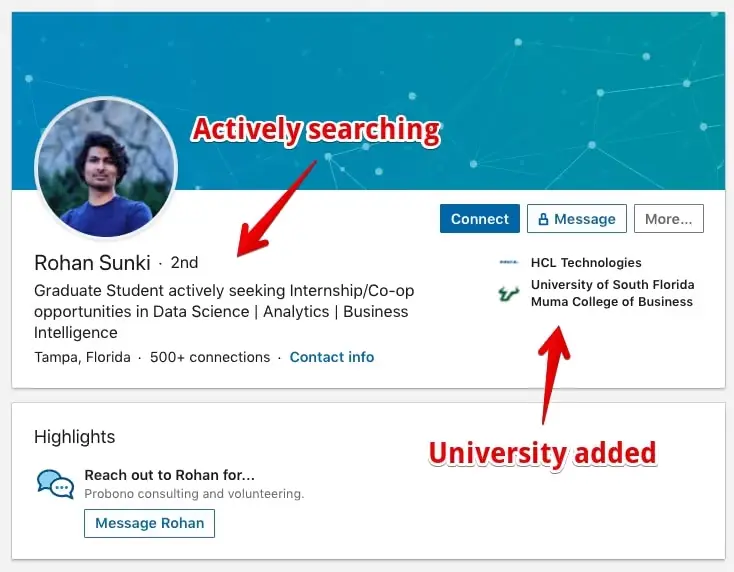
Rohan's profile is worth studying because it shows what a strong student entry looks like and where common gaps still appear. Both matter:
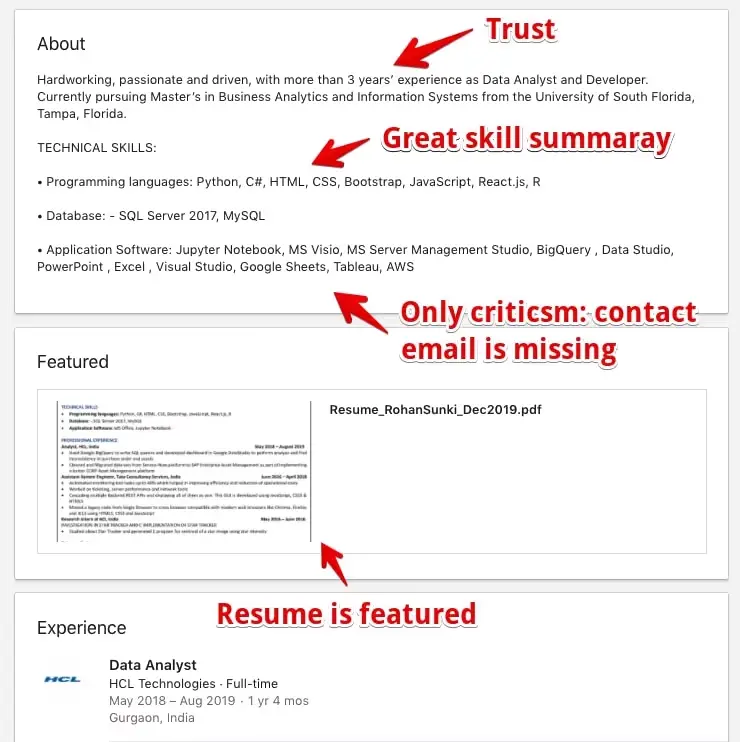
What works:
- Headline is specific and active: he states what he's looking for and calls out his skills (data science, business intelligence) by name
- About section includes references and years of experience, which most student profiles skip entirely
What's missing:
- No contact information in the About section; if a recruiter wants to reach out, make it frictionless
- Profile photo lacks contrast and expression; small upgrades here have an outsized effect on first impressions
- No banner image: the default gray header signals an incomplete profile regardless of how strong the content is
LinkedIn Profile Example For Marketing Professionals
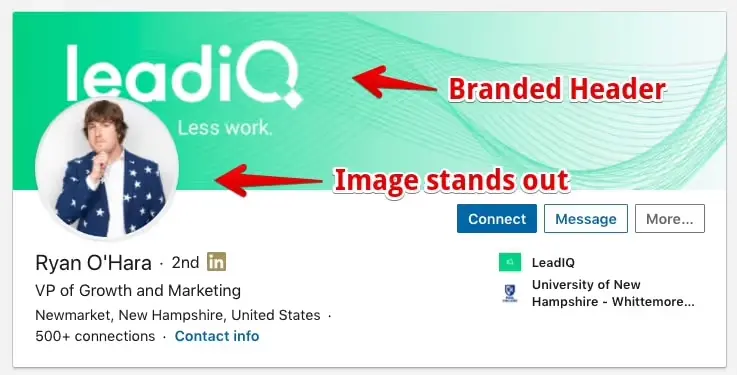
Ryan's profile is immediately distinctive. The combination of a bold photo, a high-contrast banner, and consistent brand presence across every section makes it feel intentional rather than assembled.
Here's what's working:
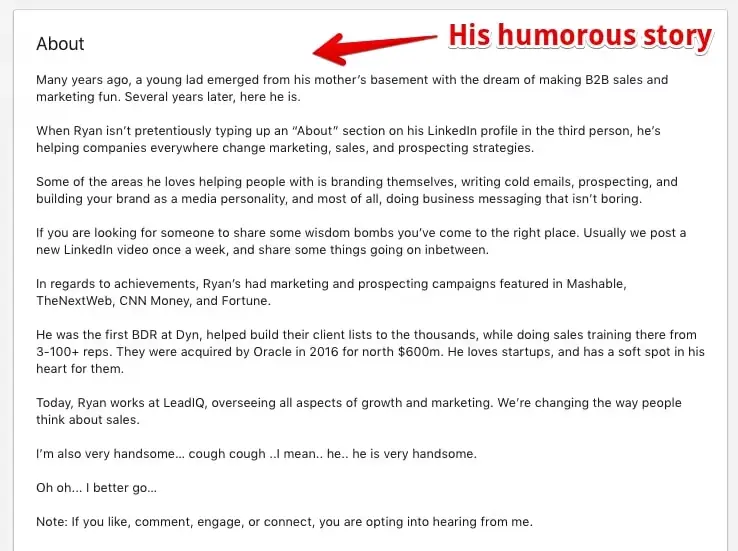
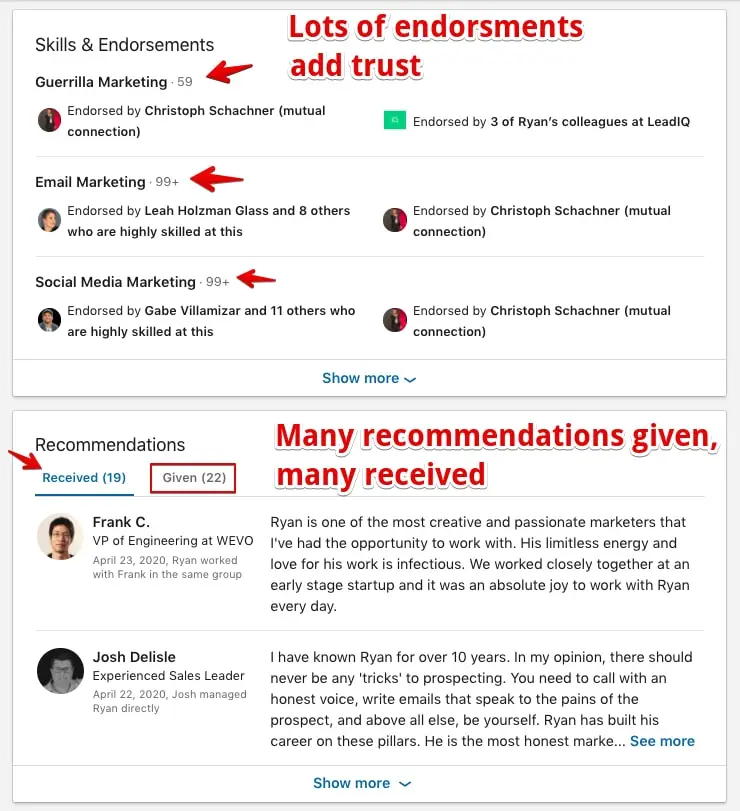
What makes it work:
- A photo that makes a statement: memorable and distinctly non-corporate
- A vivid, high-contrast banner that reinforces the brand before you read anything
- Consistent brand presence throughout the profile, which builds recall across sections
What could be sharper:
- Company name isn't in the headline, which is a missed opportunity for both keyword relevance and brand recognition
- The About section doesn't close with a clear next step; a CTA would convert more of that attention into action
LinkedIn Content Approaches Worth Studying
1. The Value-Dropping Founder
Most LinkedIn lead generation is guesswork; you don't know if someone is interested until after you've already reached out. Andrew's approach flips that by qualifying leads through the content itself.
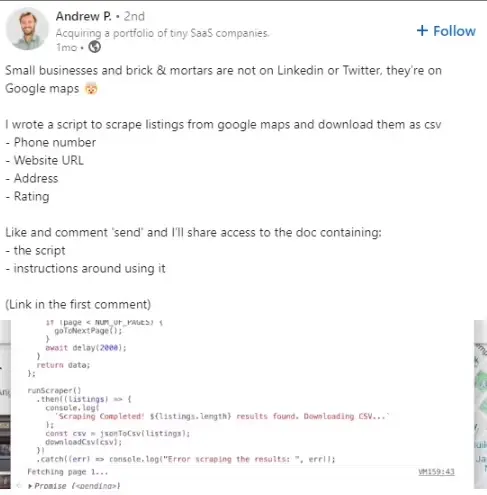
He creates a highly specific resource, one that solves a concrete problem for a narrow audience, and distributes it as a LinkedIn post. The example targets companies researching small businesses with limited social media presence. Anyone who downloads it is almost by definition a qualified prospect.
Andrew collects contact details in the exchange and follows up with context. The mechanism is simple: useful content that only matters to your ideal customer, then a warm contact when they raise their hand.
2. The Carousel Expert
LinkedIn rewards carousels that hold attention all the way through. The format gives you something most posts don't: a reason to keep tapping.
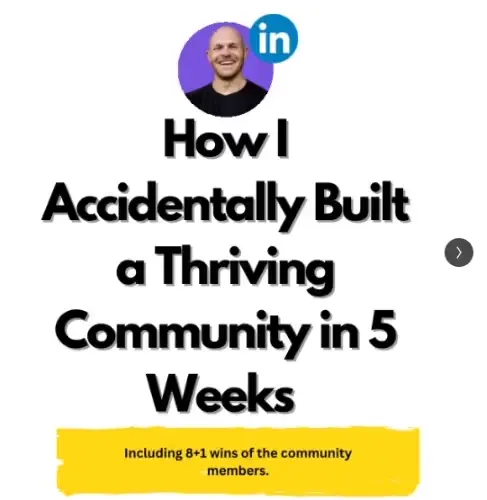
Jessie walks his audience through a personal journey slide by slide, structured like a story, designed to earn the swipe at every step.
Why it holds attention:
- Design is clean and consistent; each slide looks like it belongs with the rest
- Copy is disciplined; no slide is overloaded, every frame has one job
- Social proof is embedded naturally, not bolted on
- The offer surfaces at the end, after the value has already been delivered
3. The Meme Enthusiast
Light content has a place on LinkedIn, and it gets traction quickly because it's rare. The platform's "funny" reaction acknowledged what creators had already figured out: not everything here has to be earnest.
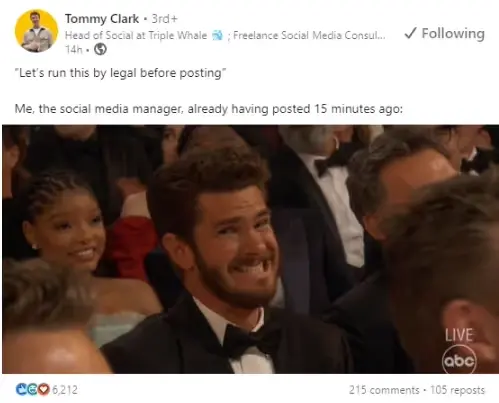
The key is industry adjacency. The posts that work are jokes or observations that only land if you're in the field, specific enough to feel like an inside joke but not so niche that only ten people get it. That specificity is what makes them shareable within the right audience.
4. The Case-Study Connoisseur
Case studies earn credibility on two tracks at once. They're genuinely useful (readers come away having learned something specific), and they position you as someone who understands the craft well enough to analyze what others are doing. If you can break down what worked for someone else, people reasonably assume you can do it for them.
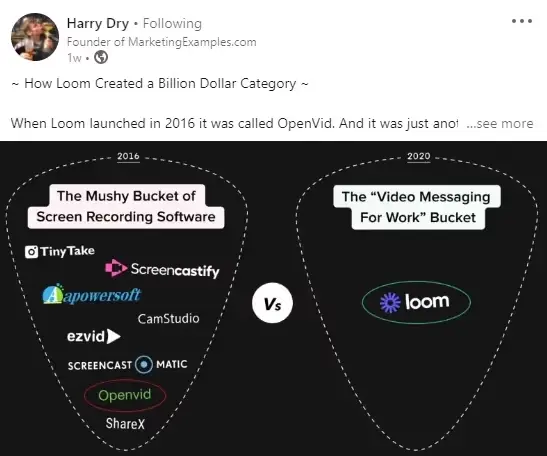
Harry Dry dissects the marketing strategies of well-known brands: what they did, why it worked, what you can apply. The posts are specific and data-backed. That combination makes them useful to marketers looking to sharpen their thinking and founders looking for approaches they can test.
Putting It Into Practice
The profiles above show what's possible when every section is built with intention. The goal isn't to copy any one of them — it's to identify which elements apply to your situation and work through them systematically. Start with whichever section is furthest from where it needs to be.
A quick pre-publish checklist before your profile goes live or gets updated:
Profile checklist
- Photo: Get a second opinion before publishing. You've stopped seeing what a first-time visitor notices.
- Banner: The default gradient communicates nothing. Use the space to make your offer or audience visible above the fold.
- Headline: Fill the character limit. Every unused character is a missed chance to be found.
- Skills: Front-load the terms you want to rank for and request endorsements from people who can speak to specific, recent work.
- Recommendations: Write them first. The quality of what you give shapes how seriously visitors take what you receive.
- Experience entries: Each role should describe what changed because of your work, not just what the title was.
- URL: Customize it. A clean, readable link looks deliberate and takes two minutes to set.
Once your profile is in order, the next lever is content. Track what posts are generating profile visits and connection requests, and double down on those formats and topics.
Understand what's working on your LinkedIn
DemandBird helps B2B teams grow their social media presence, without the guesswork.
Start Free Trial