
Most complaints about the algorithm amount to, "I did all this stuff but I'm not getting the reach I want". It's fine to want more reach! But we need to approach this not as learning to game the algorithm, but rather in defining a content strategy that really sings... with a touch of algorithm-friendliness.
Here's how to think about it: how LinkedIn decides whether a post gets visibility, what to do if your reach has cratered since 2024, and the tactics that actually move the needle. By the end, you'll have a solid working model of LinkedIn's algorithm and what to do with that knowledge.
LinkedIn's Incentives (And Why They Shape Your Reach)
Before getting to tactics, it helps to understand the underlying mechanics: what triggers distribution, what kills it, and how your industry and audience fit into the picture.
This section is more conceptual than tactical. If you already know the foundations, skip ahead to the tips.
LinkedIn's Mission Statement
"Connect the world's professionals to make them more productive and successful." Read that and the algorithm makes sense: LinkedIn optimizes for member interaction because that's how it measures whether the mission is working.
Understanding how LinkedIn's algorithm distributes reach starts with understanding what LinkedIn is optimizing for. Impressions matter because they tell you whether your content is landing with an audience at all; reach and engagement can swing dramatically based on post timing, topic relevance, and how your network responds in the first hour.
LinkedIn's incentive is straightforward: keep people scrolling, reacting, and commenting. An engaged platform sells more ads, more premium subscriptions, and more recruiting tools. The algorithm is designed to serve that goal, not yours.
Work backward from that: posts that earn reactions and comments get more reach. The gap between knowing this and executing on it is where most creators struggle. They default to AI-generated text, share company blog links, or post whatever is top of mind. None of that gives people a reason to stop scrolling.
Later on, we'll talk about how to blend what message you need to share with the market, and what message is going to resonate with others.
Inside the LinkedIn Algorithm: Layers and Filters
Distribution runs through a layered filtering system. The first layer screens for "viral spam" before anything reaches an audience:
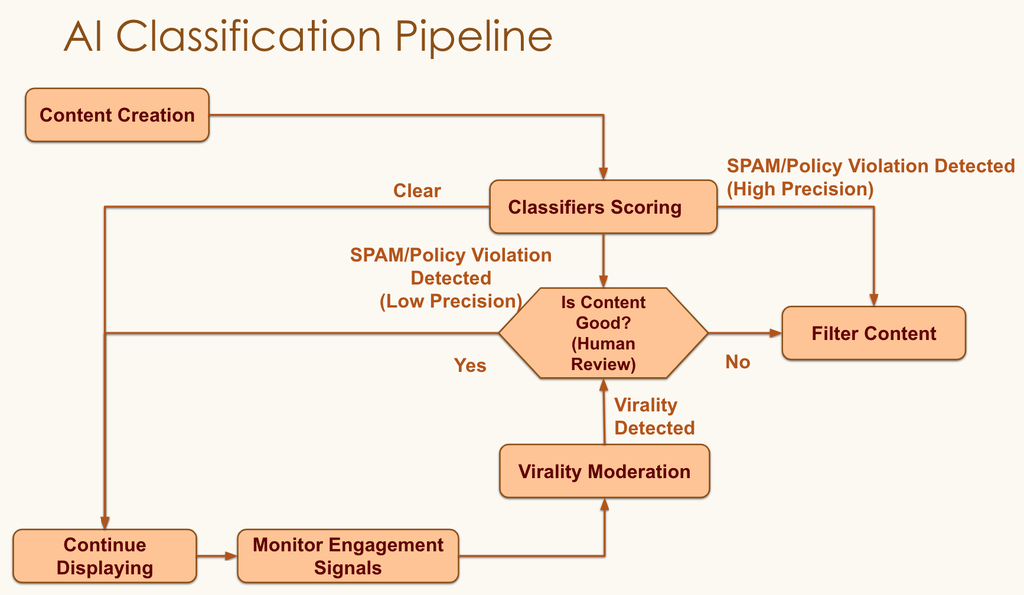
- Does it match patterns from previously flagged posts? If yes, distribution stops immediately — what creators call being "shadowbanned".
- If it clears that check, the post advances to the broader distribution phase.
Make Your Profile Match Your Topic
One of the more significant shifts in 360Brew (LinkedIn's current algorithm iteration) is a heavier weight placed on profile-to-content alignment: whether your professional background actually matches what you're posting about, and whether you post consistently on the same topics over time.
The logic is anti-spam as much as it is pro-quality. If your account has spent two years posting about product management and suddenly starts talking about cryptocurrency, that's a signal worth flagging — it matches the pattern of a compromised account. LinkedIn uses your headline, job history, skills, and historical posting behavior as a fingerprint. Posts that fall outside that fingerprint get less initial distribution while the algorithm figures out whether the shift is legitimate.
The practical implication: your profile needs to do the credentialing work that your posts can't do on their own. If you're going to post about B2B sales, your headline and About section should reflect that. If you want to be seen as a finance voice, your background should support it. A post that comes from a clearly relevant profile gets the benefit of the doubt; a post that seems disconnected from who you are gets held back.
This also means niche consistency compounds in your favor. The longer you post on the same topic, the stronger your profile fingerprint becomes, and the faster new posts in that domain get distributed. Jumping between unrelated topics doesn't just confuse your audience — it costs you algorithmically too.
Get Early Engagement Signals
If your post clears the spam filter, LinkedIn shows it to a narrow initial slice: people who are currently active and most likely to respond. Think of this as your core audience. Getting early traction from that group requires three things:
- A core audience that genuinely cares about what you share
- Posting when those people are actually on the platform
- Content that gives them a concrete reason to react or respond
Put plainly: who actually shows up for you on LinkedIn? Are you posting when they're active, and is what you're sharing worth their time?
If you're new and that network doesn't exist yet, build it first. Comment on posts. Make yourself useful. Let people see who you are before you need them to amplify your content.
Increase Dwell Time & Engagement Rate
The main things you want people to do when they see your post in their feed are:
- Spend time looking at it, literally have your post on their screen, aka "stop their scroll"
- Engage with it at a high rate
Make 'em stop, make 'em stay, make 'em mash the like button and feel compelled to leave a comment.
Observe yourself for a bit as you scroll LinkedIn. What makes you stop? What makes you engage? A little self-observation goes a long way.
Note: Every time your post loads in a feed — clicked or not — that's one impression. Technically, LinkedIn logs one when a post is on screen for at least 300ms, or when at least half the post is visible in the viewport.
Become Their Favorite Show
Consistent posting trains your audience. Over time, your core group starts to anticipate your content: they recognize your name, they have a sense of what you're about, and they're more likely to stop and engage when you show up in their feed. That's how your core network compounds.
So, assuming your core network is engaging with your post… what happens then? It gets shown to a slightly wider audience.
When LinkedIn runs out of cherry-picked core people to show your content to, it has to reach a little. Eventually, to truly "go viral" (seen by millions), it has to be confirmed by a human editor. There's an editorial team that decides what content themes they want to amplify, and posts that resonate with their goals get the viral push.
Pro Tip: When content appears in someone's feed, it can generate different types of impressions: organic impressions occur naturally; paid impressions come from sponsored content; and viral impressions happen when your content is shared widely and reaches new audiences.
Two Levers: Technical Basics and Content Quality
Improving your impressions on LinkedIn comes down to two things you can actually control: the technical side of how and when you post, and the quality of what you're saying.
Technical Details
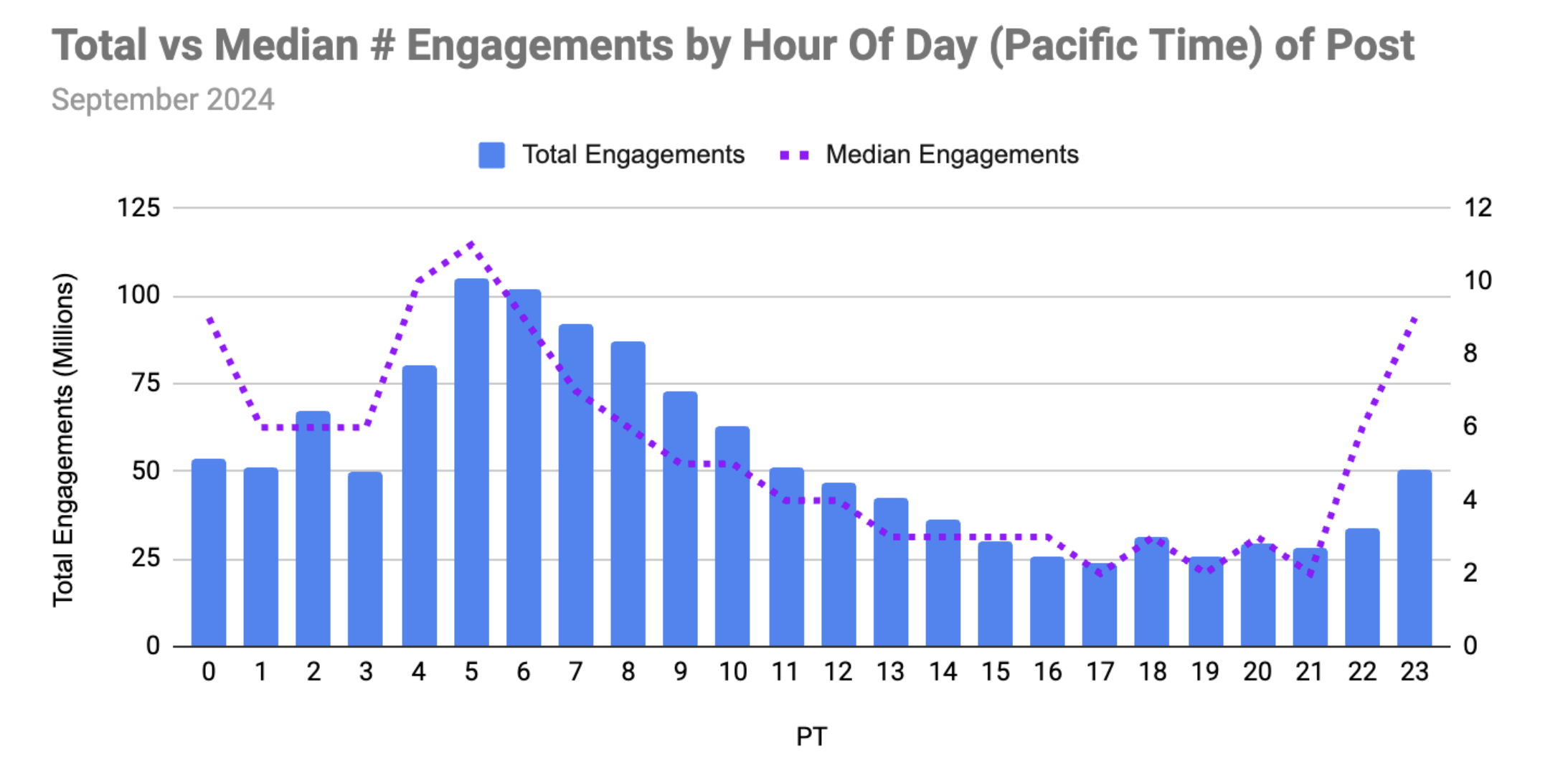
Best time to post: Timing matters less than content quality, but it's still worth optimizing. LinkedIn scrolling clusters around weekday mornings and midday breaks, particularly Tuesday through Thursday. Friday mornings also perform well. The chart below shows what the data looks like for North American professionals with a global audience:
Connection quality: Who you're connected to shapes what your reach looks like. A large network full of people outside your domain or disengaged from your content pulls your engagement rate down, which in turn signals to LinkedIn that your posts aren't worth amplifying.
Prioritize connections who belong in your ecosystem:
- People whose work overlaps with yours or sits one step adjacent
- Prospective clients and referral partners
- The buyers your content is actually meant for
- Others building or operating in your space
- Leaders whose attention matters to your business development
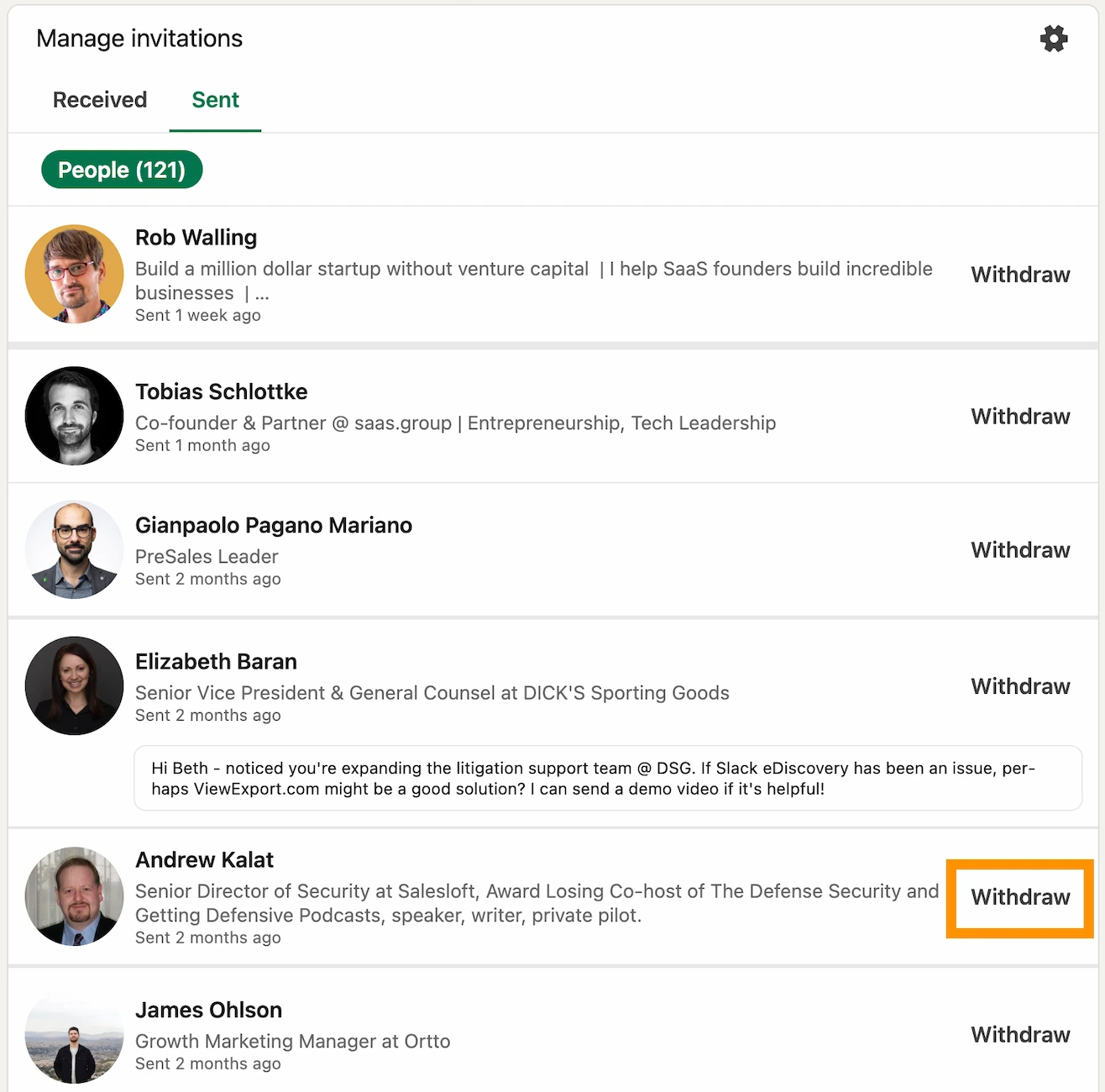
It's also worth withdrawing connection requests you sent more than 3–4 weeks ago that haven't been accepted. If they were going to respond, they already would have. Click here to withdraw connections:
Posting consistency: Sporadic posting makes it hard to build any momentum. Batch-create content in advance, set a schedule, and use a scheduling tool to keep yourself on it without having to make a daily decision about whether to post.
Your profile: When someone reads your post and wants to know who wrote it, the first thing they do is tap your name. Your profile is making an impression before you ever speak to that person. A few basics that matter:
- A clear headshot (not a blank or outdated photo)
- A headline that says what you do and for whom (our generator can help)
- An About section that covers your background and what you're focused on now
Grade your LinkedIn posts instantly
See how your content scores on clarity, engagement potential, and reach.
Liven Up Your LinkedIn Content Strategy
Content Pillars: Without defined pillars, your content becomes random and your audience can't build a mental model of what you're about. Good pillars cover different angles of your expertise. A typical mix includes:
- Behind-the-scenes looks at how you work
- Educational breakdowns of topics you know well
- Strategic takes on where your industry is heading
- Stories that illustrate your professional experience
- Founder or executive perspective posts
Content Formats: Format affects reach independently of topic. If a particular content type has plateaued for you, switching formats often unlocks a new distribution channel. See our full breakdown of 22 types of LinkedIn posts that work well. The main formats:
- Text posts (listicle or narrative): high-readability, low friction to consume.
- LinkedIn newsletters: useful for longer-form ideas and repurposed content from other channels.
- Polls: quick engagement, and a way to surface what your audience actually thinks about something.
- Videos: harder to produce but stand out in a text-heavy feed.
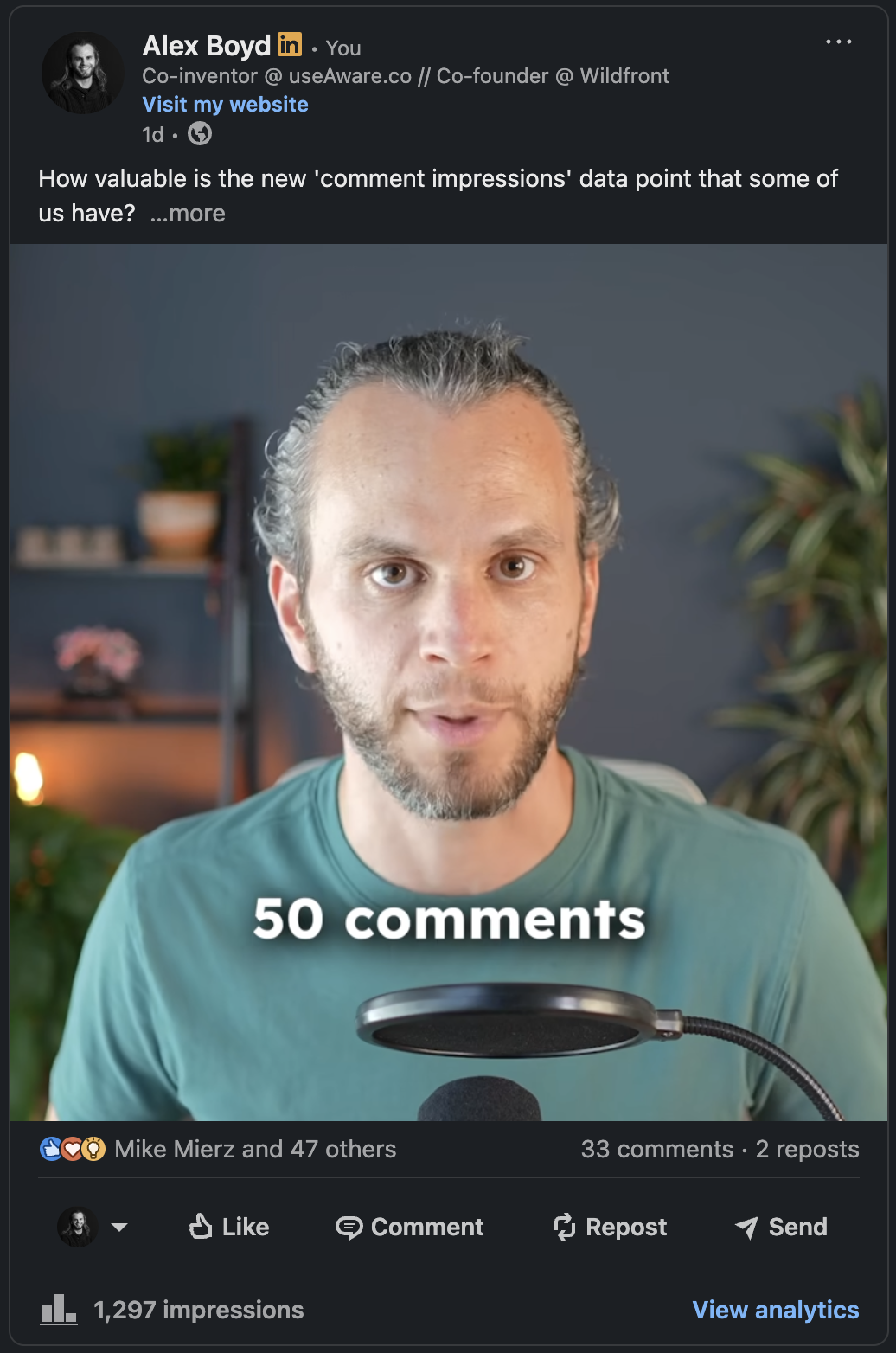
- Image posts and carousels have a lasting impact. These are the kind of posts that urge people to save and share. Carousels in particular perform extremely well for reach and dwell time.
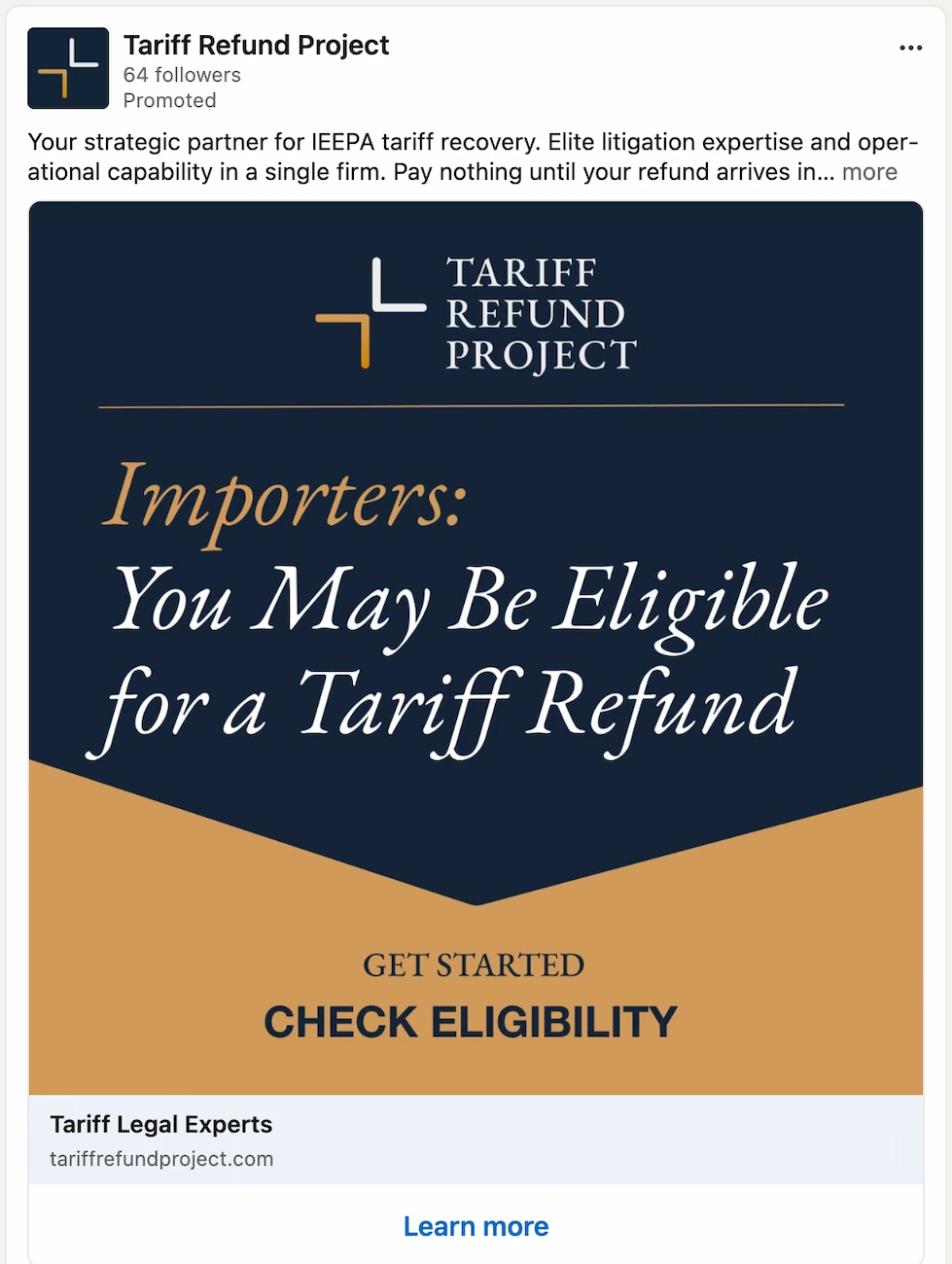
- Screenshot posts: a single image capture (a DM, an analytics dashboard, a stat you came across) paired with a brief observation. These require almost no production work and routinely outperform more polished formats. A real, unedited screenshot signals that what you're sharing actually happened, which is harder to convey with a designed graphic.
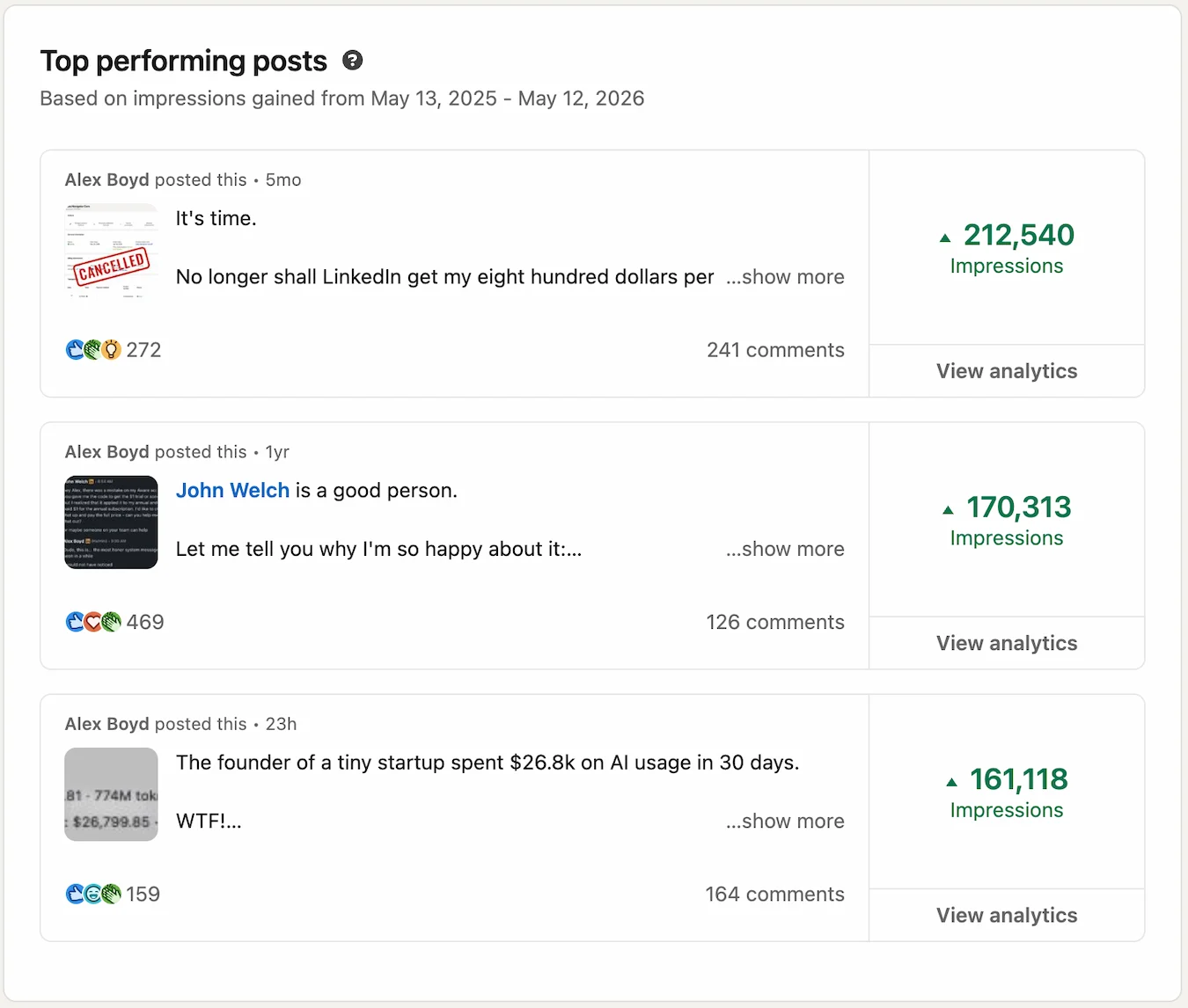
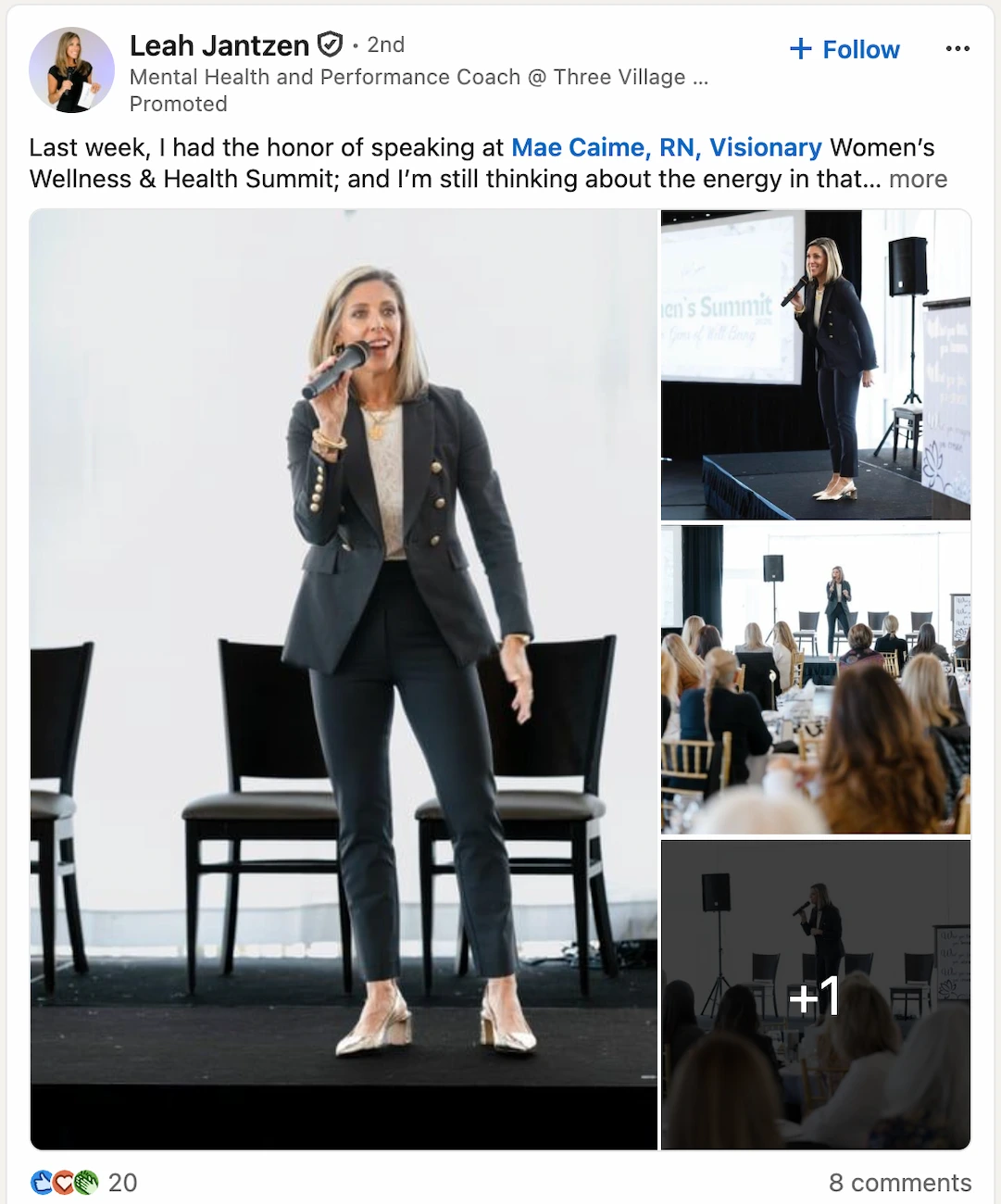
- Posts that showcase your wins and achievements: pair these with a relevant photo to increase visibility significantly.
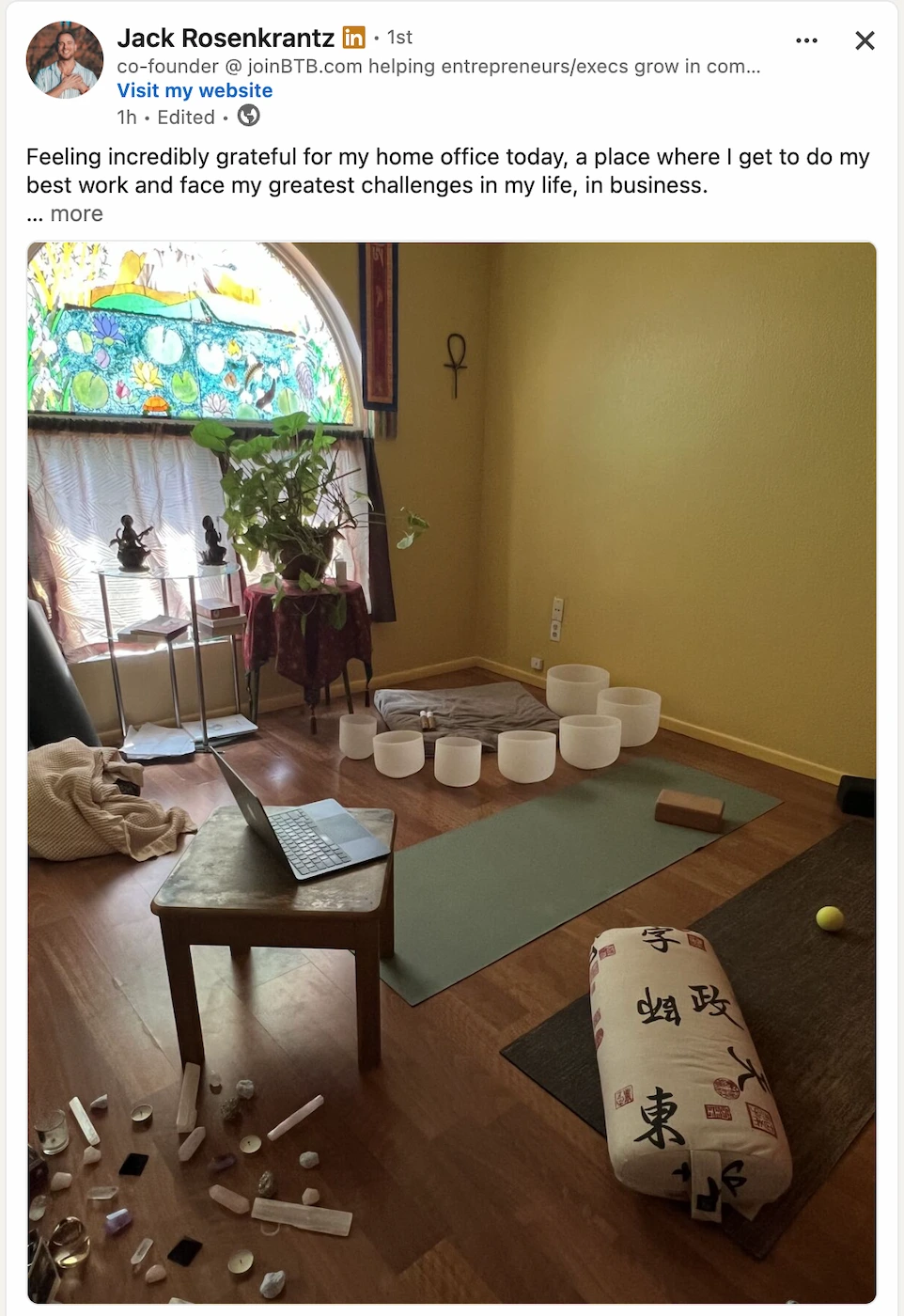
- Personal posts that show your human side!
Writing for Engagement and Dwell Time
Practical ways to write for engagement:
- Keep sentences short and paragraphs even shorter. Active voice, plain language, easy to skim.
- Test formats deliberately. Text-only, video, image, PDF: rotate them and track what resonates with your specific audience.
- End posts with a question that's actually worth answering (not just "What do you think?")
- Tag 1–3 people whose opinion is genuinely relevant. Only do this if they are likely to engage: non-responses signal low relevance to LinkedIn.
Ways to Extend Dwell Time
- Reply to comments fast and with substance. Generic acknowledgments ("Thanks!") waste the opportunity. Add something: a follow-up question, a nuanced take, a relevant anecdote.
- Go longer when you have something worth saying. A detailed story, a strong opinion you can back up, or a real case study keeps people reading.
- Format for skim-readers first. Short paragraphs, bullet points, line breaks between thoughts. If it looks like a wall of text, people exit immediately.
- Carousels, videos, and dense infographics all naturally extend time-on-post. The goal is to make someone click through or slow down; infographics that reward closer inspection work especially well.
Skip The Hashtags
Hashtags used to help expand organic reach. As of 2024 and beyond, they stopped being a meaningful reach driver. Skip them.
Repurposing Content To Multiply Your Impressions
Starting from scratch every time you post is a tax on your creative output that you don't have to pay. Your best-performing articles, talks, or long-form content already contain dozens of LinkedIn-ready ideas. Pull the core insight, reframe it for a LinkedIn audience, and give it a new format: a carousel, a short clip, a text post with a strong opener. Different formats reach people who would have skipped the original.
Summary: How To Write Content That Generates Reach
There are really two dials to tune:
- Is the content genuinely relevant and useful to the people you want to reach?
- Have you done the technical work: timing, format, connection quality, post structure?
Get both right and reach tends to follow. Get only one right and you'll cap out faster than you'd expect.
And sometimes a well-crafted post still disappears. That happens. You can repost it (LinkedIn allows this), or push it through a brand page if you have one. Don't let one quiet post derail the strategy.
The clearest path forward is knowing what's actually working. Grading your posts before and after publishing gives you concrete signal on where to improve.
Know exactly why your posts get reach
DemandBird helps B2B teams understand and grow their LinkedIn performance, no guesswork.
Frequently asked questions
Why did my LinkedIn impressions suddenly drop?
Either your recent post didn't land, or you're talking about something unusual that you don't usually post about. Ask: am I staying on-topic? Or is this the first step in giving LinkedIn new cues about what I'm here to say? Rest assured, you almost certainly are NOT "shadowbanned", whatever that means :)
What's the difference between LinkedIn impressions and reach?
Technically, "reach" aka Members Reached, is the number of unique profiles that saw your post. Since people can and do see your post more than once, you can get multiple impressions per member. Because of that, Impressions will always exceed Members Reached or, for short, "Reach".
Does posting frequency affect LinkedIn impressions?
Yes but it's not a hard and fast rule. If you continually post low-quality content, you'll see a drop in reach, approaching 10-50 impressions per post (ouch!). Likewise, if you post extremely often, such as more than 10x/week, you'll see a drop in per-post reach (although you may get more total aggregate reach). Usually, the better your average post is doing, the more you can get away with posting.
Do saves and shares help LinkedIn impressions more than likes?
Much more! When you post content that gets Saved, that's an extremely strong algorithm signal. Shares are second best, then comments, then Reactions. Engagement isn't the only factor in the algorithm, but it's a big one.
What time should I post on LinkedIn for maximum impressions?
We cover this with a data graphic in the Technical Details section of this article. Short answer: for North American professionals, early mornings and lunch windows on weekdays tend to perform best, but timing is secondary to content quality. A great post at 3pm will outperform a mediocre one at 9am.