
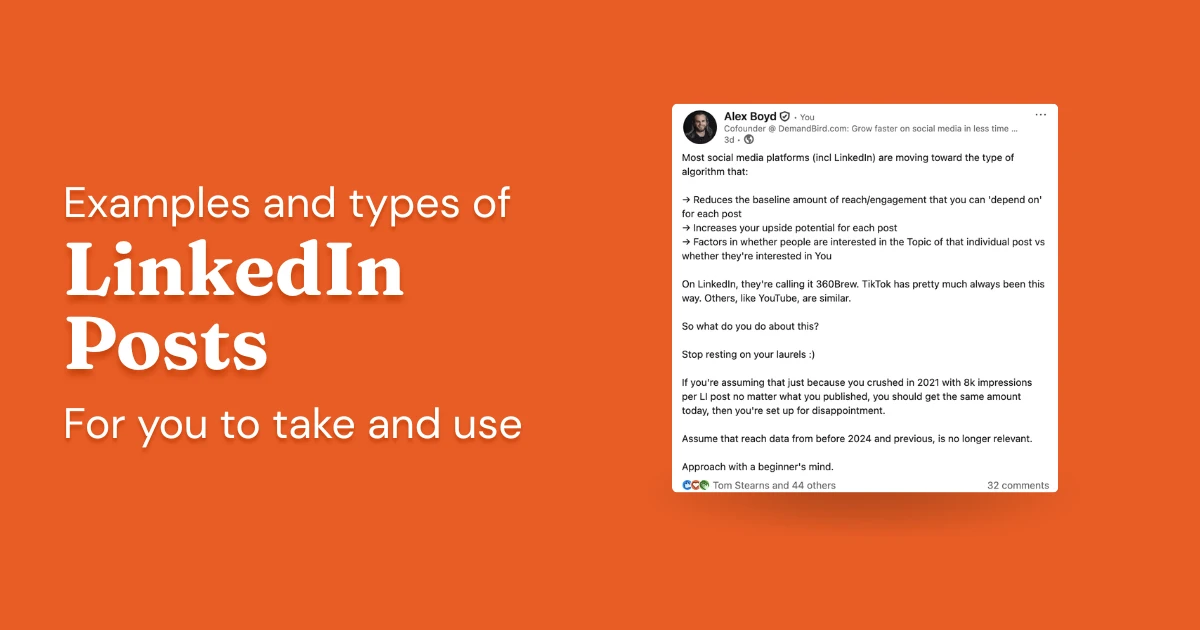
The accounts that grow on LinkedIn aren't usually the most creative or the most prolific. They're the most consistent. Showing up regularly keeps you in front of people who would otherwise forget you exist, and that visibility compounds in ways that sporadic posting never does.
The hard part isn't the posting itself. It's knowing what to post.
Below are 22 LinkedIn post formats, with examples for individuals and businesses. Pull from it whenever you need a starting point.
- Screenshot Posts
- Personal Stories
- Business Stories
- News or Trending Topics
- Interesting Statistics
- Case Studies
- User-Generated Content
- Asking Questions or Seeking Opinions
- Client Relationship Highlights
- Third-party Content or Testimonials
- Behind the Scenes / Office Tour
- Company Achievements and Milestones
- How-to Guides and Tutorials
- Professional Accomplishments
- User / Customer Reviews or Feedback
- Industry Insights and Analysis
- Employee Features or Interviews
- Polls or Surveys
- Event Announcements
- Job Postings
- Partnership Announcements
- Charity or CSR Initiatives
1. Screenshot Posts
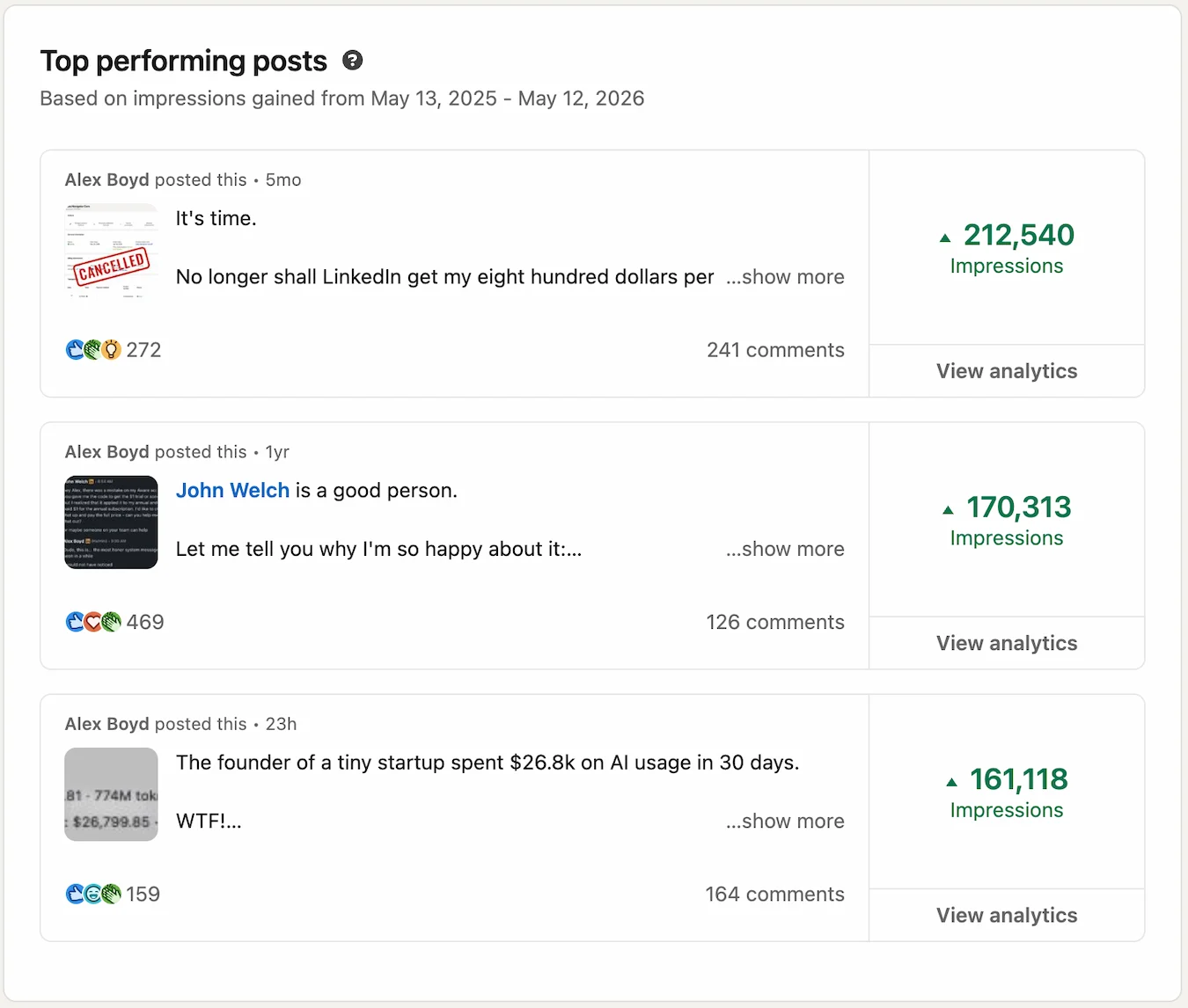
A screenshot could be a text message thread, a confirmation screen, someone else's post, an interaction over email, or anything else. The screenshot itself is part of the hook: its realism and non-ChatGPT-generatedness is what makes it interesting and authentic. In 2026, screenshots are the most effective type of LinkedIn post overall for reach and engagement.
For: Both Individuals and Businesses
More examples: A capture of a customer DM saying something you couldn't have written better yourself, an analytics dashboard showing a milestone, or a striking stat that stopped you mid-scroll and deserves more eyes. All three of the top-performing posts below are screenshots.
2. Personal Stories
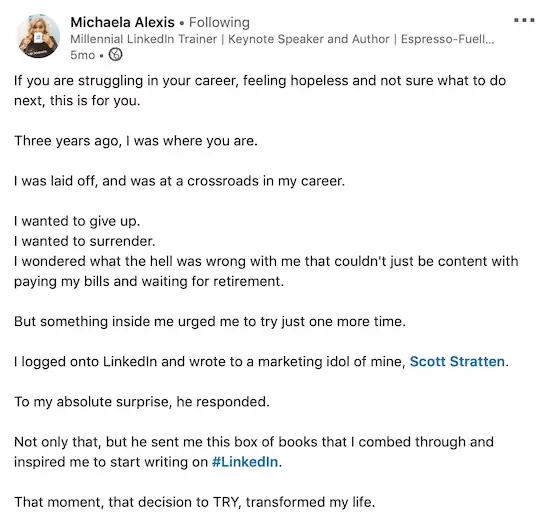
Personal stories are posts drawn from real experiences: things you've lived through, learned from, or changed your mind about.
For: Individuals
Benefit: Vulnerability builds trust. When you share what you've actually been through, people connect with the person behind the profile, not just the resume.
3. Business Stories
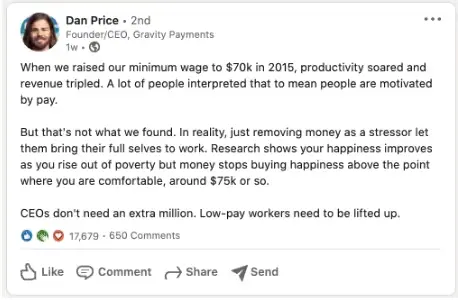
Business stories go beyond product announcements: they share the decisions, challenges, and values that define how a company operates.
For: Businesses
Benefit: Companies that share their story, not just their products, build a stronger following. It gives prospective customers and employees a reason to root for you.
4. News or Trending Topics
A trending topic post weighs in on something your industry is actively discussing, whether that's a regulatory change, a viral story, or a shift in how people in your field work.
For: Both Individuals and Businesses
Benefit: Reacting quickly to breaking developments signals that you're plugged into what's happening in your field. It gives your network something timely to discuss and positions you as a useful signal in the feed.
Example: Covering the recent discovery of LK-99.

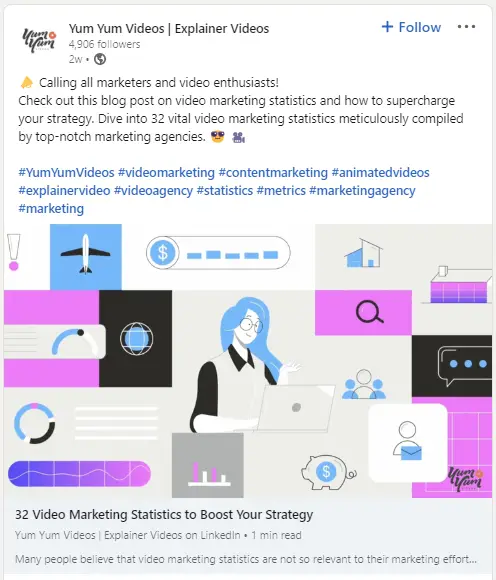
5. Interesting Statistics
A statistics post leads with a number: a figure that's counterintuitive, underreported, or surprising enough to make someone stop scrolling.
For: Both Individuals and Businesses
Benefit: A surprising or counterintuitive data point gives people something concrete to react to. It backs up your perspective with evidence and tends to generate more substantive discussion than opinion alone.
6. Case Studies
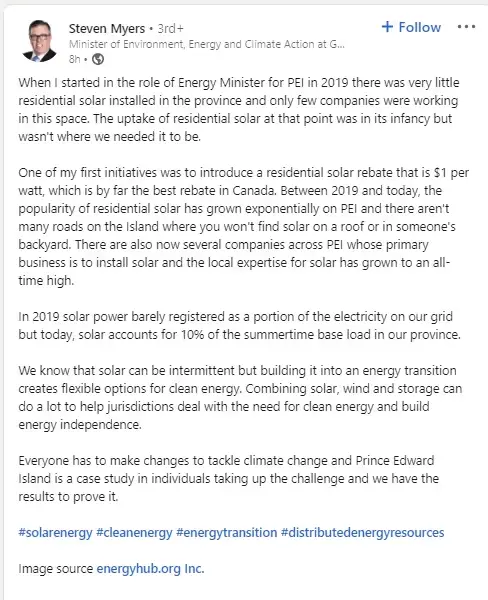
A case study post tells the story of a problem and what fixed it, with enough specificity to make the outcome feel credible rather than promotional.
For: Businesses
Benefit: Real outcomes are more persuasive than feature lists. A well-structured case study shows prospects exactly what's possible, in a format that's easy to share and remember.
Example: The Energy Minister for Prince Edward Island covering how he improved the presence of solar power by implementing a residential solar rebate.
7. User-Generated Content
User-generated content is anything your customers or followers create on their own: posts about your product, tagged photos, unsolicited reviews. The best way to get more of it is to reshare what you already have and make it clear you're paying attention.
For: Businesses
Benefit: Content created by real customers carries weight that brand-generated content can't replicate. It reinforces community, rewards participation, and gives prospects unfiltered perspectives on what you offer.
8. Asking Questions or Seeking Opinions
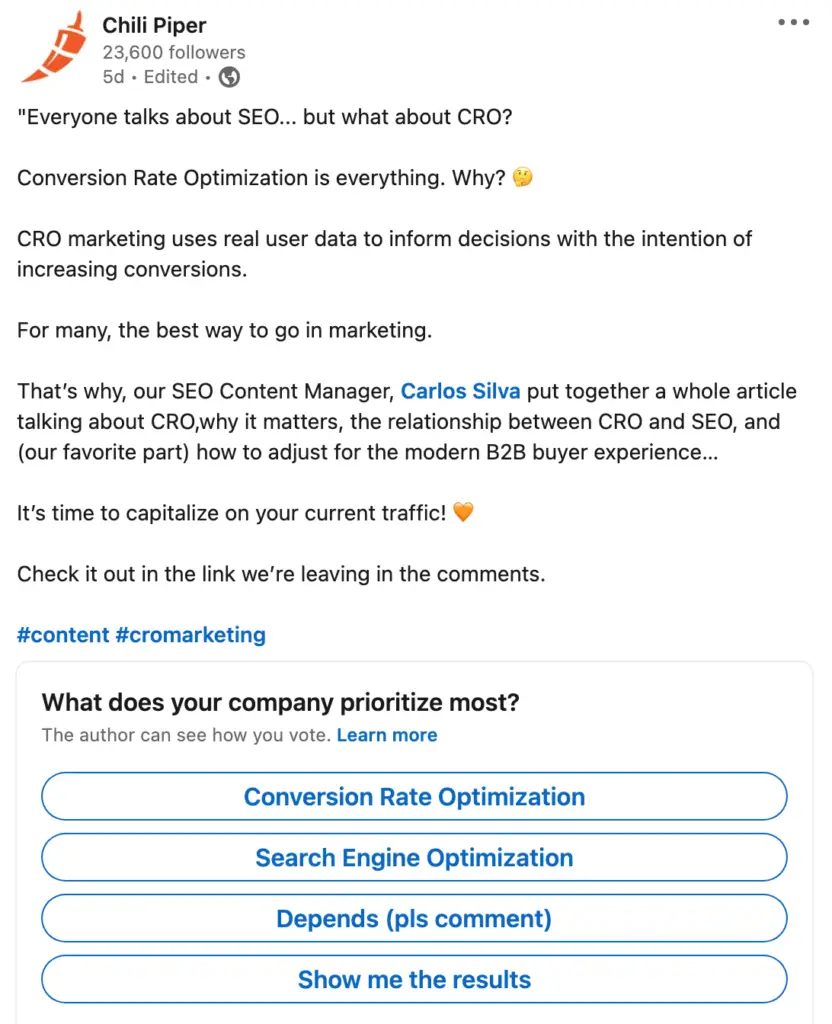
A question post invites your network to weigh in on something. It can be a direct question, a debate prompt, or a scenario where there's no obvious right answer.
For: Both Individuals and Businesses
Benefit: Direct questions lower the barrier to engagement. You get useful signal on what your audience actually thinks, and people feel more connected when their opinion is genuinely solicited.
Example: A poll asking what their company prioritizes.
9. Client Relationship Highlights
A client relationship post shines a spotlight on someone you work with: what they've built, what they've overcome, why you respect them. It's written about the client, not about you, but it demonstrates everything about you anyway. The work speaks through the relationship.
Done well, this format accomplishes several things at once without any of them feeling forced. It shows the quality of people you attract. It demonstrates the depth of your relationships. It signals how you show up for clients. And because you're celebrating someone else rather than promoting yourself, it reads as genuine rather than promotional.
For: Individuals (especially consultants, coaches, service providers, account executives)
Benefit: Show-don't-tell social proof. A post that describes a client's achievements, and the trust behind your working relationship, does more for your positioning than any case study deck. Tag the client and you get mutual visibility; their audience sees who you are and yours sees who they are.
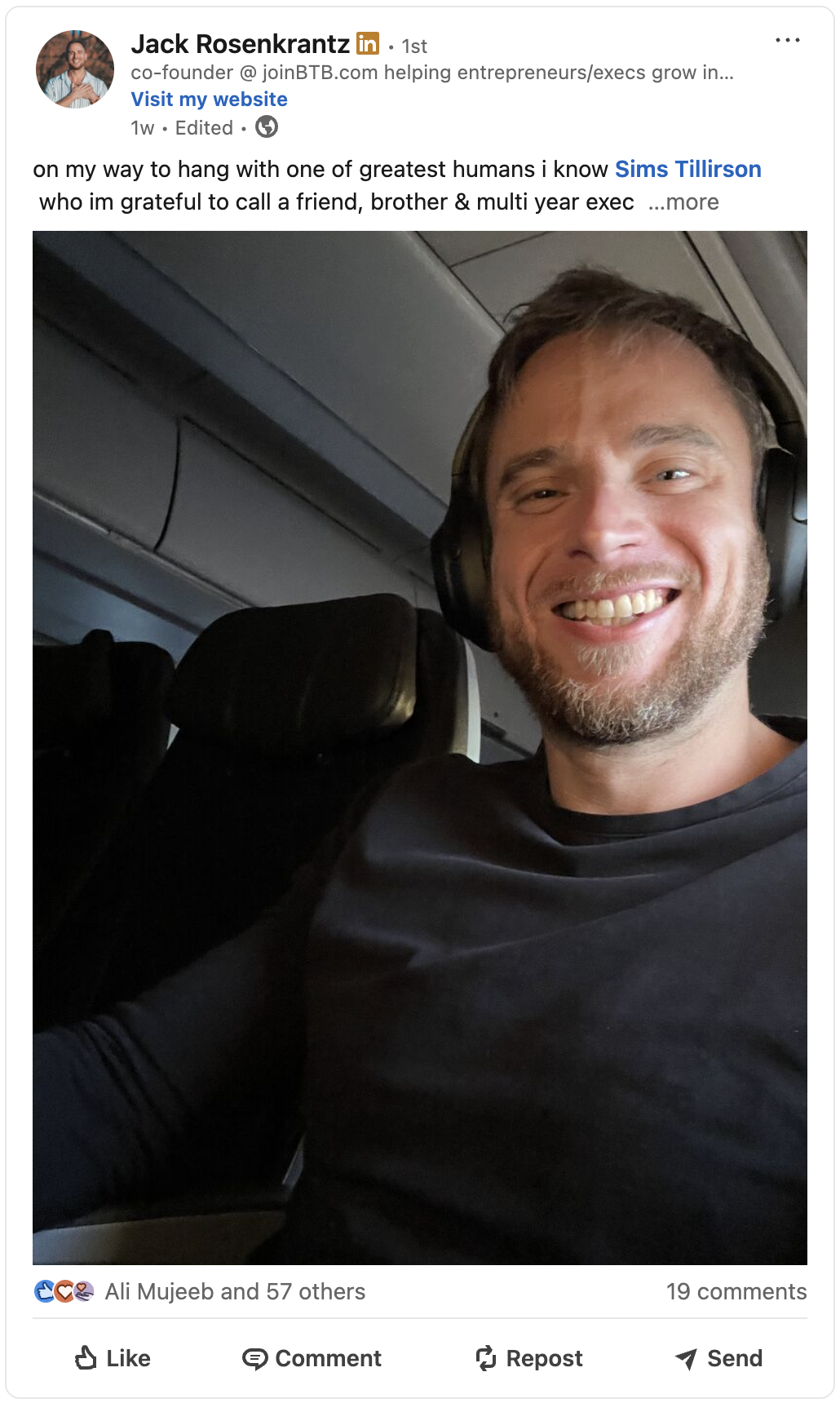
The structure that works: open with the person and your genuine feeling about them, describe what they've accomplished in specific terms, say what the relationship has meant to you, and close with an invitation for others to reflect on their own relationships. The last part turns a personal post into a conversation.
10. Third-party Content or Testimonials
A testimonial post surfaces what someone else has said about you or your work: a client quote, a review screenshot, a LinkedIn recommendation, or a shoutout from a respected voice in your space.
For: Businesses
Benefit: Social proof from outside your organization is far more credible than anything you say about yourself. A strong testimonial or industry endorsement can do more for trust than several brand posts combined.
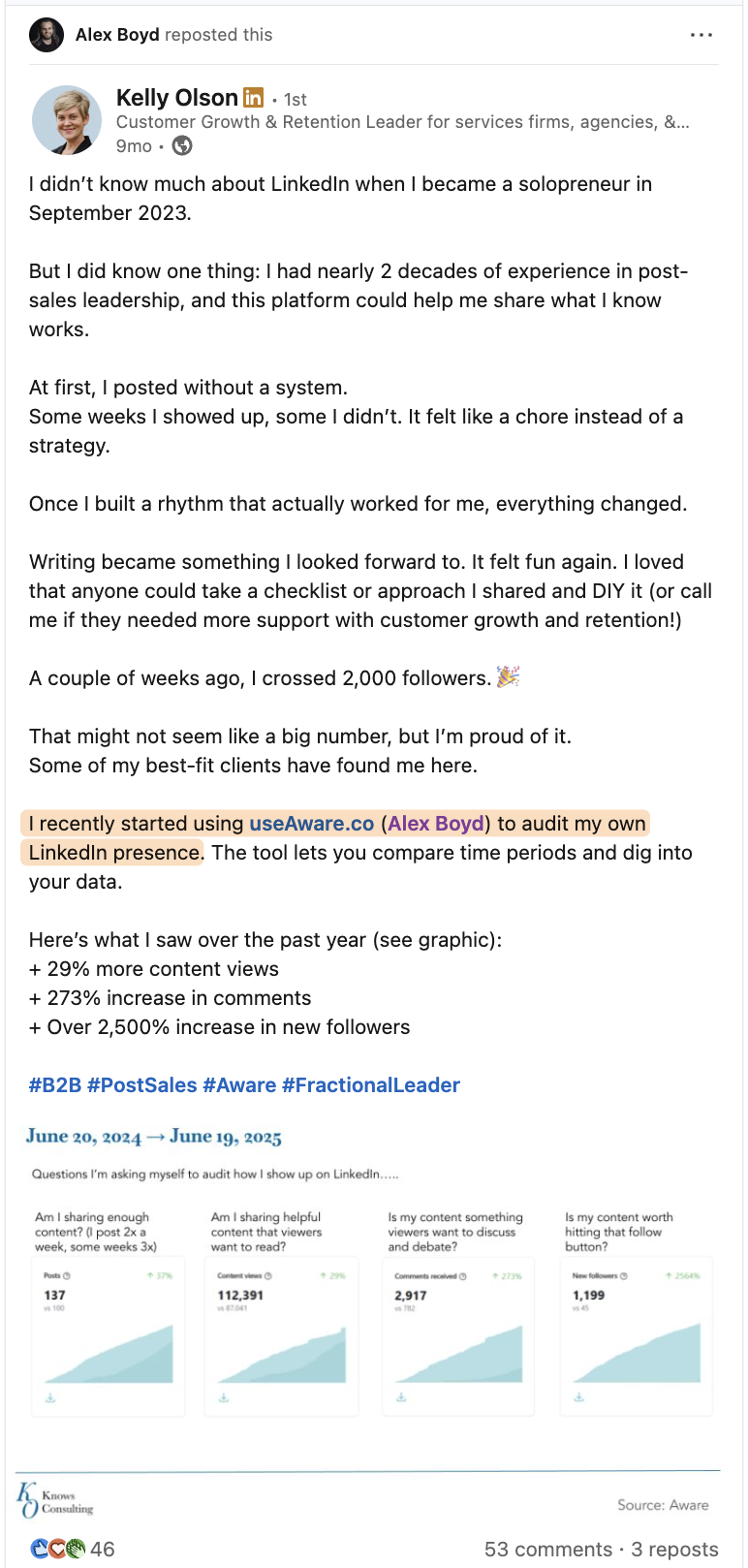
11. Behind the Scenes / Office Tour
A behind-the-scenes post pulls back the curtain on how things actually work: the workspace, the team dynamic, the unglamorous side of the process. It's one of the few formats where unpolished visuals often outperform professional ones.
For: Both Individuals and Businesses
Benefit: People want to know who they're doing business with. A glimpse behind the curtain, whether it's the workspace, the team, or the day-to-day, makes your brand feel more human and trustworthy.
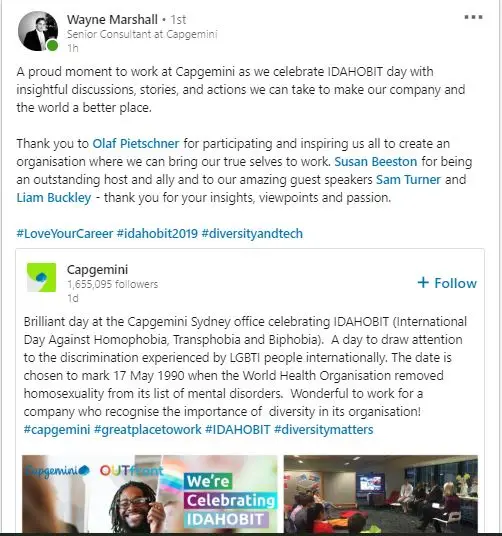
12. Company Achievements and Milestones
A milestone post marks something worth celebrating: a revenue threshold crossed, a product launched, an anniversary reached. The best ones give the audience a sense of trajectory, not just a number.
For: Businesses
Benefit: Milestones give you a natural, non-promotional reason to post. They demonstrate traction, acknowledge your team, and remind your network that real progress is happening.
13. How-to Guides and Tutorials
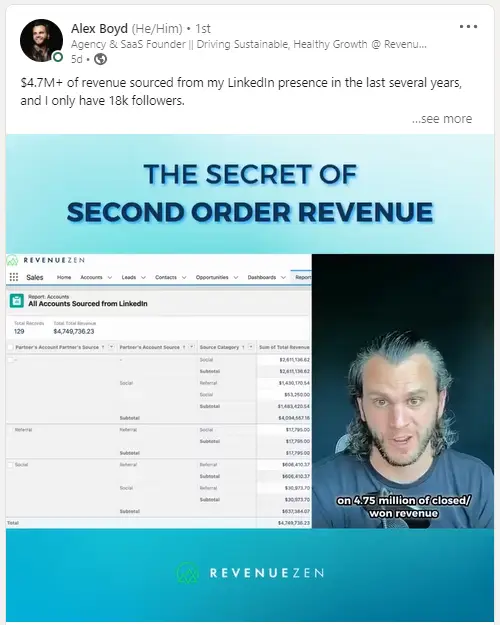
A how-to post walks someone through something they didn't know how to do. It can be as narrow as a keyboard shortcut or as broad as a strategic framework. The format rewards specificity: the more concrete the steps, the more useful the post.
For: Both Individuals and Businesses
Benefit: Teaching something useful is one of the most reliable ways to earn followers on LinkedIn. It establishes expertise in a way that self-promotion never can, and it's the kind of content people save and share.
14. Professional Accomplishments
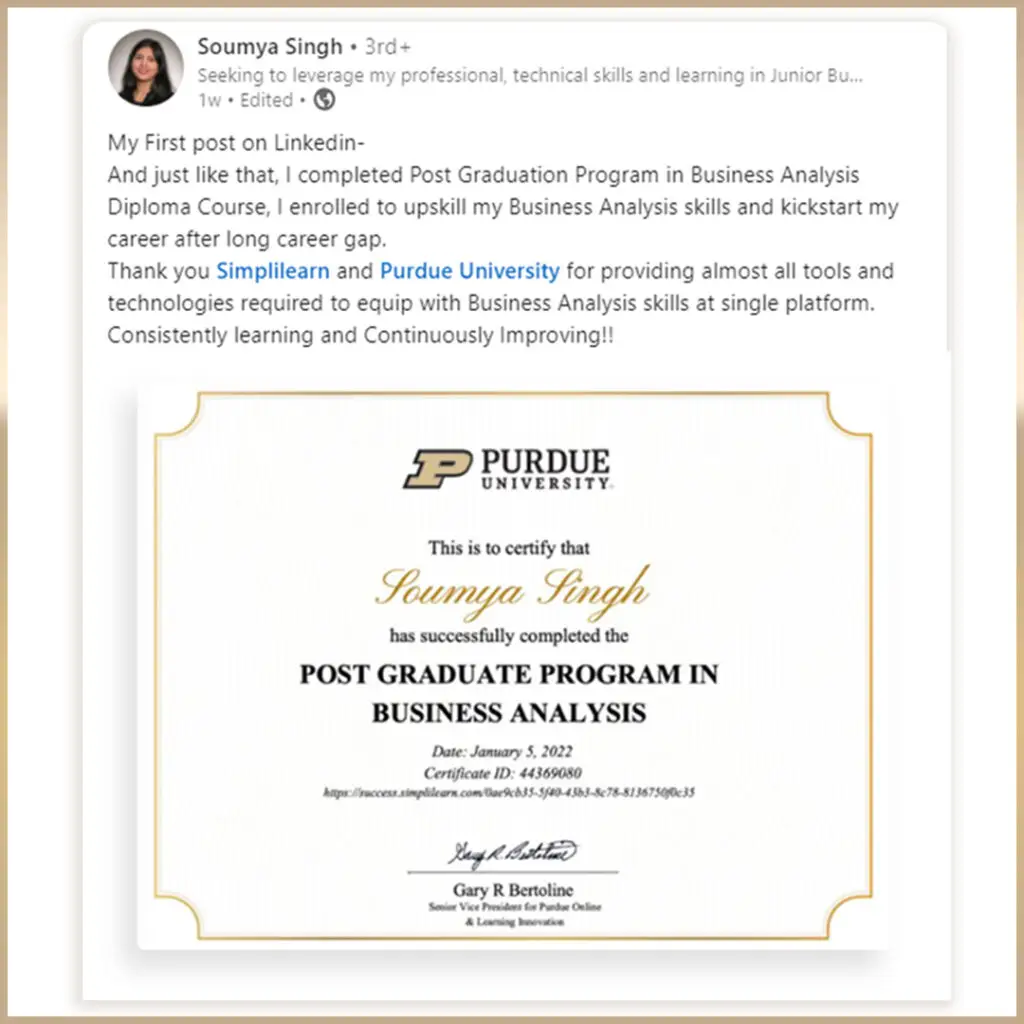
A professional accomplishment post documents something you've earned or completed: a promotion, a certification, a project you shipped, or external recognition from your field.
For: Individuals
Benefit: Documenting your career progress, promotions, certifications, or project wins signals growth and creates a public record of your trajectory. Done with some humility, it tends to resonate rather than come across as self-congratulatory.
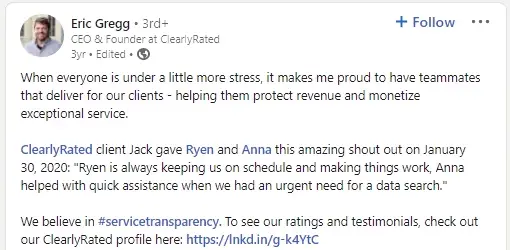
15. User / Customer Reviews or Feedback
For: Businesses
Benefit: Authentic customer feedback is among the most persuasive content a business can share. It shifts perception from "they say they're good" to "their customers say they're good," which is a meaningful difference for buyers who are on the fence.
16. Industry Insights and Analysis
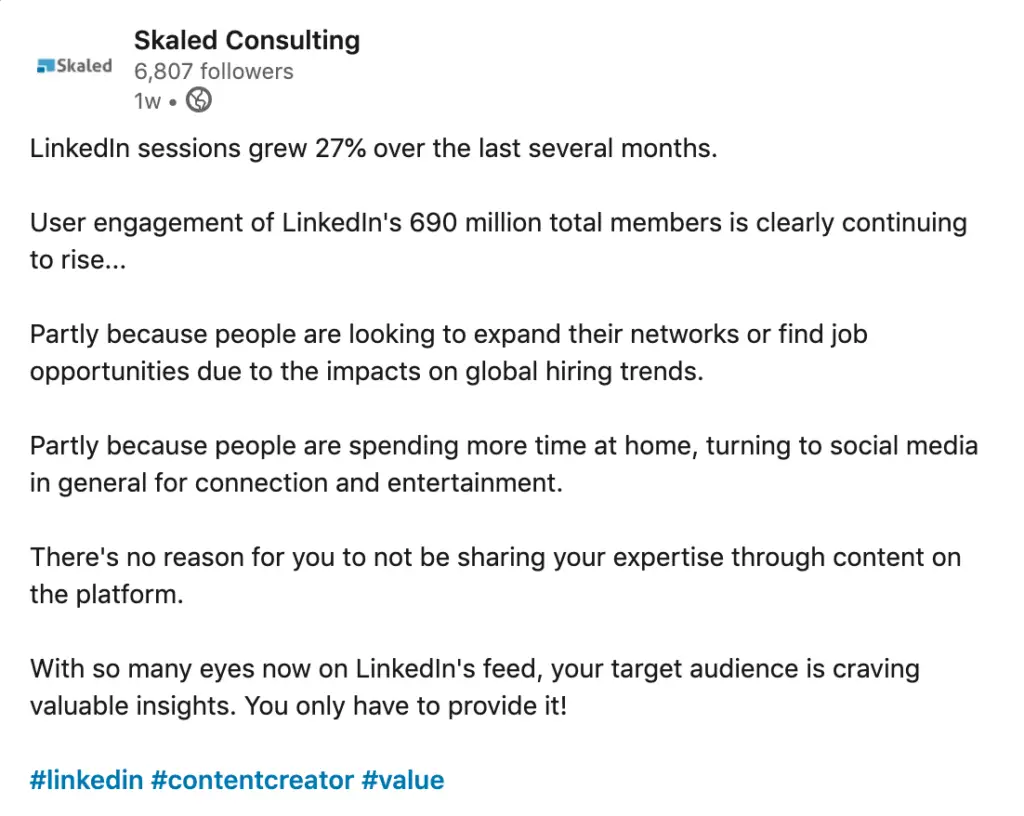
An industry insight post interprets something happening in your field, not just reports it. The distinction matters: sharing a link is a repost; explaining what a trend actually means for your market is insight.
For: Both Individuals and Businesses
Benefit: Analysis is harder to produce than aggregation, which is why it gets more attention. If you can synthesize what a trend actually means for your audience rather than just reporting it, you build a reputation as someone worth following. Original insight also gets shared more widely.
17. Employee Features or Interviews
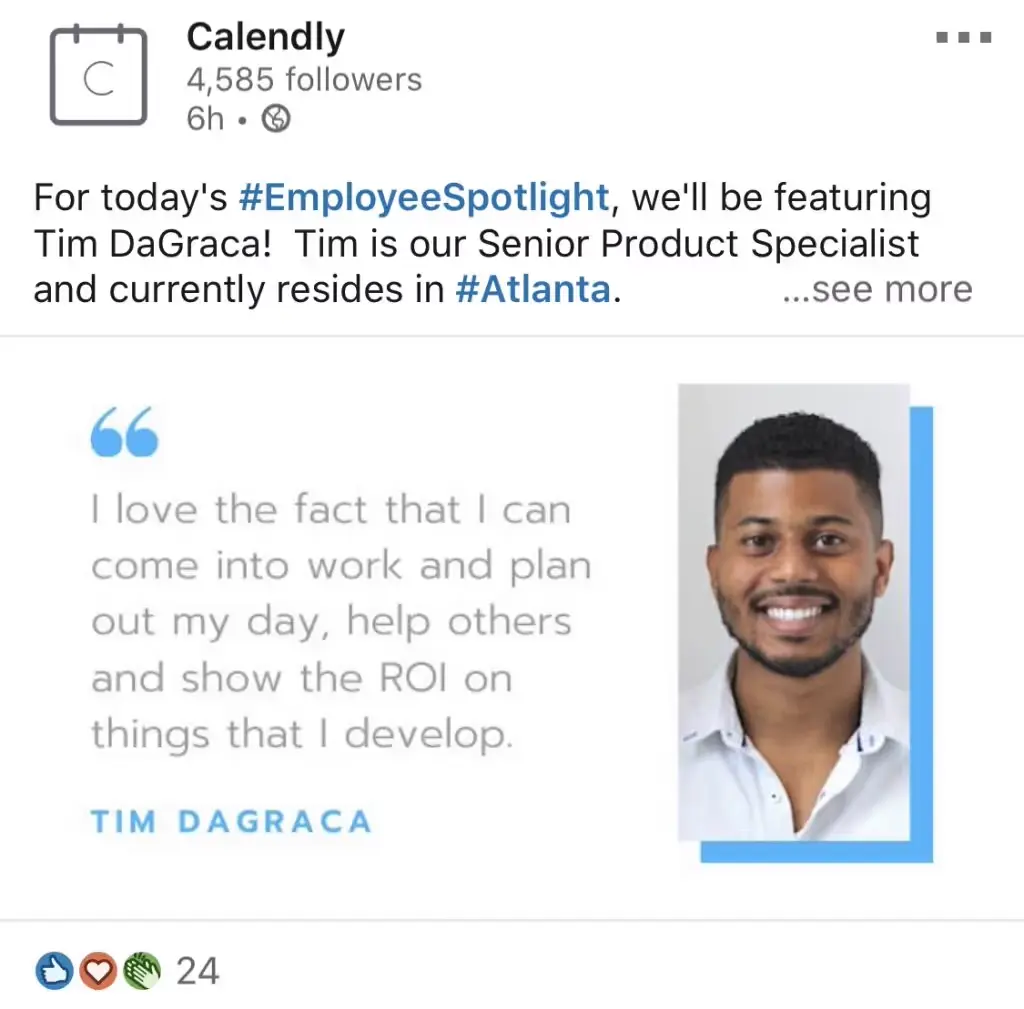
An employee feature puts a specific person in the spotlight: their story, their role, what they've built, or why they joined. It works best when it reads less like an HR announcement and more like something that person would share themselves.
For: Businesses
Benefit: People hire people, not logos. Putting faces and names to the team builds a more relatable brand and makes employees feel seen. It's also strong recruitment content for candidates who want to know who they'd be working with.
18. Polls or Surveys
A LinkedIn poll lets you pose a question to your network with two to four answer choices, giving followers a one-click way to weigh in.
For: Both Individuals and Businesses
Benefit: Polls generate easy, low-friction engagement. They also give you a fast read on where your audience stands on a topic, which can inform content decisions or product thinking.
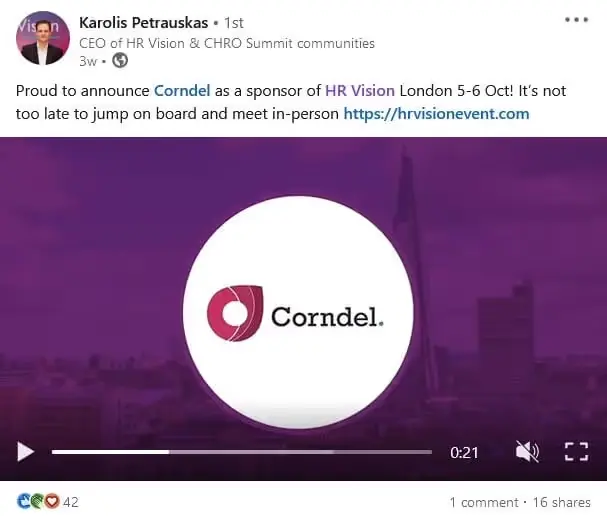
19. Event Announcements
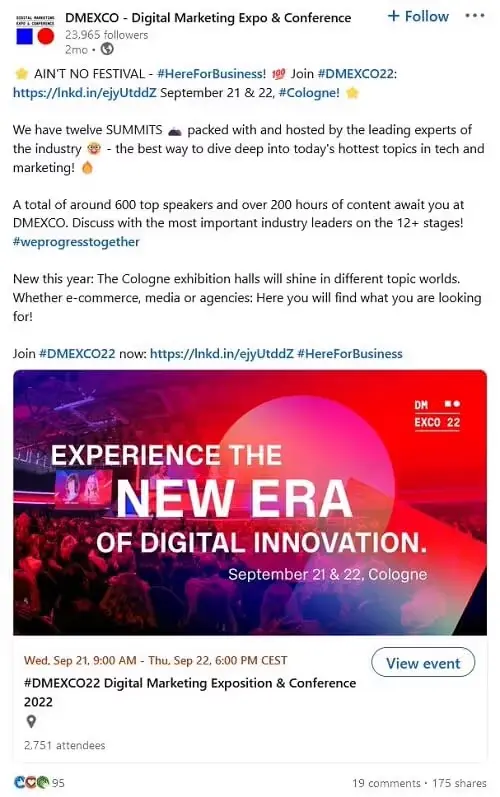
An event announcement post promotes something your audience should show up for: a webinar, a conference appearance, a product launch, or an in-person gathering.
For: Both Individuals and Businesses
Benefit: LinkedIn is where your professional audience already spends time. Announcing events there puts your message in front of the exact people most likely to attend, and early posts create momentum before the event itself.
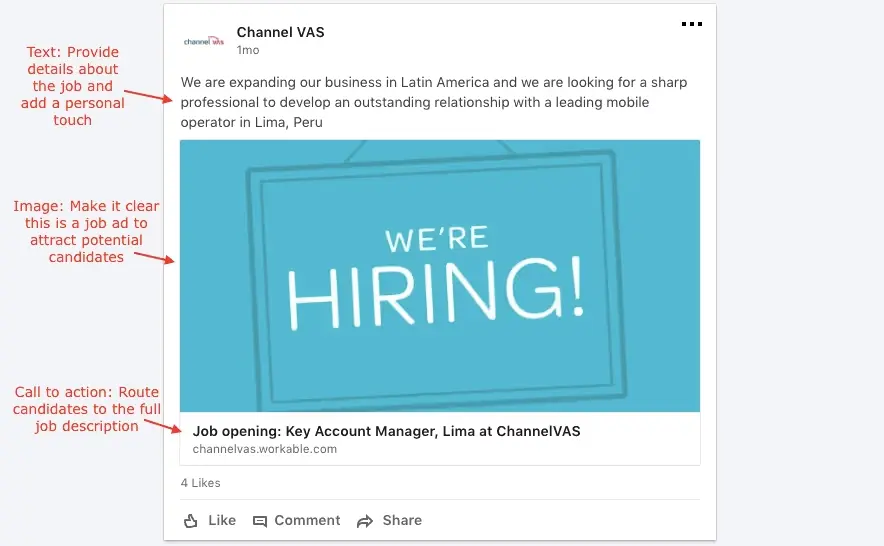
20. Job Postings
A job posting publishes an open role to LinkedIn's talent marketplace. It includes the position title, key responsibilities, requirements, and application instructions, and surfaces the listing to both active job seekers and passive candidates in your network.
Pairing a post with a job board listing extends your reach: the listing catches active searchers, while the post surfaces the role to people in your network who aren't job hunting but might refer someone who is.
For: Businesses
Benefit: A post about an open role reaches your existing network, who may know exactly the right person. It also gives candidates a more personal view of your company than a job board listing alone.
21. Partnership Announcements
A partnership announcement introduces a new working relationship: who's involved, what you're building together, and what it means for customers on both sides.
For: Businesses
Benefit: Partnership announcements signal momentum and credibility. They let both audiences know about the relationship, often driving interest from people in each company's network who wouldn't have found you otherwise.
22. Charity or CSR Initiatives
A CSR post highlights the causes your company supports: charitable giving, community programs, environmental commitments, or employee volunteer efforts.
For: Businesses
Benefit: Demonstrating a commitment to causes beyond profit resonates with employees, customers, and partners who care about the same issues. It adds a dimension to your brand that product-focused content can't provide.

Ready to post more consistently on LinkedIn?
DemandBird helps you schedule, repurpose, and grow your LinkedIn presence, without the guesswork.
Start Free Trial