
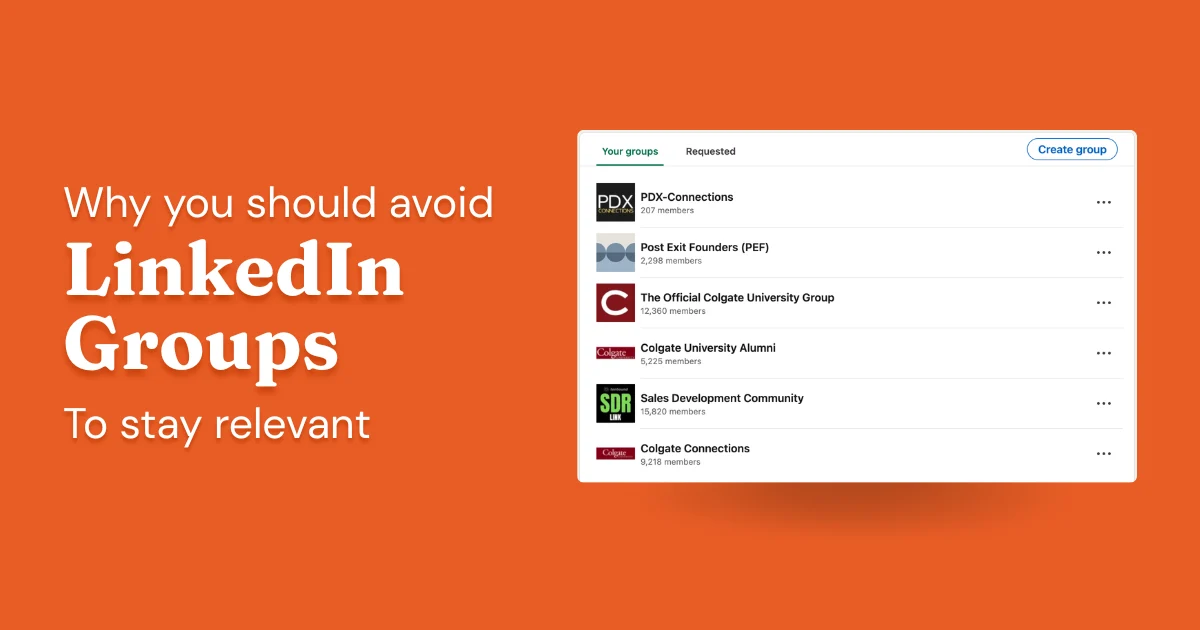
LinkedIn Groups have existed since nearly the beginning of the platform. They were genuinely useful for a while. That time has passed. In almost a decade on LinkedIn, consulting and training hundreds of professionals on how to grow here, I've never met a single person who told me they generated one dollar of revenue from Groups. The platform quietly deprioritized the feature, and most users never noticed.
I'll walk through how Groups work because it helps to understand the mechanics. But my advice is consistent: your time is better spent elsewhere.
If you're deciding whether to invest in Groups (starting one, posting in one, moderating one), my answer is almost always no. Read on to understand why, and what to do instead.
What Are LinkedIn Groups?
LinkedIn Groups are topic- or industry-based communities inside LinkedIn. Any member can create one, set rules, invite people, and moderate it. They've been part of the platform since the early days.
Open groups let you join immediately. Member-only groups require admin approval, which may or may not happen. Once you're in, you can post, comment on others' posts, and send direct messages to fellow members, even if you're not connected with them.
Each group has its own page at linkedin.com/groups/[group ID]. All content lives there, separate from your main feed. That separation matters more than it sounds.
How LinkedIn Groups Work
Here's how the feature actually works.
Finding groups: Use LinkedIn's search and switch to the "Groups" filter. LinkedIn also surfaces group suggestions in its "Discover" tab; you'll occasionally see them listed on members' profiles too. The search isn't great, but it surfaces niche groups well enough.
Joining: Open groups let you in immediately. Member-only groups send a request to the admin, who may or may not approve it. Inactive groups often have no functioning admin at all.
Posting in a group: You post from inside the group page, not your main feed. Group posts don't appear in your main feed by default. The only people likely to see them are those who navigate directly to the group page.
Notifications: Groups can flood your notifications and inbox. Set group notification preferences to digest or off.
Messaging group members: You can message group members you're not connected with. Some people use this for prospecting. It can work, but spammy behavior gets noticed fast in a small group.
The Honest Reality: Groups Are a Ghost Town
The mechanics above are straightforward. Here's what actually matters.
Group posts get 5 to 20 times fewer interactions than a comparable post on your main feed. That's not a rounding error. The LinkedIn algorithm gives group posts almost no feed distribution. Unless someone navigates directly to the group page, your post sits there unseen.
In nearly a decade of active LinkedIn use and consulting, I've never had a client, connection, or audience member tell me they generated revenue from LinkedIn Groups. Not one. Plenty of people have told me they posted in Groups. Nobody has told me it paid off.
"In nearly a decade of working with LinkedIn users professionally, I have never once heard of someone generating meaningful revenue from Groups. Not one."— Alex Boyd, Founder, DemandBird
LinkedIn has let Groups atrophy. They may reinvest someday, but there are no signs of it. LinkedIn has been actively investing in the main feed algorithm, newsletters, events, and video. Groups are conspicuously absent from that list. The platform focuses its energy where engagement exists.
This isn't new. Groups peaked around 2012 to 2015, when LinkedIn was still building out the platform and the feed hadn't taken over yet. Once the feed became the default home for content and conversation, Groups lost their reason to exist. They never recovered.
LinkedIn Groups for Business and Marketing
I know what people want Groups to do: build community around a brand, generate leads, establish authority in a niche. The pitch sounds reasonable. It almost never works.
Starting a group and inviting people doesn't mean anyone will come back. The engagement loop that makes communities work, where a post gets reactions, more people see it, more engagement follows, doesn't function inside Groups the way it does in the feed. There's no algorithm to amplify good content or draw new participants in. You're building a room LinkedIn refuses to promote. Keeping a group active takes real moderation effort, and the returns are negligible for most operators.
There is one exception, and it's rare. I'd only consider Groups if all three of the following are true. Finding all three in the same group is uncommon enough that it shouldn't factor into any general strategy.
Groups might be worth it only if all three are true:
- ✓ The group already has genuine participation: members post, reply, and engage. You did not build it.
- ✓ There is an active moderator or facilitator keeping the conversation going and removing spam.
- ✓ You have heard directly from your actual target customers that they use and pay attention to LinkedIn Groups specifically.
Best Practices If You Still Want to Try
If you've read this far and still want to engage with LinkedIn Groups, here's how to do it.
- Join, don't start. Building and moderating a group from scratch is work that almost never pays off. If a relevant active group exists, join it. You do not need the overhead of ownership to participate.
- Small and active beats large and dead. A group with 500 genuinely engaged members is worth more than one with 50,000 ghosts. Member count is a vanity metric in Groups more than almost anywhere else on LinkedIn.
- Don't expect compounding. Feed content compounds: one strong post can reach people who share it, triggering more reach over time. Group posts do not work that way. There is no flywheel.
- Set notifications to digest or off. Groups can flood your inbox with low-signal activity. If you are going to participate selectively, do not let notification noise pull you in more than you intend.
- If prospecting, go slowly. Some people use group membership to identify and message potential prospects. If you do this, be thoughtful. Spam behavior inside groups is easy to spot and damages your reputation with exactly the people you are trying to reach.
What to Do With That Time Instead
The answer isn't complicated. Build your connections strategically. Post consistently on your main feed. Optimize your profile so that when people find you through content, search, or a comment, your profile does something with that attention. Those are the levers that actually work on LinkedIn.
What compounds over time is alignment between your profile content, your headline, About section, experience, and your posts, so LinkedIn recognizes you as a credible voice on a specific topic. That's how organic reach builds. That's how the algorithm starts surfacing your content to people who don't already follow you. Groups have no role in that system. There's no path from group activity to feed reach.
If you're spending time in LinkedIn Groups instead of writing one more post per week, replying to comments on others' content, or improving your profile, you're in the wrong place. I say the same thing to every client who asks. The feed is where LinkedIn's investment goes. The feed is where engagement compounds. That's where your effort belongs.
Frequently Asked Questions
Are LinkedIn Groups worth it in 2026?
For most people, no. Group posts get a fraction of the reach of normal feed posts, LinkedIn has deprioritized the feature for years, and in nearly a decade of working with LinkedIn users professionally, I've never heard of anyone generating meaningful revenue from Groups. The only exception: a niche group that's genuinely active, has a moderator, and that your actual target customers use.
How do I find a LinkedIn Group's homepage?
Run a LinkedIn search for the group name and switch to the "Groups" filter in the results. Each group has its own URL at linkedin.com/groups/[group ID]. Group suggestions also show up in LinkedIn's "Discover" tab and occasionally on members' profile pages.
Can I export group members from LinkedIn?
LinkedIn doesn't offer a native export of group members. Third-party tools claim to do this, but they typically violate LinkedIn's terms of service. If you need a list of relevant professionals, building it manually through search or your connection network is safer.
How do I find a specific member in a LinkedIn Group?
Go to the group page, click "Members," and use the search field to find someone by name. You can only see members who haven't restricted their group visibility in privacy settings.
Should I start a LinkedIn Group for my business?
For most businesses, no. Building and moderating a group takes real effort, and the returns in reach, engagement, and leads are minimal compared to consistent posting on your main feed. The only exception is if you have direct evidence your target audience actively uses LinkedIn Groups.
Spend your LinkedIn time where it actually compounds
DemandBird helps founders, consultants, and agencies grow on LinkedIn through content the algorithm actually surfaces, not through features it has abandoned.
Start Free Trial