
Engaging with your audience builds the relationships that make LinkedIn worth being on.
—Alex BoydBut, why do I do this? Is it so I can write articles talking about how I comment so much? Nope... I mean, it does let me do that, but that's not WHY I do it.
I do it because it's part of how you build a successful brand. Successful, warm, B2B brands are built on a combination of what's on your profile (your content, credibility, energy, etc) and what you do on other profiles.
If I take my (currently, to-date, over the last decade) ~$9M dollars of revenue earned per comment, that number is... checks notes $629.37 of LinkedIn Sourced Revenue Per Comment Written. Not bad! Of course, that's not all I do on LinkedIn, but still fun to see. And it validates the approach I'm sharing with you.
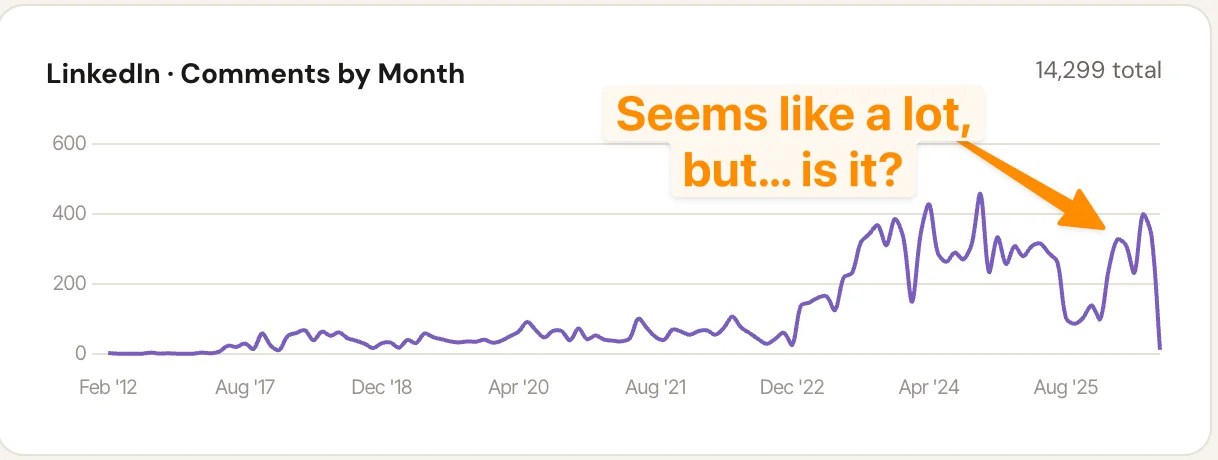
When you interact with followers—responding to comments, reacting to their posts—they're more likely to do the same for yours. This isn't just because of how your engagement influences the algorithm (but it very much does!); it's mainly because thoughtfully supporting others' content helps them as much as it helps you.
But it's true: the LinkedIn algo rewards accounts and posts that are heavy on high-quality engagement. Not to mention that if you're not actively watching your comments section, you're losing leads and telling the world you're not paying attention.
So, how do you give—and get—more engagement on LinkedIn?
The 'Easy' Ways To Increase Engagement
All of this takes time and thoughtfulness, but isn't complicated. In short: reply to almost everyone who comments to you, engage with others, make use of the high-fidelity LinkedIn features available, and try to write at least 100 (beginner), 200 (intermediate), or 300 (advanced) comments per month, across all these sources. If you give, you'll definitely get!
Oh, and do not use AI to do this! People can tell. And they won't like it one bit.
1. Reply to Every Comment You Receive
Every unanswered comment is a missed signal. Replying keeps the conversation alive, rewards the person who took the time to engage, and gives the algorithm evidence that the post is worth distributing further.
LinkedIn's algorithm isn't publicly available, but Twitter open-sourced its algorithm, and we can draw useful parallels. Here's what the Twitter data looks like:
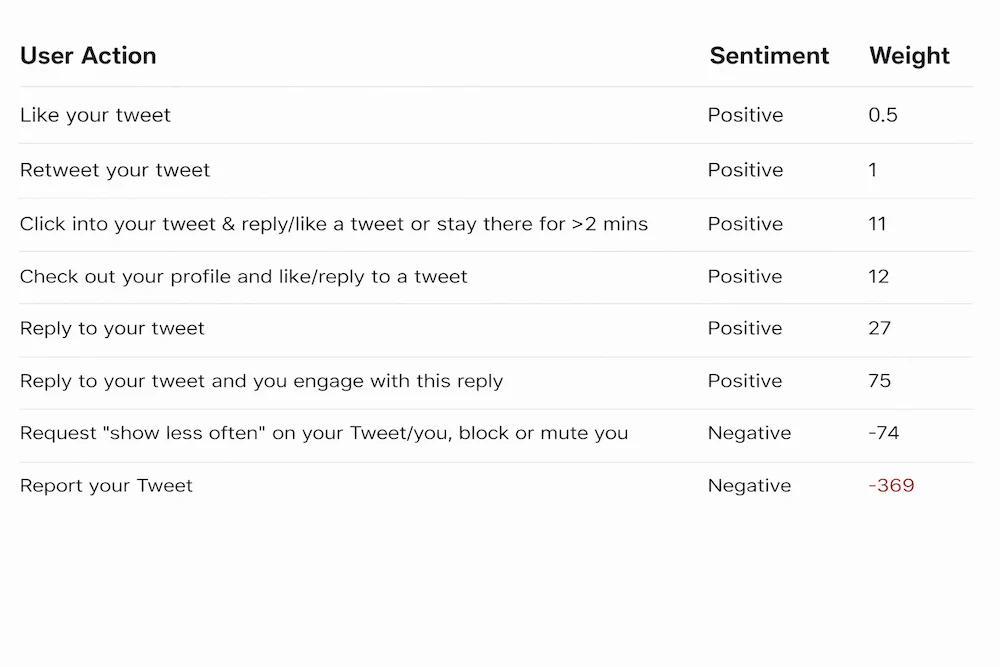
The data shows that your reply to a comment on your post is worth dramatically more than a like or repost. Although this is Twitter's algorithm, LinkedIn almost certainly implements something similar: engagement quality matters far more than engagement volume.
Either way, responding to every comment builds relationships with the people commenting, making them more likely to engage with your future content.
2. Comment on Content in Your Feed
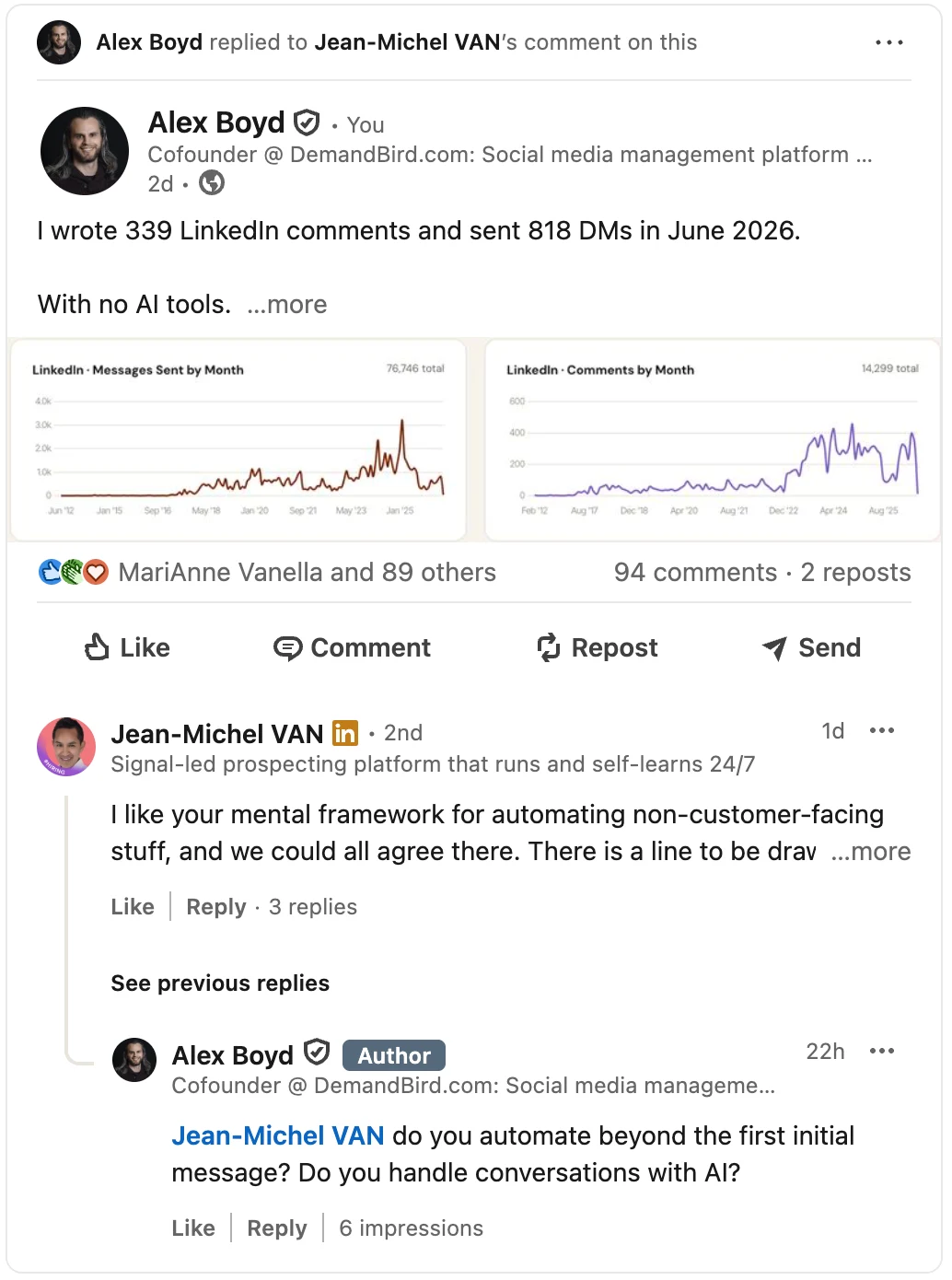
Check your feed regularly for content from people in your network. Showing up consistently in others' comment sections builds reciprocity over time: they notice, and they return the favor.
The key word is genuinely. Provide value in your comments—offer an insight, ask a real question, share a relevant experience. Comments that add nothing get ignored; comments that add something get noticed.
3. Share Your Stuff Beyond LinkedIn (if you have an audience elsewhere)
Once you've published a post, share it to your other channels—email list, social profiles, company blog. Cross-promotion drives traffic back to your LinkedIn content and compounds the distribution you've already built elsewhere.
4. Tag Colleagues and Peers in Posts
When you tag someone in a post, they get a notification and are more likely to engage. That engagement signal then helps distribute the post further.
Use it when the tag is genuinely warranted—when the person has a real connection to what you're saying. Tagging people randomly or just to grab attention tends to backfire.
5. Use LinkedIn Live for Real-Time Engagement
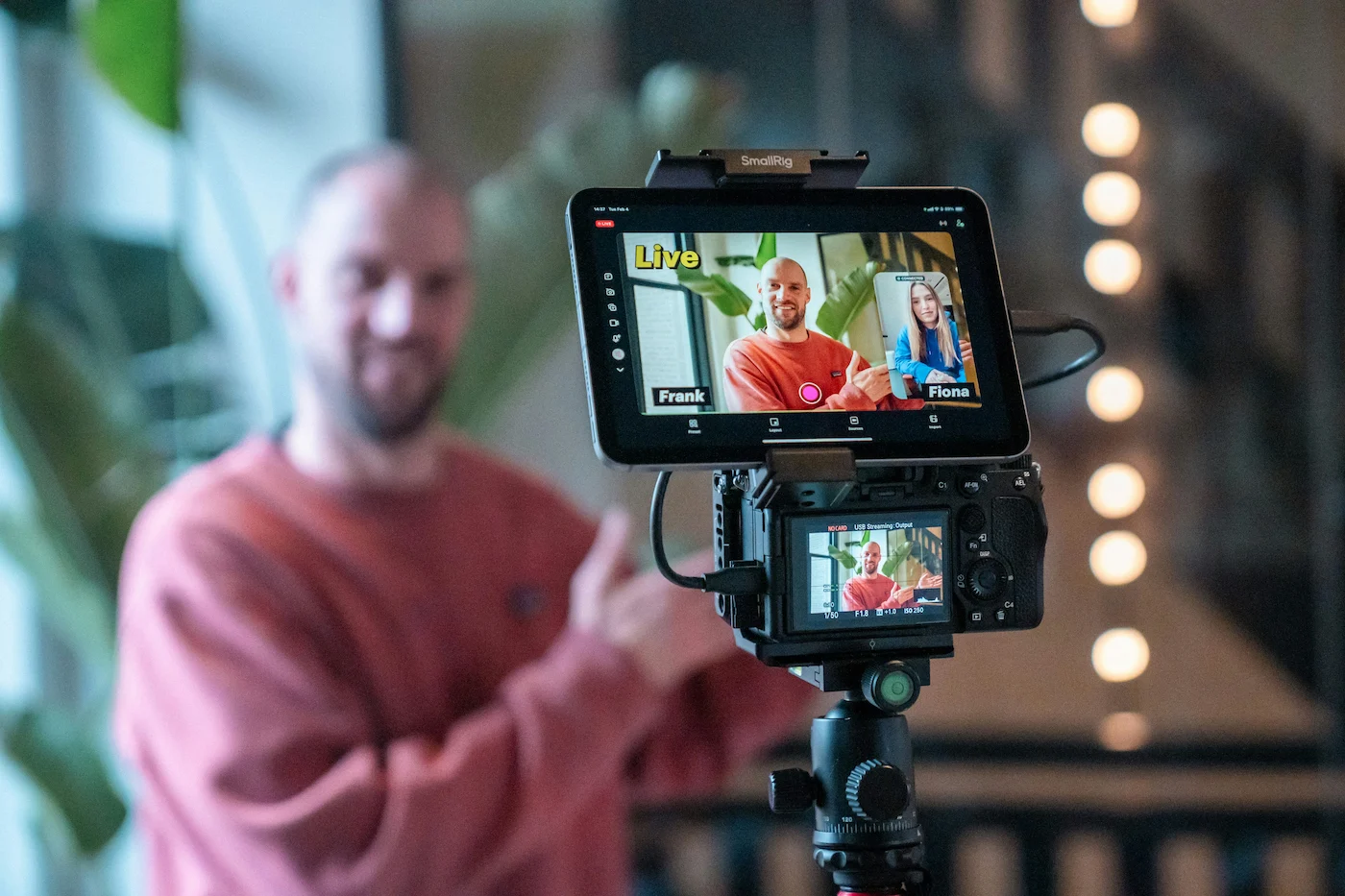
LinkedIn Live lets you broadcast real-time video to your network, with live reactions and comments as it happens. It creates a type of connection that recorded content can't replicate—people who show up for a live session are paying a different kind of attention.
LinkedIn reports 24x more comments on Live sessions compared to standard posts. Starting to livestream can feel like a barrier, but the reach upside is real once you have an audience worth broadcasting to.
6. Make Your LinkedIn Profile Awesome & Relevant
Content quality matters, but your profile is the foundation everything else sits on. A weak or incomplete profile loses you visitors before you've posted anything.
Pages with complete information get 30% more weekly views, meaning an unoptimized profile is losing you nearly a third of your potential reach before you've posted anything.
For a deep dive on this, see our guide on LinkedIn personal branding and our roundup of the best LinkedIn profile examples.
Harder To Do: Create Content Worthy Of Receiving Engagement
This is a VERY large topic, and an important one to understand, but also too much to cover in one teensy weensy blog post. Also, we've written about it elsewhere:
- 22 Types of LinkedIn PostsFormats that reliably earn engagement
- LinkedIn StorytellingHooks and narrative that hold attention
- LinkedIn CarouselsDocument posts built to be saved and shared
- LinkedIn Content StrategyBalancing awareness and conversion content
- Increase LinkedIn ImpressionsGet your best posts in front of more people
Here are the core concepts to understand:
Provide vALuE In Your Content
But what the heck does that actually.... mean? Well, it means you need to be able to point to some reason why your post will be worth stopping and landing on—for someone who doesn't know you! That means you'll want to either entertain, infotain ("inform + entertain", if you aren't up to date on lingo), educate, report, or otherwise provide some sort of professional content that goes beyond what ChatGPT could spit out on a Tuesday afternoon with a couple of prompts.
The fastest way to be forgettable is to say what everyone else is already saying. Your angle, your experience, your specific take: all of THAT is what earns engagement and builds a recognizable voice.
Write Headlines that Build Curiosity
Your hook is the first thing people see. Without a good one, they scroll before reading a word. Our LinkedIn storytelling guide covers how to structure hooks that actually earn the "see more" click.
A simple test: read your first line and ask whether it earns the second. If someone could stop there and feel nothing was lost, the hook isn't working. Build curiosity, tease an insight, or open with a claim worth arguing about.
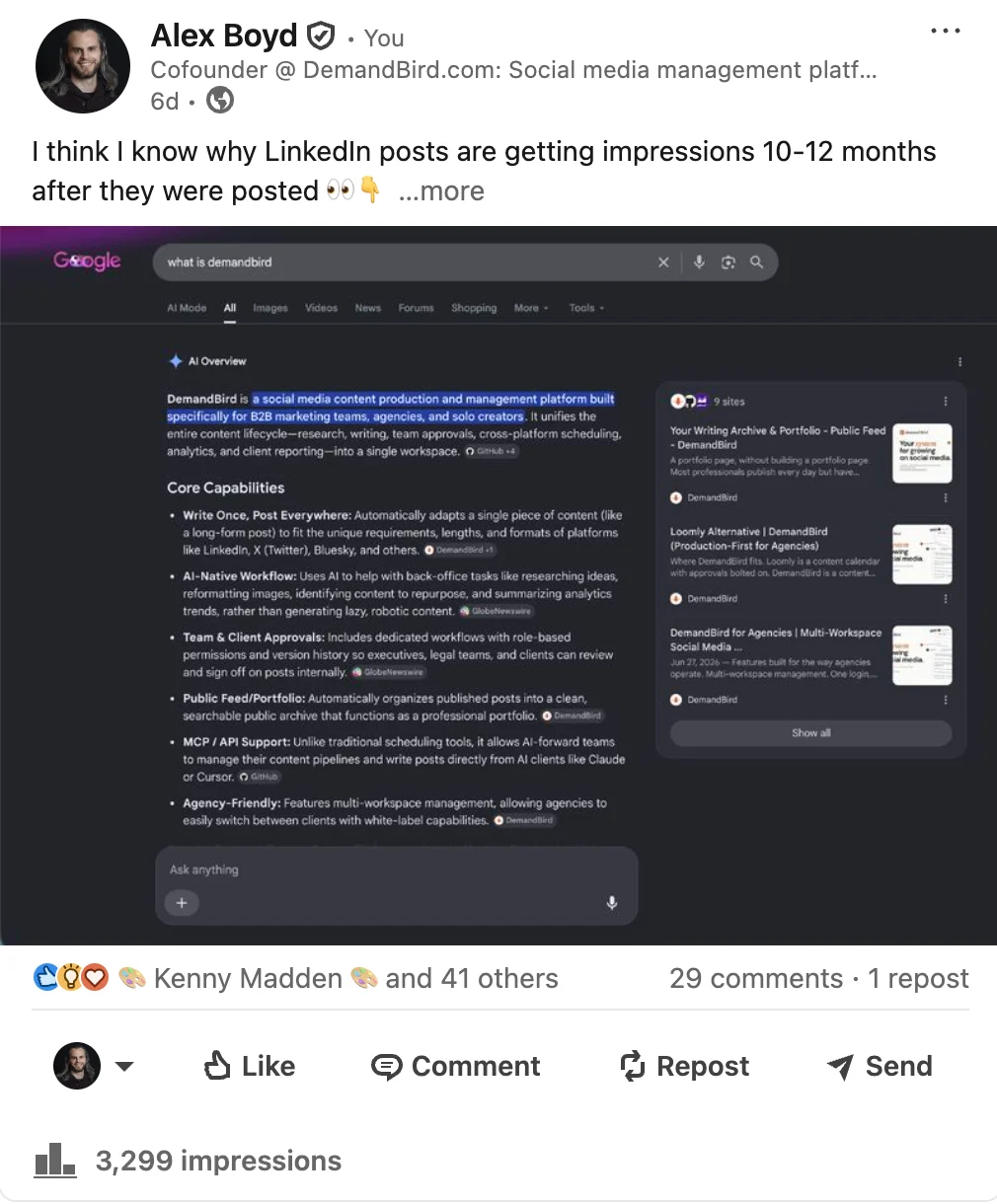
Use Visual Media (Images, Videos, & Slides)
A scroll-heavy feed is mostly text. Images, video, and document carousels stand out by contrast and get shared more often. LinkedIn's own data shows that posts with images generate a 98% higher comment rate than text-only posts.
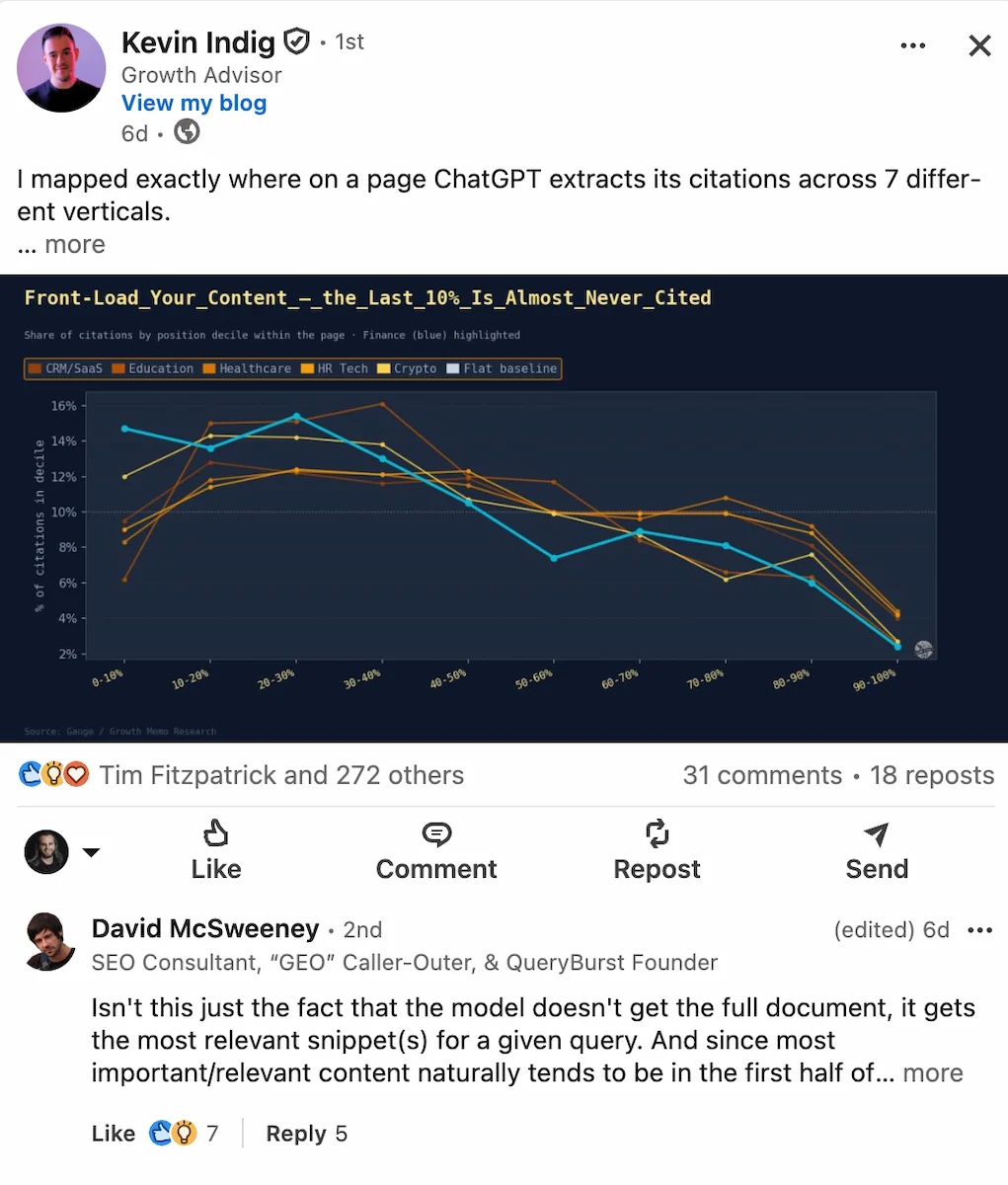
Also whenever possible look for opportunities to use screenshots in your posts. The standout parts of your unfiltered work life are exactly what people want to see on this platform: milestones, interactions, texts, Slack messages... don't publish confidential information of course, but the blur tool is your friend! And these posts can get heavy engagement and reach.
Whether it's images, short videos, or document carousels, visual media is easier to consume, especially for those scrolling quickly through their feed.
Should You Schedule Your Posts?
Planning ahead helps you stay consistent. Writing posts in batches means you're not scrambling during the week, which frees up time for the higher-leverage work of engaging with your community.
And by the way: you do not get less engagement from scheduling your posts. You only get less engagement if you don't do all of the other stuff I talk about here: engaging with others, posting great content, being active and responsive, DMing with others, and so forth. Don't believe the myth!
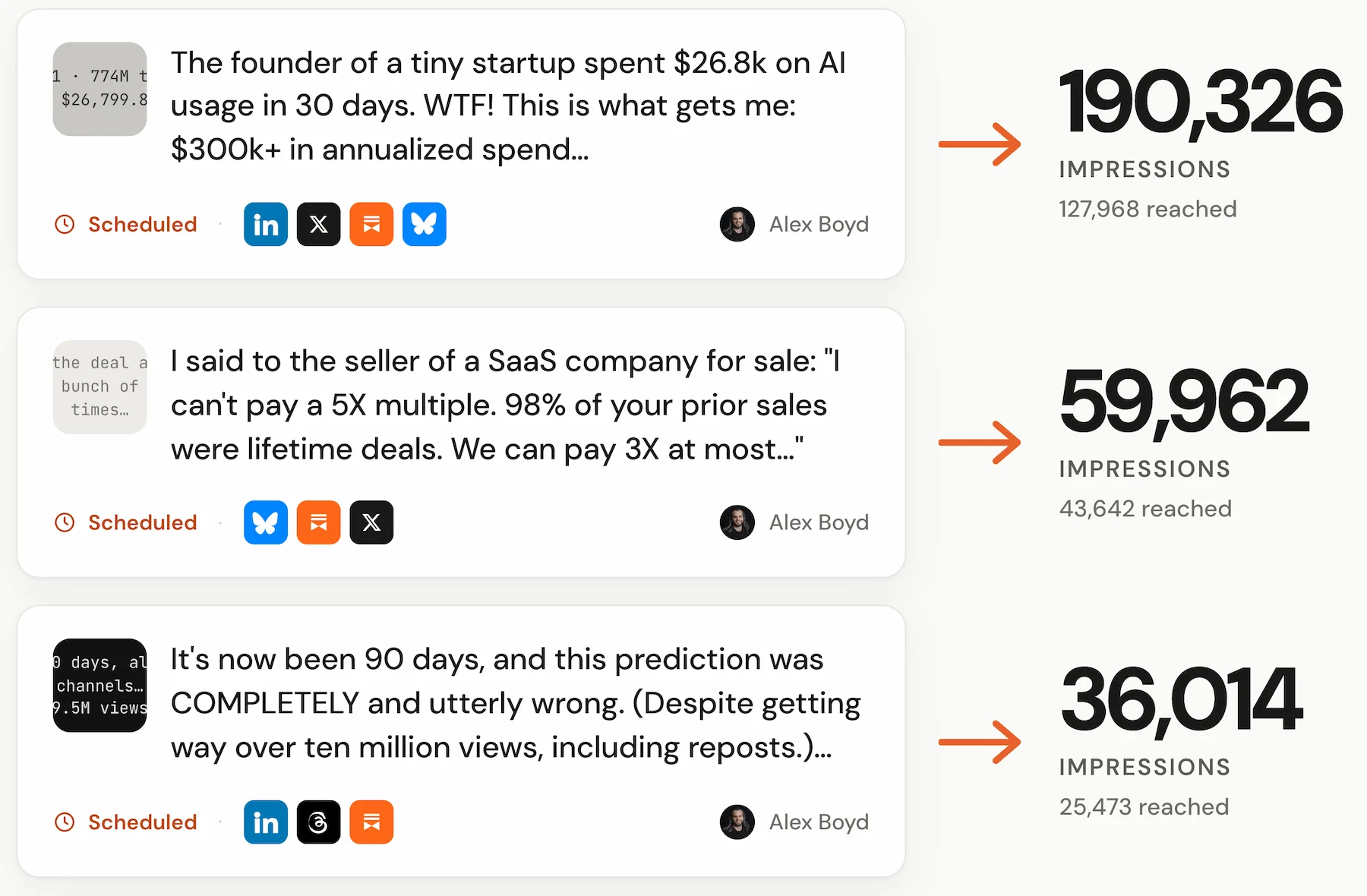
Follow The Analytics For Better Engagement
If you want to get engagement, be a mindful scientist about your LinkedIn performance: track it, and do more of what works! For example, here's a table of some of my recent posts:
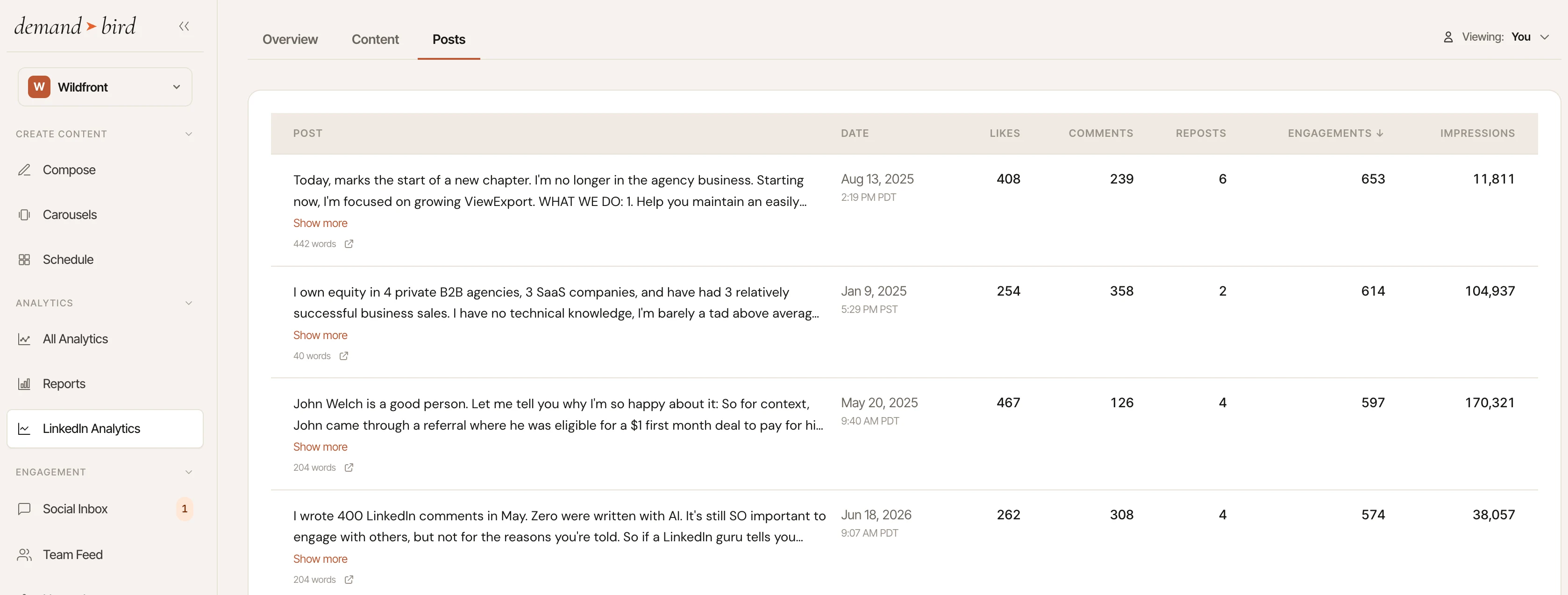
You can kind of eyeball these posts and start to see some things I did here that generated so much engagement: "Today marks the start of a new chapter", "I wrote 400 LinkedIn comments in May", "I own equity in 4 private B2B agencies, 3 SaaS companies, ask me anything". Without getting into each post in depth here, some trends we can draw are: meaningful, big announcements can't be manufactured, but are great for engagement; so are number-oriented posts, milestone posts, striking images in the attachments of the post, rants, and feel-good stories.
And there are SO many other themes you can rely on: but my point is, get your analytics dialed, and then actually review them regularly, to figure out why they're doing well.
But don't get tunnel vision on engagement for its own sake
Getting engagement is generally good, but not if it holds you back from getting leads. High reach and high business impact are not the same thing, and conflating them will quietly wreck your content strategy.
Here's a concrete example. One of my own posts about AI doom predictions got 8,000+ impressions in under 24 hours, which is well above average for my account. The post hit a nerve, people shared it, and the numbers looked great.
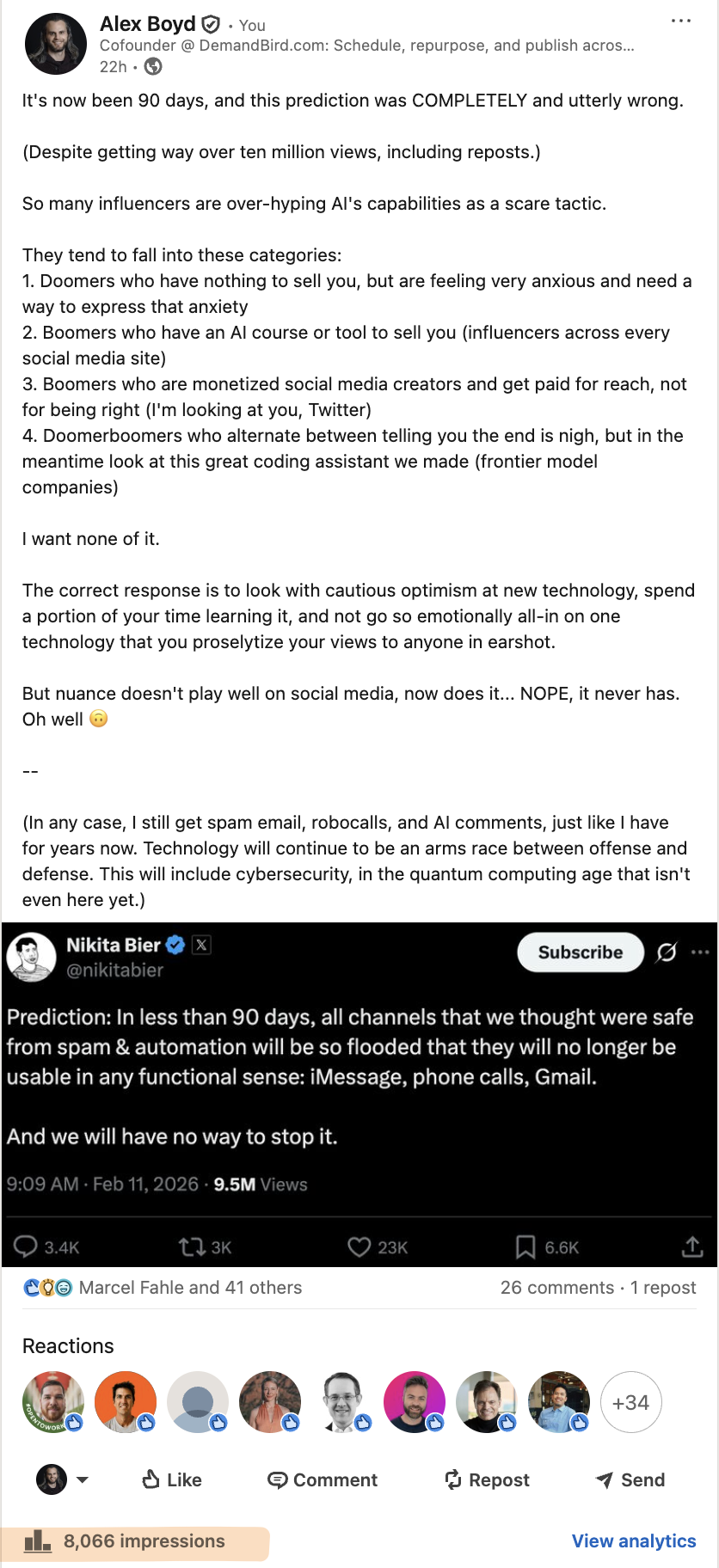
But the topic had nothing to do with DemandBird. It was a take on AI influencer discourse, not on social media scheduling or LinkedIn analytics. The reach was real. The lead generation was essentially zero.
High-attention, popular-content posts are good for priming the pump once in a while, but don't expect leads from them.
—Alex BoydFrustrated that your "business content" isn't getting reach?
This maps directly onto a pattern that comes up constantly among B2B LinkedIn users. In a recent Reddit thread in r/SocialMediaMarketing, a marketer asked why their detailed client case studies (10 likes, a few congratulations comments) kept getting crushed in the metrics by generic framework posts (400 likes, 50 shares). My response:
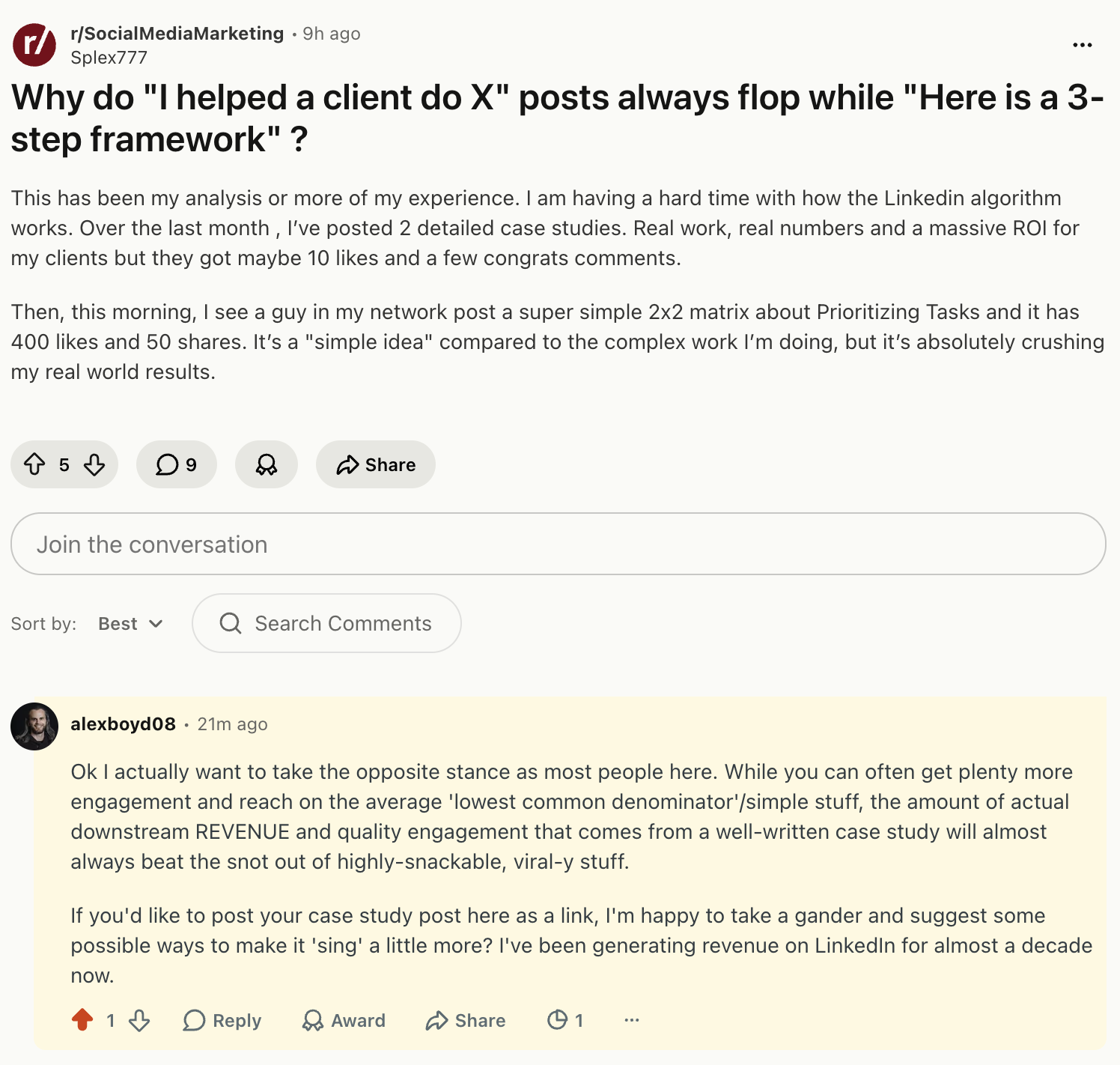
The case study "loses" on reach and likes. It wins on revenue, because the people who stop to read a detailed, specific case study are almost always prospects actively evaluating whether they have the same problem. The framework post travels further but lands on a much more diffuse audience.
A useful way to think about your content mix:
- Awareness content casts a wide net. Trending takes, relatable observations, broadly applicable frameworks. High reach, low conversion. Its job is to grow your audience and stay visible to people who don't know you yet.
- Engagement content earns real conversation: questions, strong opinions, things your specific audience cares about enough to argue with. Medium reach, stronger relationship-building signal.
- Conversion content is specific and product-adjacent: case studies, pointed takes on your customers' exact problems, comparisons, proof. Lower reach, but the people who engage are much closer to buying.
All three serve a purpose, and a good LinkedIn strategy includes all three. The mistake is letting awareness content crowd out conversion content because it makes the dashboard look better. Track reach and engagement as leading indicators, but track pipeline and inbound conversations as the lagging ones. Those are the numbers that actually tell you if the effort is working.
Engage like a person, even if you're a brand
LinkedIn is ultimately a network made up of humans, even if it seems completely run by an algorithm. So, regardless if you run a personal profile, an agency, or a group of brand pages, it pays big dividends to act as if you are speaking directly to a person, when you write a comment or a DM. If your comment reads like "sales copy", or sounds AI-generated, over the long term you're robbing yourself of the success you could otherwise have.
Agree? Write a (good!) comment on my latest LinkedIn post :)
Run your LinkedIn like a system
Scheduling, engagement, and analytics in one workspace.
Frequently asked questions
What is a good LinkedIn engagement rate?
For your own audience, 0.5%–6% is a typical range, but engagement rate is easily misread. When a post goes viral and reaches a much wider audience than your followers, engagement rate will naturally drop, because that extended audience engages at a lower rate than people who already follow you. A lower engagement rate post is not necessarily a bad post. For a fair comparison, look at engagement rate while controlling for reach, and don't penalize posts that LinkedIn decided to push to a broader audience.
Does replying to comments help your post reach more people?
Yes, and more than most people realize. Replies count as comments, and comments are among the highest-weighted engagement signals in LinkedIn's algorithm. Replying to every comment effectively doubles the comment count while encouraging the original commenter to re-engage, generating additional signal. Responding in the first hour after posting has the most impact on distribution.
How often should you post on LinkedIn to build engagement?
Consistency matters more than frequency. 3–5 quality posts per week will outperform daily posting with variable quality. But more important than post frequency is engagement frequency: commenting on others' posts, responding to DMs, and being present in conversations drives visibility that no posting cadence alone can replicate.
Do LinkedIn Groups still drive engagement in 2026?
Generally no. LinkedIn Groups have been largely dormant for years and rarely drive meaningful engagement or reach. Most active professional conversations happen in the main feed, in post comments, and in direct messages. Investing significant time in Groups is unlikely to pay off for most LinkedIn users in 2026.
Is LinkedIn Live worth the effort for engagement?
It can be, but it requires an existing engaged audience. LinkedIn Live sessions generate strong algorithmic signals when people watch and interact, but if your network isn't already active, a live with few viewers will underperform a well-written post. It amplifies an existing presence rather than building one from scratch.