
Whether you need analytics for your own posts or for your clients (if you're an agency), you've come to the right place. I've been creating content for myself, my portfolio of brands, and clients of mine in the past, for almost a decade. I know a thing or two about analytics tools, and I've tried almost all of them!
The main idea behind my recommendations is this: try to use analytics tools that actually help you improve and do better on LinkedIn. Avoid the 'fancy charts and graphs' that look pretty but leave you wondering, "so what do we actually DO with this?"
I'll break down several tools to consider, including one that I am a cofounder of.
 Shield Analytics shut down on May 18, 2026. If you are migrating off Shield, the dedicated migration guide covers your options and what moves with you.
- Best overall (analytics + scheduling in one): DemandBird. Post-level and account-level LinkedIn analytics on the official API (impressions, reach, engagement mix, follower growth), for personal profiles and Company Pages, with CSV/PDF export.
- Best for competitive benchmarking: Socialinsider. Benchmarks your Company Page against competitors' Pages, which no scheduling tool offers.
- Best for LinkedIn-first individual writers: Taplio. Analytics plus scheduling on LinkedIn and a few other platforms.
- Best free option: LinkedIn native analytics. Enough for basic tracking, no tool required.
- Shield Analytics: Shut down May 18, 2026. See alternatives above.
The LinkedIn metrics that actually matter
Before choosing a tool, it helps to know what you are trying to measure. LinkedIn gives you a lot of numbers. Most of them are noise for B2B teams focused on pipeline. These five are the ones worth tracking.
How many times the post appeared in feeds. The most honest measure of reach, more useful than follower count alone. Here's how to increase LinkedIn impressions.
Reactions + comments + shares divided by impressions. Normalizes performance across posts of different reach. See how to calculate LinkedIn engagement rate.
New followers over time, correlated with content cadence. Tells you whether your publishing is building an audience.
A rough proxy for inbound interest. A post that drives profile views is doing pipeline work, not just engagement. Here's how to see who viewed your LinkedIn profile.
Which post formats (text, carousel, video, poll) and which topics produce the most reach and engagement for your specific audience.
Followers by job function, seniority, industry, and location. Tells you whether you are building the right audience, not just a big one.
How we evaluated these tools
We assessed each tool across four dimensions: analytics depth (what it measures and how granular it gets), workflow integration (does analytics live inside the tool you use to publish, or do you have to context-switch?), pricing at realistic team sizes, and active development (is the tool shipping, or coasting).
We excluded tools that are primarily social listening platforms (Brandwatch, Mention) since their LinkedIn data is limited by API constraints. We also excluded analytics embedded in enterprise suites where LinkedIn analytics is a minor feature of a five-figure annual contract.
The 7 best LinkedIn analytics tools
DemandBird
Best Overall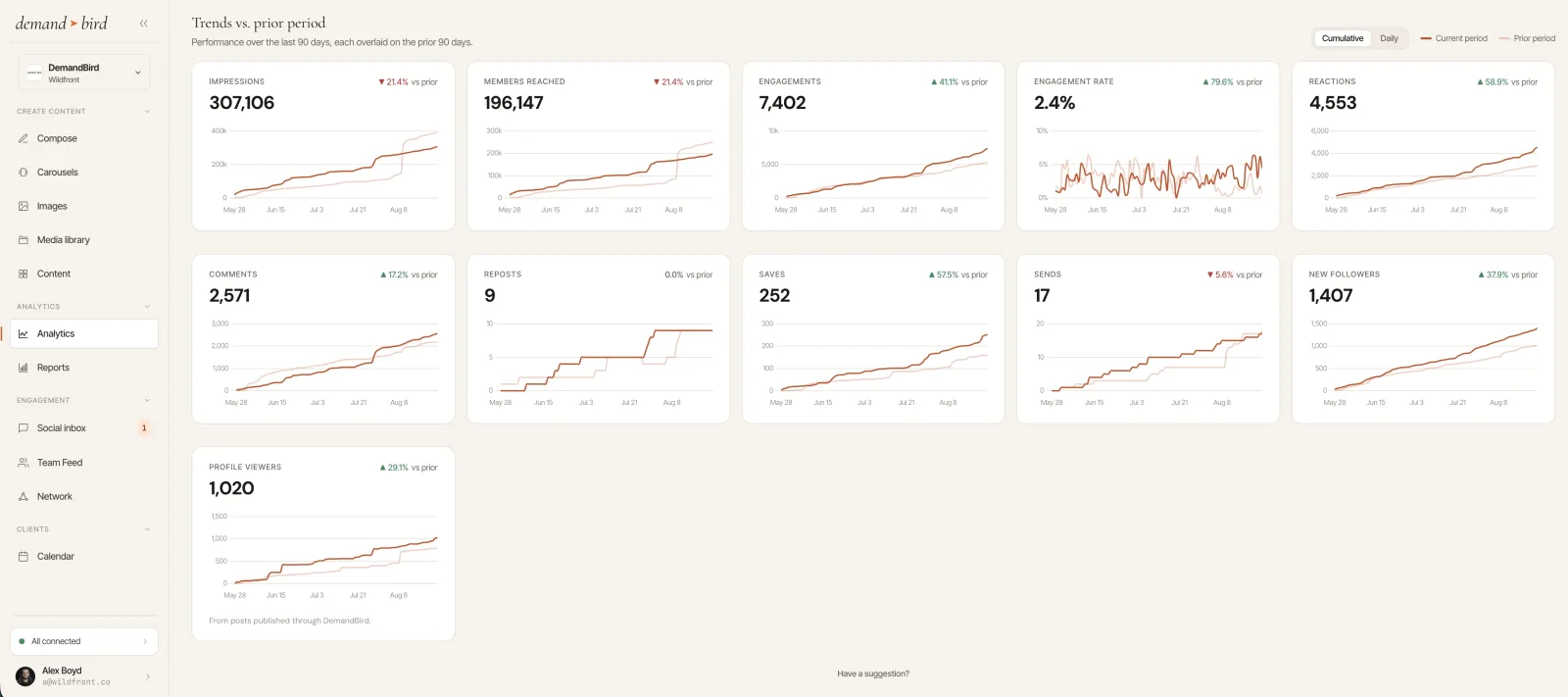
DemandBird pulls LinkedIn analytics through the official Community Management API, for both personal profiles and Company Pages. The dashboard tracks impressions, members reached, engagement rate, and the full engagement mix (reactions, comments, reposts, saves, and sends), plus profile viewers, new followers, and connection growth, each trended against the prior period so you can see whether the numbers are actually improving.
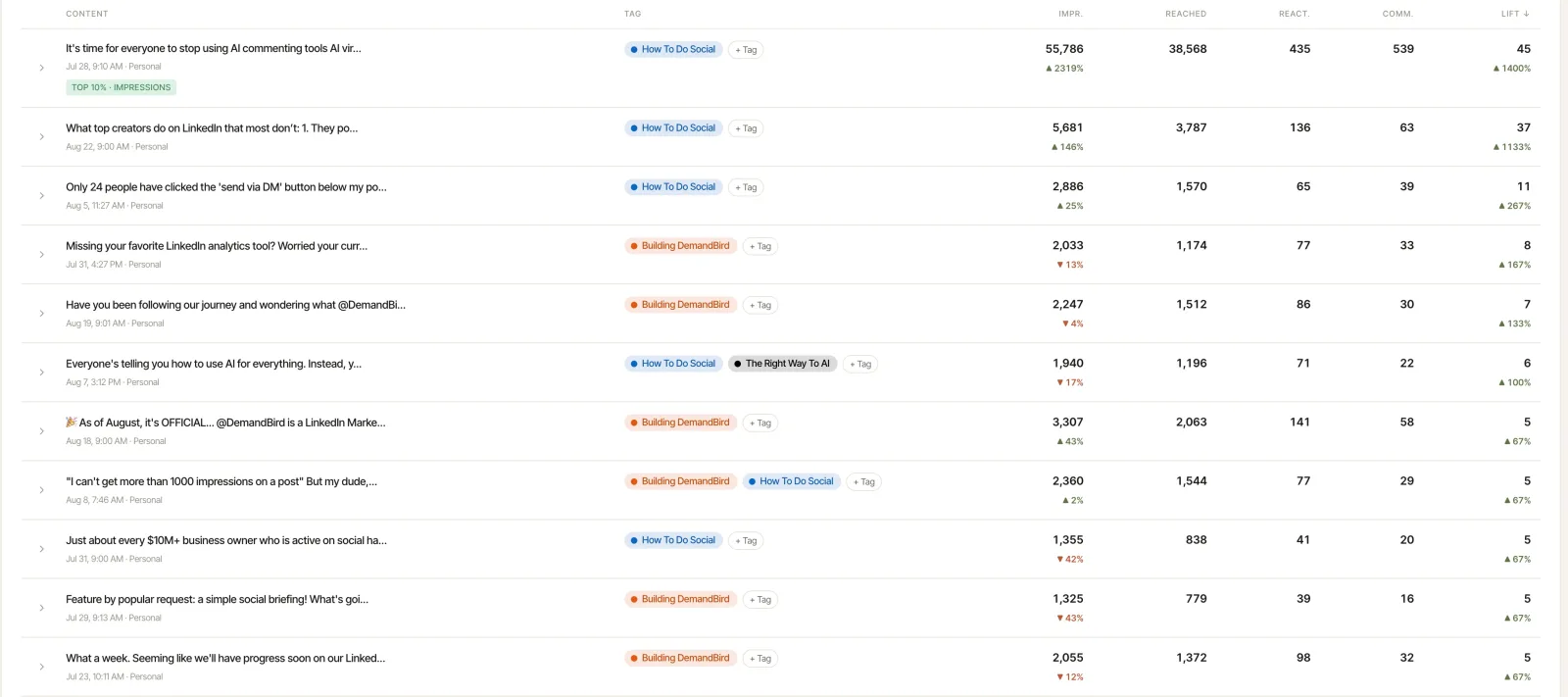
The per-post view goes further than a raw metrics table. Every post gets a Lift score against your own rolling baseline, so a post that did 4x your normal reach is flagged even if its absolute numbers are modest, and top-10% performers are labeled automatically. Tag posts by topic and DemandBird reports which topics and formats earn the most reach, the deepest engagement, and the most new followers per thousand impressions.
Because the analytics live next to the scheduler, the performance history also feeds the AI: what worked informs what gets drafted next. The remaining gap is competitive research. DemandBird reports on your accounts, so benchmarking against competitors' Company Pages is still Socialinsider's job. For everything else, the analytics sit inside the tool you publish from, rather than a separate subscription you have to context-switch into.
The Shield migration case: If you were running Shield alongside a scheduler, DemandBird replaces both, and historical post data can be imported so your analytics baseline doesn't start from zero.
Shield Analytics
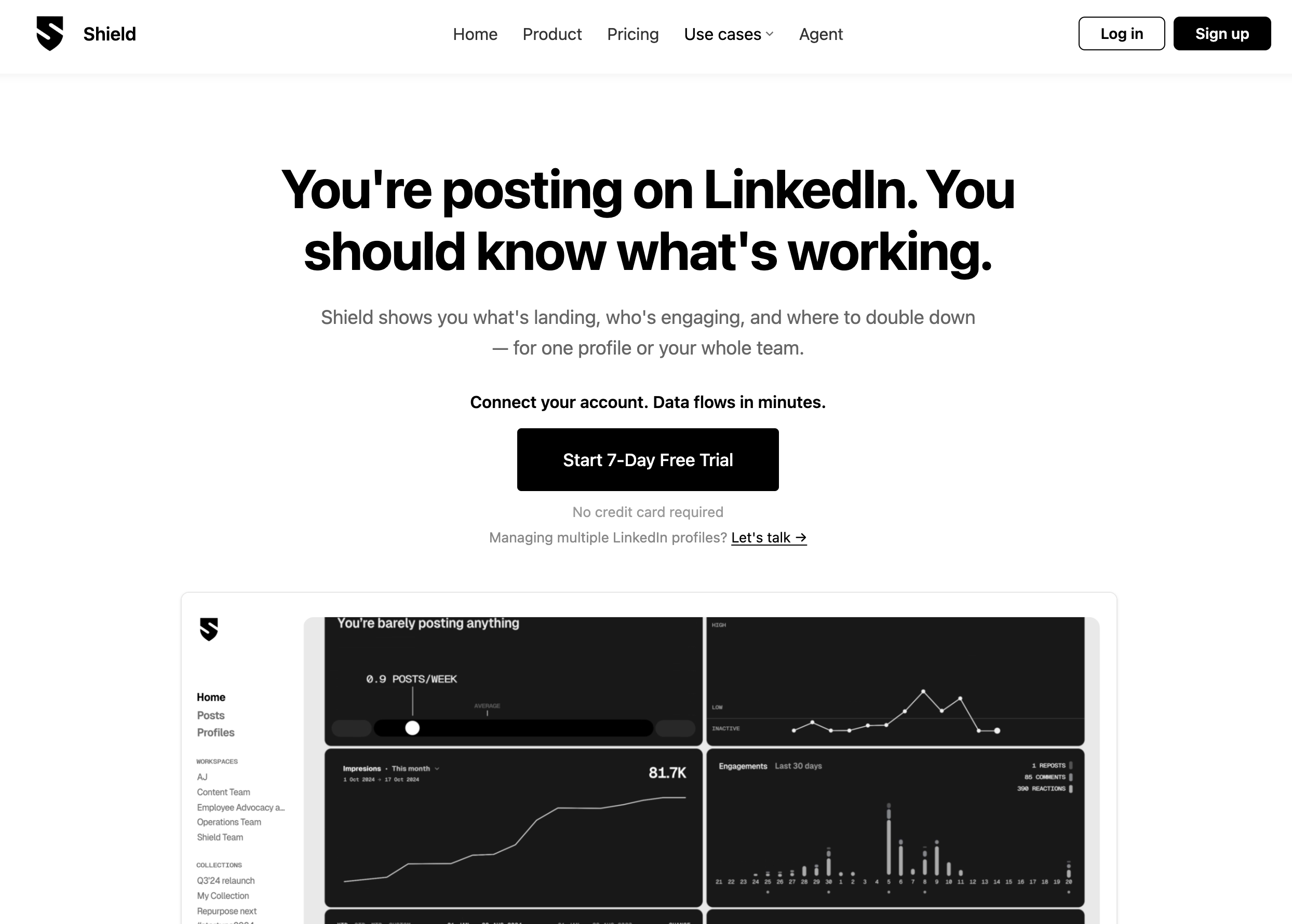
Shield was the most-used dedicated LinkedIn analytics tool for several years and set the standard for post-level and profile-level LinkedIn analytics. Its post impression breakdowns, audience demographic data (followers by country, industry, seniority), and daily digest emails were genuinely best-in-class. It shut down on May 18, 2026.
If you are a Shield user migrating off the platform: your post history and engagement data lives in your LinkedIn account, not in Shield. Any third-party tool that connects to LinkedIn via the official API can read that history. The analytics did not disappear when Shield did. The Shield Analytics migration guide covers your options in detail.
Taplio
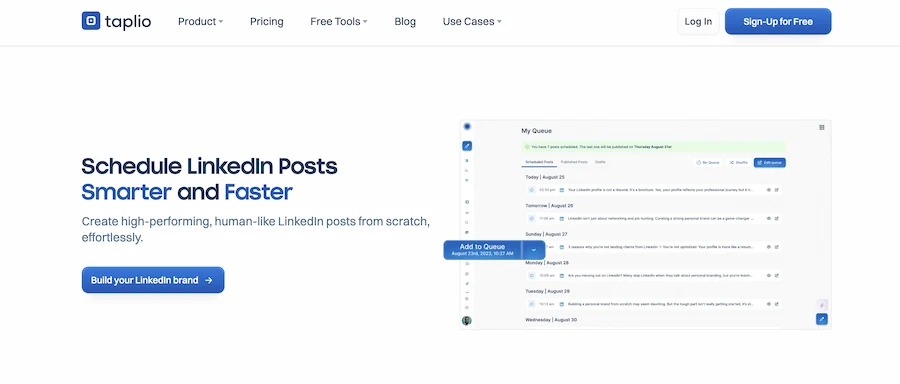
Taplio's strongest feature is its content inspiration feed: it surfaces trending LinkedIn posts, tracks what topics are performing well in your niche, and gives you a starting point for writing. For LinkedIn writers who want to stay on top of what is getting traction and need a prompt to start from, the inspiration layer is genuinely useful.
The limits worth knowing before you rely on it: Taplio runs on LinkedIn's unofficial browser API, which operates outside LinkedIn's Terms of Service. That makes the scheduling side less reliable than tools on the official API — posts can fail silently, and future API changes could break functionality without warning. Use Taplio for inspiration; use a compliant tool for your publishing workflow. DemandBird, Buffer, and Sprout Social use the official API and do not carry this risk.
Metricool
Best for Cross-Platform Analytics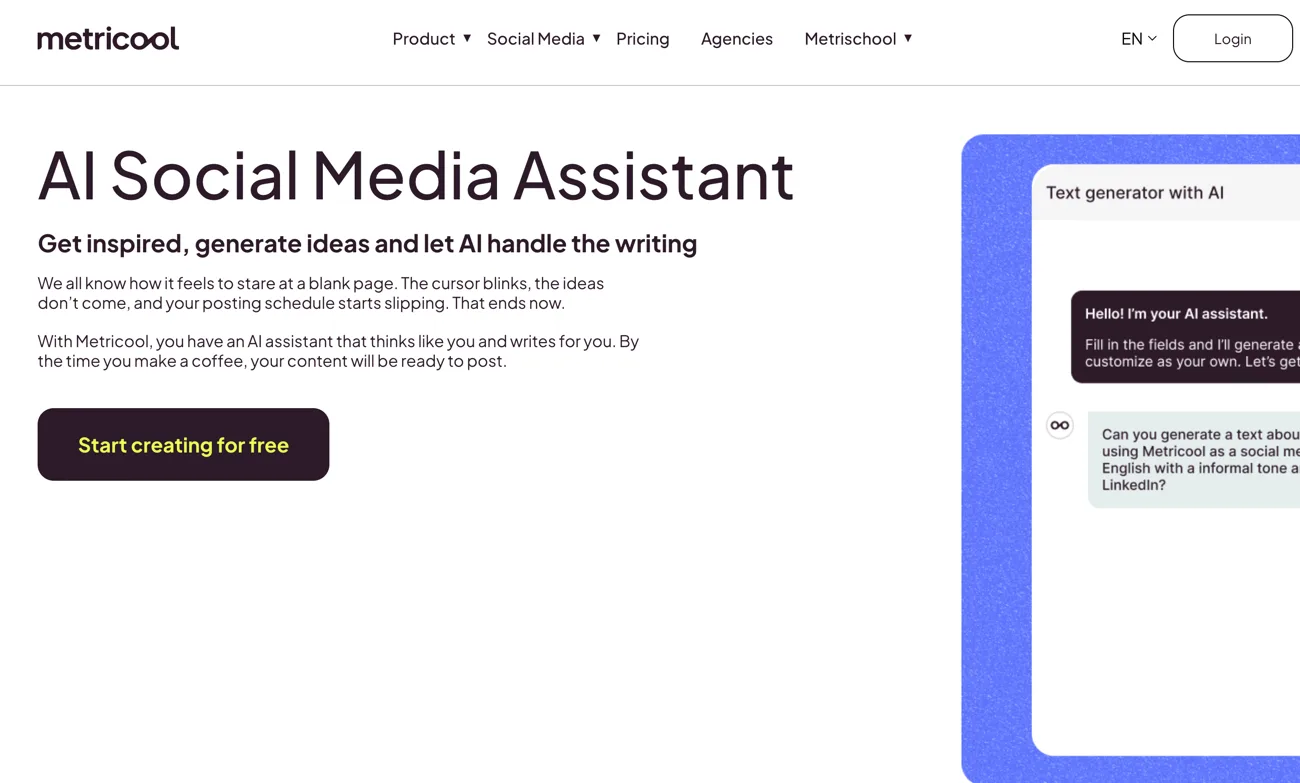
Metricool's differentiator is analytics consolidation: LinkedIn organic, Meta Ads, Google Ads, and website traffic from Google Analytics, all in a single dashboard. For marketing teams that need to explain performance across organic and paid in the same report, Metricool covers that surface area at a price well below Sprout Social.
LinkedIn-specific analytics depth is solid but not Socialinsider-level. Scheduling is included and functional. If your job involves reporting across channels and LinkedIn is one of several platforms you manage, Metricool is worth a serious look. If LinkedIn analytics is the primary focus, Socialinsider or DemandBird are better fits.
Sprout Social
Best for Enterprise Analytics Teams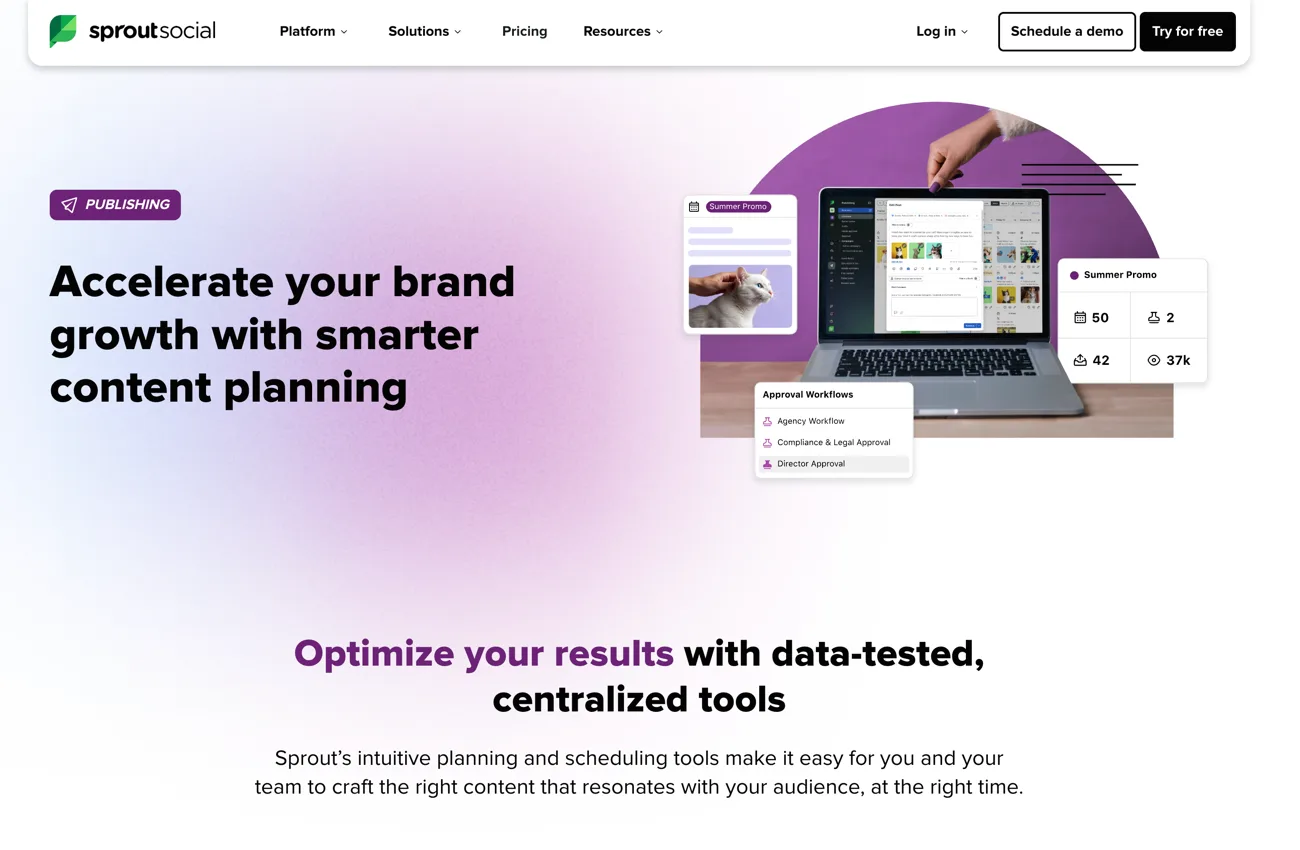
Sprout Social's reporting suite is genuinely excellent. Cross-platform performance data, competitor benchmarking, audience insights, and custom report exports that hold up in front of a CMO or board. If social media ROI reporting is a significant part of your job and your team has a real analytics mandate, Sprout gives you more firepower than any other tool here.
The trade-off is the price and scope. Sprout is a full social management platform — scheduling, inbox, listening, ads, and analytics — and the per-seat pricing reflects that. For a team that only needs LinkedIn analytics, you are paying for a lot of platform you will not use. Most SMB teams and solo operators are better served by a more focused tool.
Socialinsider
Best for Competitive Benchmarking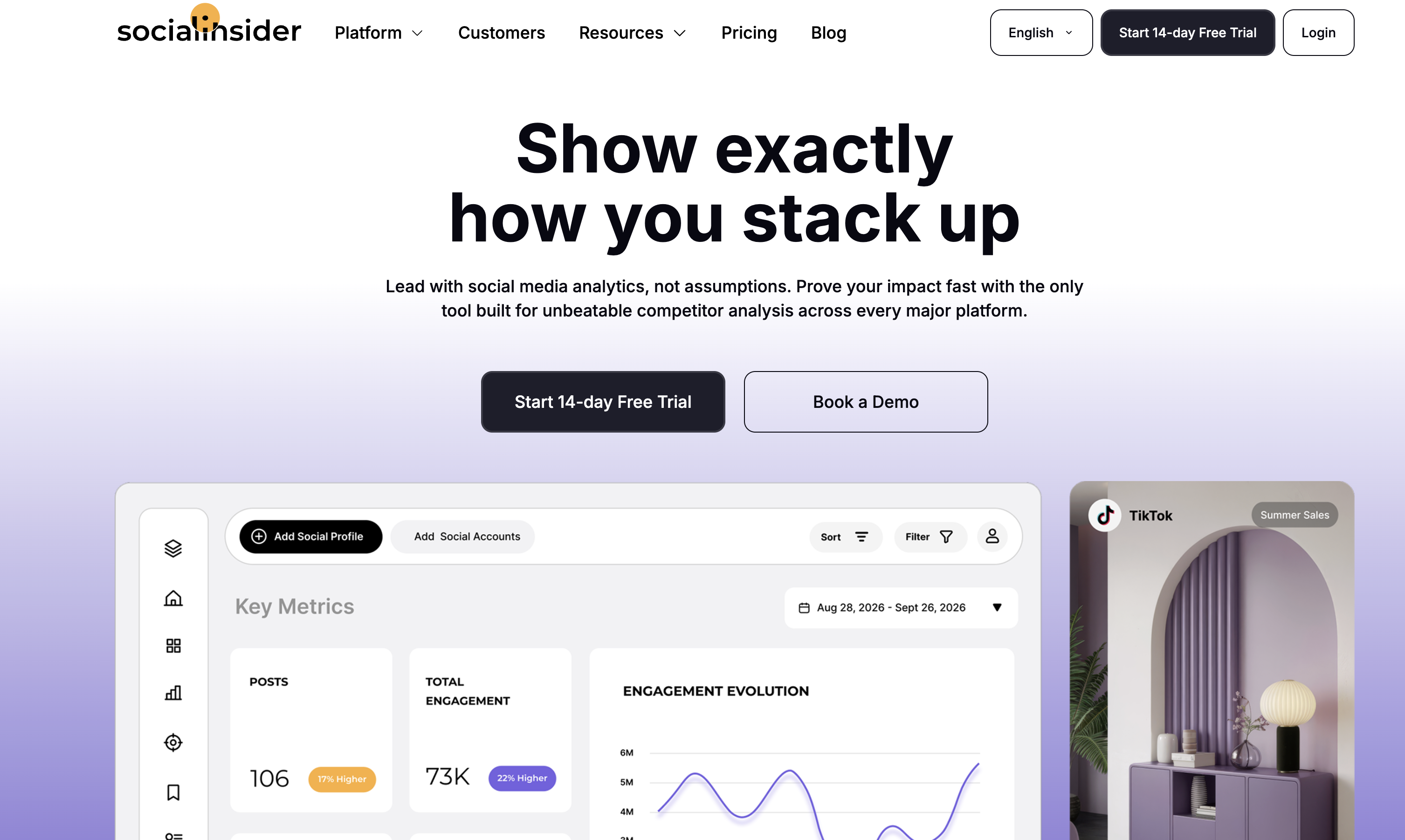
Socialinsider is the strongest tool here for competitive benchmarking and audience research on LinkedIn Company Pages. Its distinctive capability is the one no scheduling tool offers: benchmarking your Page against competitor Pages, alongside audience demographic breakdowns, historical trending, and white-label PDF reporting that holds up in front of clients.
Two limitations worth knowing before you buy. First, Socialinsider does not include scheduling or content production; you will need a second tool for publishing. Second, its LinkedIn coverage is primarily Company Pages — personal profile analytics are weak. If your LinkedIn presence is primarily personal (founder posts, individual executives), it is more tool than you need and will miss the data you actually want.
LinkedIn Native Analytics
Best Free Option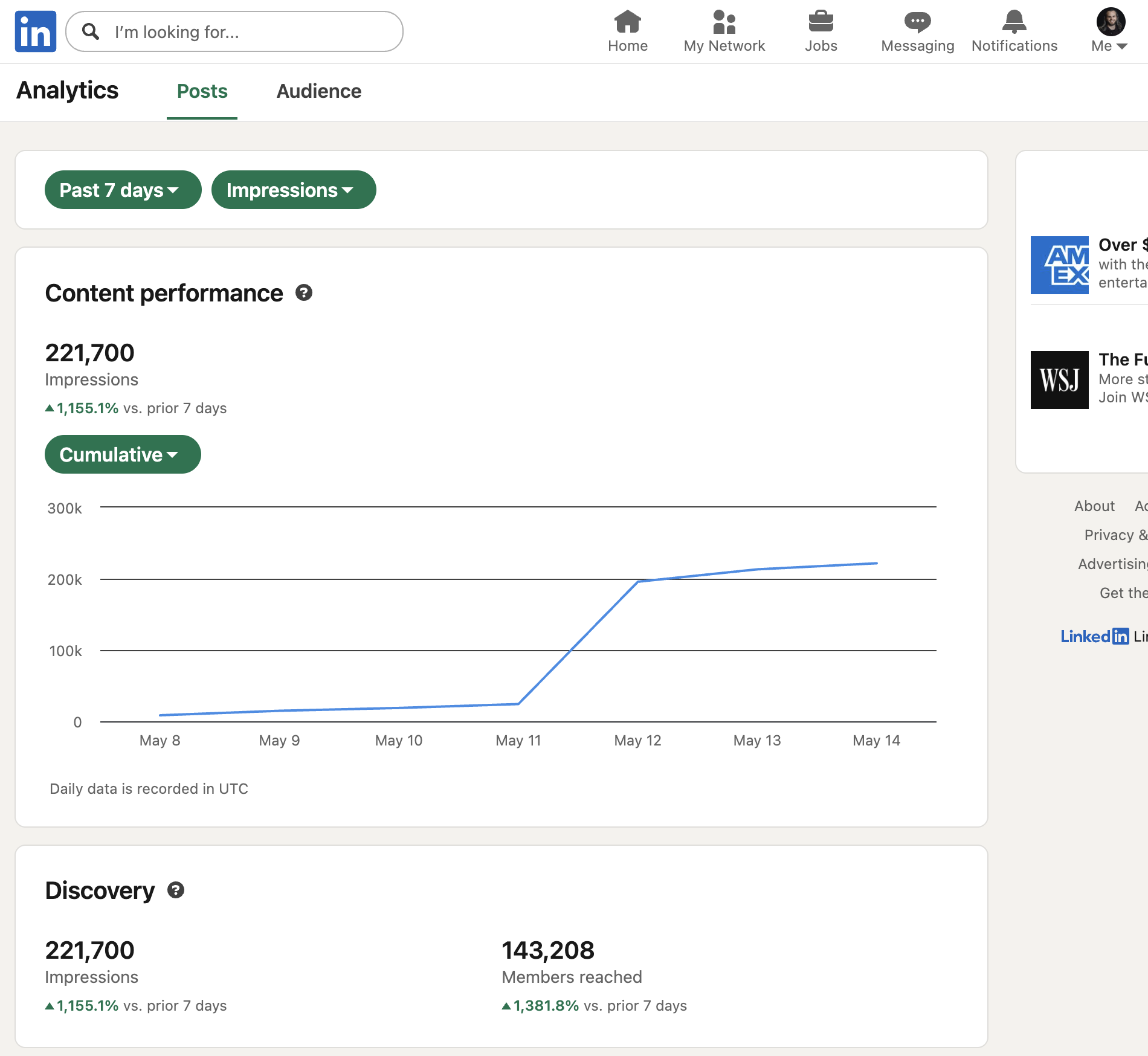
LinkedIn's own analytics are better than most people realize. Personal profiles show post impressions, reactions, comments, shares, and follower growth over time. Company Pages add audience demographics (followers by industry, seniority, function, location), visitor analytics, and follower breakdown. For a founder or small team doing basic LinkedIn tracking, native analytics cover the fundamentals without a subscription. Upgrading to Premium adds very little here; we break it down in LinkedIn analytics on paid vs free plans.
What you lose: trend analysis over long time periods, export functionality (no CSV download for most personal profile data), competitive benchmarking, and integration with your publishing workflow. If you are publishing consistently and want to do anything beyond basic post-by-post review, a third-party tool pays for itself quickly in time saved.
Side-by-side comparison
| Tool | Best for | LinkedIn depth | Scheduling? | Starting price |
|---|---|---|---|---|
| DemandBird ✓ API-safe | B2B teams: analytics + scheduling in one | High (profiles + Company Pages, per-post scoring) | Yes, 9 platforms | $29.25/mo (annual) |
| Shield Analytics ⚠ Non-compliant | Shut down (May 2026) | Was high; now shut down | No | — |
| Taplio ⚠ Non-compliant | Content inspiration + trending post ideas | Medium (post + follower trends) | Yes — unstable (unofficial API) | $39/mo |
| Metricool ✓ API-safe | Cross-platform analytics + paid reporting | Medium (multi-platform focus) | Yes — multi-platform | Free; $22/mo paid |
| Sprout Social ✓ API-safe | Enterprise analytics teams | High (enterprise, competitive) | Yes — full suite | From $79/seat/mo ($199 Standard) |
| Socialinsider ✓ API-safe | Agencies: competitive benchmarking + audience research | Medium (Company Pages; limited personal profiles) | No | ~$99/mo (annual) |
| LinkedIn native ✓ API-safe | Basic free tracking | Basic (no export, no trends) | Basic scheduler only | Free |
LinkedIn reporting tools for agencies and client work
If you run an agency or manage LinkedIn for clients, these are the features that actually matter, and most of them never come up when you report only to yourself:
- Scheduled delivery: reports that generate and send themselves on a monthly cadence, so reporting is not a manual scramble every renewal cycle.
- Multi-account management: every client's data in one place, switchable without logging in and out of separate tools.
- Export formats: PDF for the client-facing summary, CSV for the raw data when someone wants to dig in.
- Competitive benchmarking: clients always ask how they stack up against their competitors. A report that answers that pre-empts the follow-up email.
Here is how the tools on this list map to the reporting job specifically.
DemandBird is the pick for agencies that are producing and scheduling the content, not just reporting on it. The Agency plan ($189/mo) includes white label, advanced client permissions, and a separate workspace per client, with unlimited team seats. Reports export to CSV or PDF, and the same dashboard covers every platform a client runs, with each network charted separately rather than blended into one misleading total. Instead of paying for a scheduler plus a separate analytics tool for every client, DemandBird folds production, approvals, scheduling, and reporting into one subscription, so the report comes out of the same place you do the work. See how the analytics fit the workflow.
Socialinsider is a good option if a standalone, report-only product is all you need. It does white-label PDF exports, competitive benchmarking against rival Company Pages, and audience demographics that hold up in a client meeting. The catch is that it stops at reporting: you still need a separate tool to produce and schedule the content it reports on.
Sprout Social offers deep, highly customizable report exports, with an enterprise price tag to match: $199/seat/mo on Standard, and $299 or $399 per seat for the Professional and Advanced tiers where the deeper report customization lives. Right for agencies with a real analytics mandate and the budget to fund it; overkill for a small shop reporting on a handful of clients.
Metricool is worth a look when your client reports span organic and paid: LinkedIn organic, Meta Ads, Google Ads, and site traffic in one branded report, at a fraction of Sprout's cost.
Taplio and LinkedIn native are not reporting tools. Taplio has no white-label or client-facing export, and native analytics offer no export at all. Neither produces something you can hand to a client.
For most agencies the choice comes down to one question: is reporting a standalone deliverable, or part of the content operation you are already running? If you only need a report-generation product, Socialinsider covers it. If you want reporting included in the same place you produce, approve, and schedule the work, DemandBird's Agency plan is the cleaner setup.
How to choose
Two questions narrow the field quickly.
Do you need competitor research, or analytics on your own accounts? If benchmarking against competitors' Company Pages is a core deliverable, that requires a dedicated research tool: Socialinsider for competitive benchmarking, Metricool if you need paid + organic in one report. If the job is understanding and improving your own performance, DemandBird covers the depth (per-post scoring, engagement mix, follower growth, topic and format reporting) inside the tool you schedule and produce content from.
Are you an individual writer or a team? Taplio is well-designed for individual LinkedIn-first writers. DemandBird is the better fit once you add team members, approval workflows, or need to publish across more than a few platforms. Socialinsider and Sprout Social are priced and designed for teams, not individuals.
For most B2B teams migrating off Shield: DemandBird is the cleanest replacement. It handles the analytics job Shield did, plus the scheduling job you were presumably running through a second tool. Consolidating to one subscription at a lower total cost is usually the right move. Start the migration here.
LinkedIn analytics inside your publishing workflow
Impressions, reach, engagement mix, follower growth, and per-post scoring from LinkedIn's official API, next to the scheduler that publishes the work. Start a 7-day free trial.
Frequently asked questions
What is the best LinkedIn analytics tool in 2026?
For B2B teams, DemandBird is the strongest choice: post-level and account-level LinkedIn analytics on the official API (impressions, members reached, full engagement mix, follower and connection growth, profile viewers), with scheduling and AI content production in the same tool. For competitive benchmarking against rival Company Pages, Socialinsider is the specialist. For LinkedIn-first individual writers who want a content inspiration feed, Taplio is well-regarded. The right answer depends on whether you need competitor research as a standalone product or analytics integrated into your publishing workflow.
Did Shield Analytics shut down?
Yes. Shield Analytics, which was the most-used standalone LinkedIn analytics tool, shut down on May 18, 2026. Teams that built their LinkedIn reporting workflow around Shield have had to migrate. DemandBird covers the analytics depth Shield users expect (per-post impressions, reach, and engagement breakdowns, follower and connection growth, profile viewers, prior-period comparisons) through LinkedIn's official API, and adds scheduling, AI content creation, and cross-platform publishing.
Does LinkedIn have free analytics?
Yes. LinkedIn provides free native analytics for both personal profiles and Company Pages. Personal profile analytics show post impressions, reactions, comments, shares, and follower growth over time. Company Page analytics add audience demographics, visitor analytics, and follower breakdowns. Native analytics are enough for basic tracking; third-party tools add trend analysis, export functionality, competitive benchmarking, and integration with your content workflow.
What LinkedIn metrics actually matter for B2B teams?
For B2B teams focused on pipeline, the metrics that matter are: impressions per post (reach), engagement rate (engagement divided by impressions), follower growth rate, and which content formats and topics drive the most profile views and connection requests. Vanity metrics like total likes are less useful than tracking which posts generate inbound interest. Tools that connect content performance to downstream pipeline activity (profile visits, DMs, connection requests) are more valuable than those that report on engagement in isolation.
What is the best LinkedIn reporting tool for agencies?
It depends on whether reporting is a standalone deliverable or part of the content operation you already run. If you are producing and scheduling the content, DemandBird's Agency plan ($189/mo) includes white label, advanced client permissions, a separate workspace per client, and CSV or PDF export for client-facing reports, consolidating production, approvals, scheduling, and reporting into one subscription. If you only need a standalone report-generation product, Socialinsider covers it with white-label PDF exports, competitive benchmarking, and audience demographics, though it stops at reporting and still needs a separate tool to publish. Sprout Social offers deep custom reports at enterprise pricing, and Metricool is worth a look when reports span organic and paid. Taplio and LinkedIn native analytics are not viable for client reporting, since neither offers white-label client-facing exports.
Can I track competitor analytics on LinkedIn?
LinkedIn does not give third-party tools access to competitor post-level analytics. What you can track on competitor Company Pages: follower count and growth, and broad engagement signals on public posts. Socialinsider and Sprout Social offer the deepest competitive benchmarking available within LinkedIn API limits. Personal profile analytics are private and not accessible to any third-party tool.