
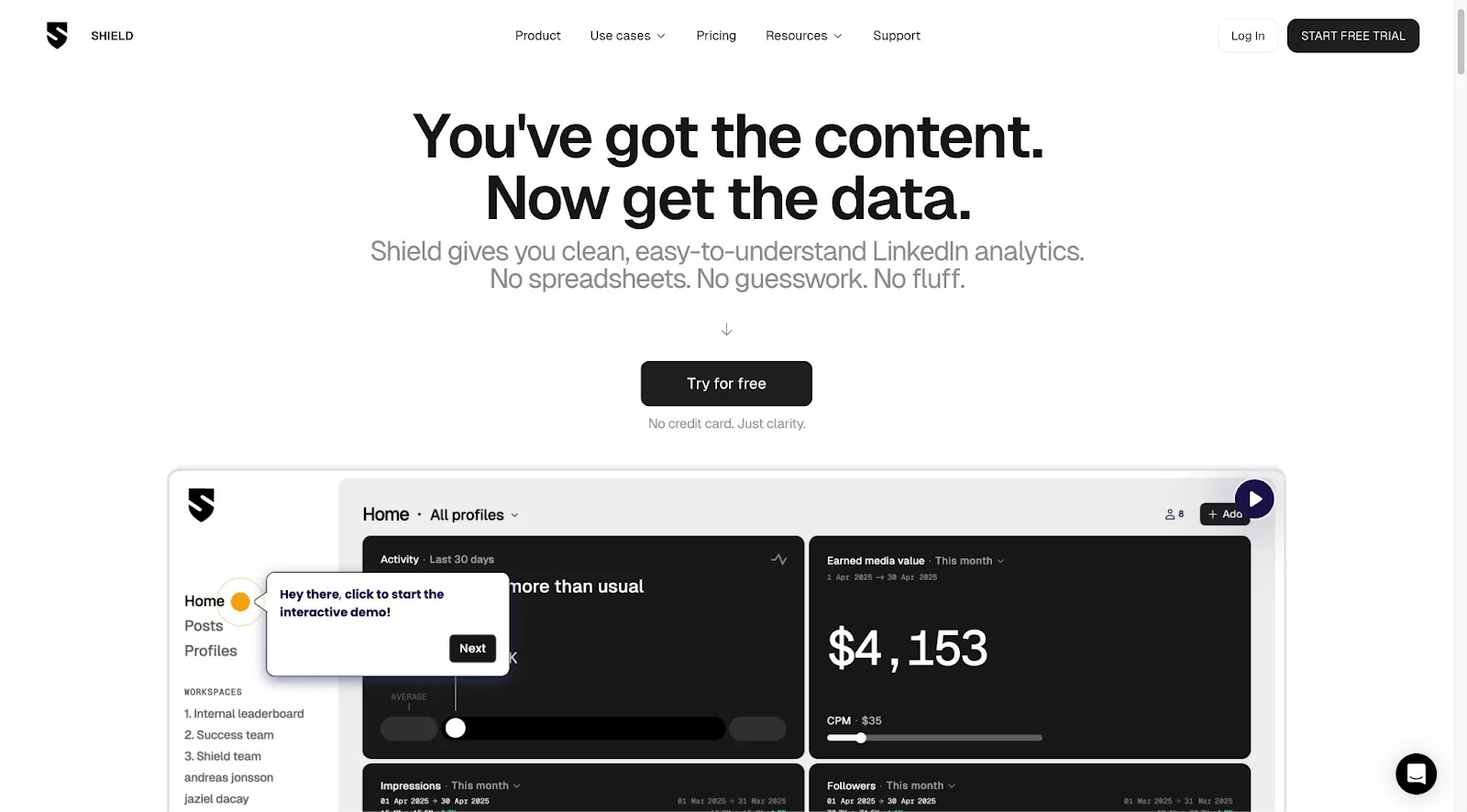
This Shield Analytics review covers the Shield app's full feature set, pricing, and where it genuinely earns its place versus where LinkedIn's native analytics make it redundant. Shield Analytics markets itself as "Google Analytics for LinkedIn": instead of checking your dashboard one profile at a time, it aggregates analytics across multiple accounts, tracks earned media value, and lets you organize posts into collections.
But LinkedIn's own analytics are better than most people realize. Before paying for a separate tool, it's worth understanding what LinkedIn already gives you for free, and where Shield genuinely fills a gap.
Public ratings: 4.4/7 on the Chrome Web Store; 3.2/14 on G2.
What is Shield Analytics?
The Shield app is a web-based LinkedIn analytics tool built for personal profiles, not company pages. Connect one or more LinkedIn accounts and Shield surfaces their data in a unified dashboard, with organization features layered on top that LinkedIn's native interface doesn't offer.
It's purely a reporting tool: Shield reads the same underlying data LinkedIn already provides, then adds cross-profile aggregation, earned media value calculations, and content collections. There's no scheduling, posting, or automation; just analytics.
Shield Analytics features
Analytics dashboard
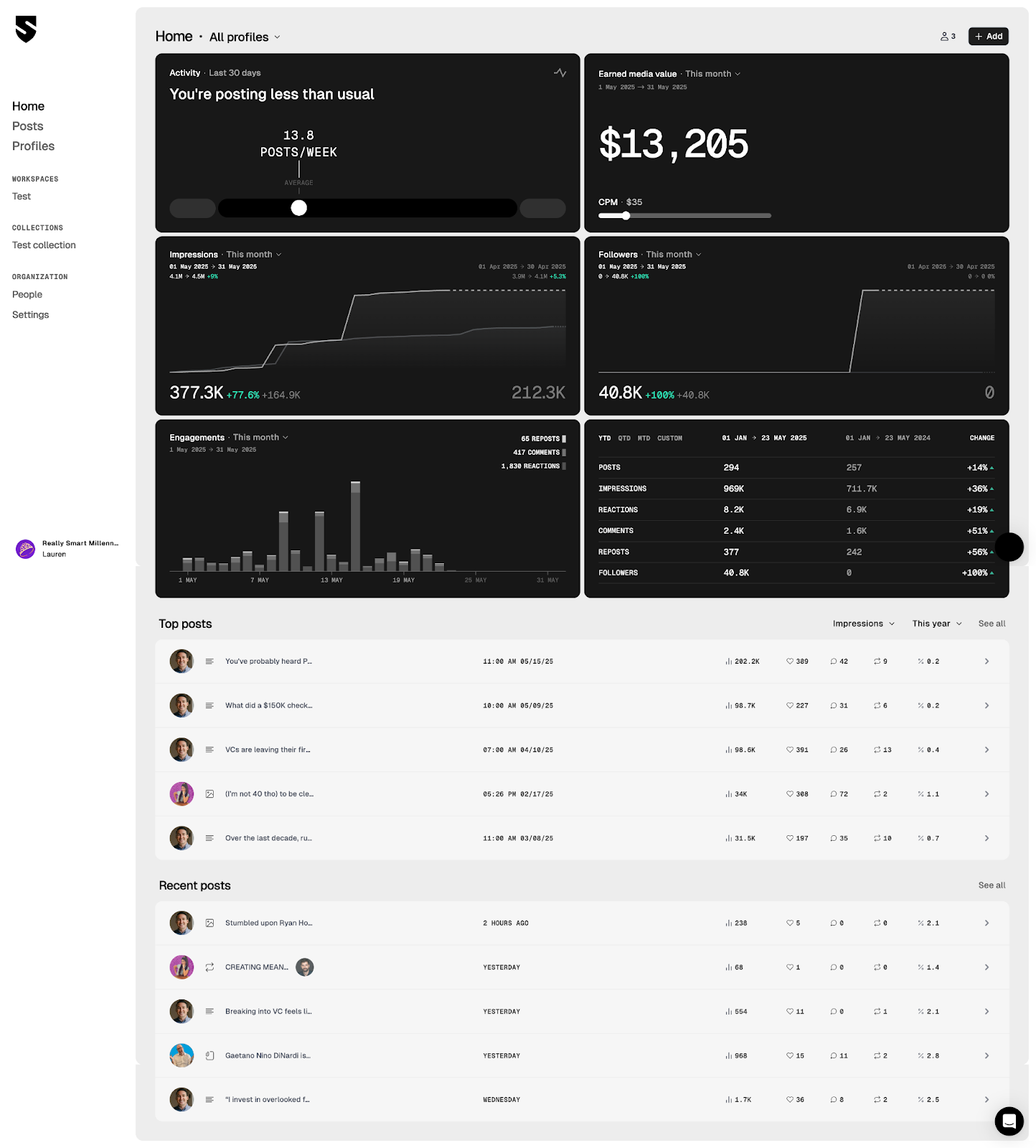
Once profiles are connected, the home dashboard rolls up data across all of them, with filters to drill into a single account. The main metrics on display:
- Weekly post volume
- Earned media value (EMV)
- Impressions
- Engagements (reactions + comments)
- Follower growth
- Top posts and recent posts
You can sort posts by impressions, likes, comments, or EMV, and filter by date range. For individual posts, you get the same impression and engagement breakdown you'd see in LinkedIn's native analytics.
Earned Media Value (EMV)
This is Shield's most discussed metric. EMV calculates what your organic LinkedIn reach would have cost as paid advertising, using the formula:
EMV = Impressions × CPM ÷ 1,000
Default CPM: $35. Adjustable per account.
At the default CPM, 10,000 impressions works out to an EMV of $350. You can adjust the CPM per account if your industry benchmarks differ. It's a useful framing for executive reporting, but treat it as an indicative figure rather than real revenue.
Collections
Collections are Shield's version of content folders. You can save posts into labeled buckets ("Top Posts," "Campaign A," "LinkedIn Carousels," and so on) to track performance by theme or initiative over time. This is genuinely useful if you're running structured content experiments or need to pull campaign-specific data.
Workspaces
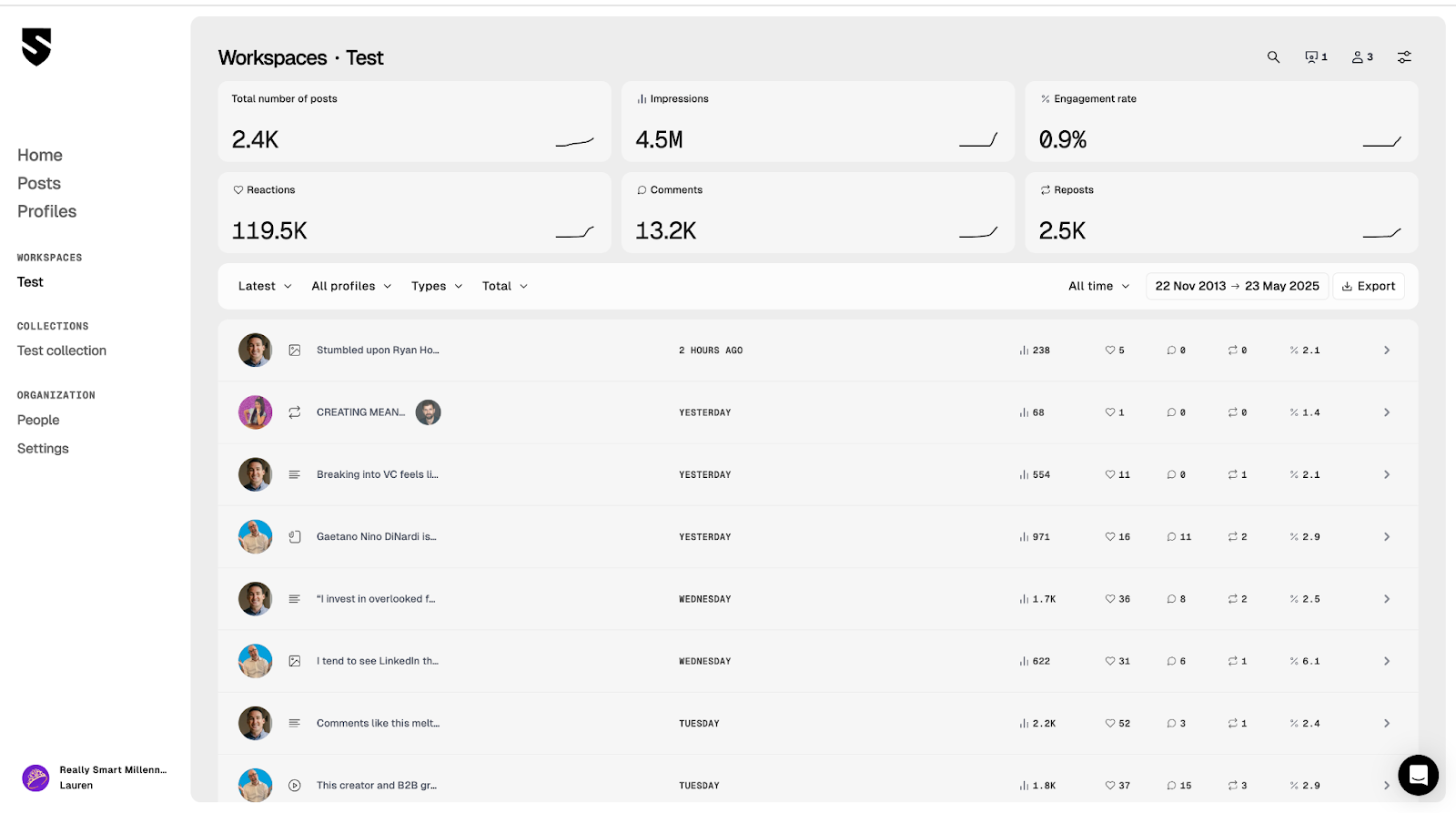
Workspaces are designed for agencies and teams overseeing multiple LinkedIn profiles. Each workspace bundles profiles together and supports two types of invitees:
- Member: a team member who can view workspace analytics and optionally link their own LinkedIn profile
- Profile: a LinkedIn account added for reporting purposes; the account owner receives an email invite and doesn't need their own Shield subscription
The practical upside: you can grant clients or executives visibility into their profile data without onboarding them to a new tool. For agencies running employee advocacy or executive thought leadership programs, this is the feature that most clearly separates Shield from alternatives.
Shield Analytics pricing
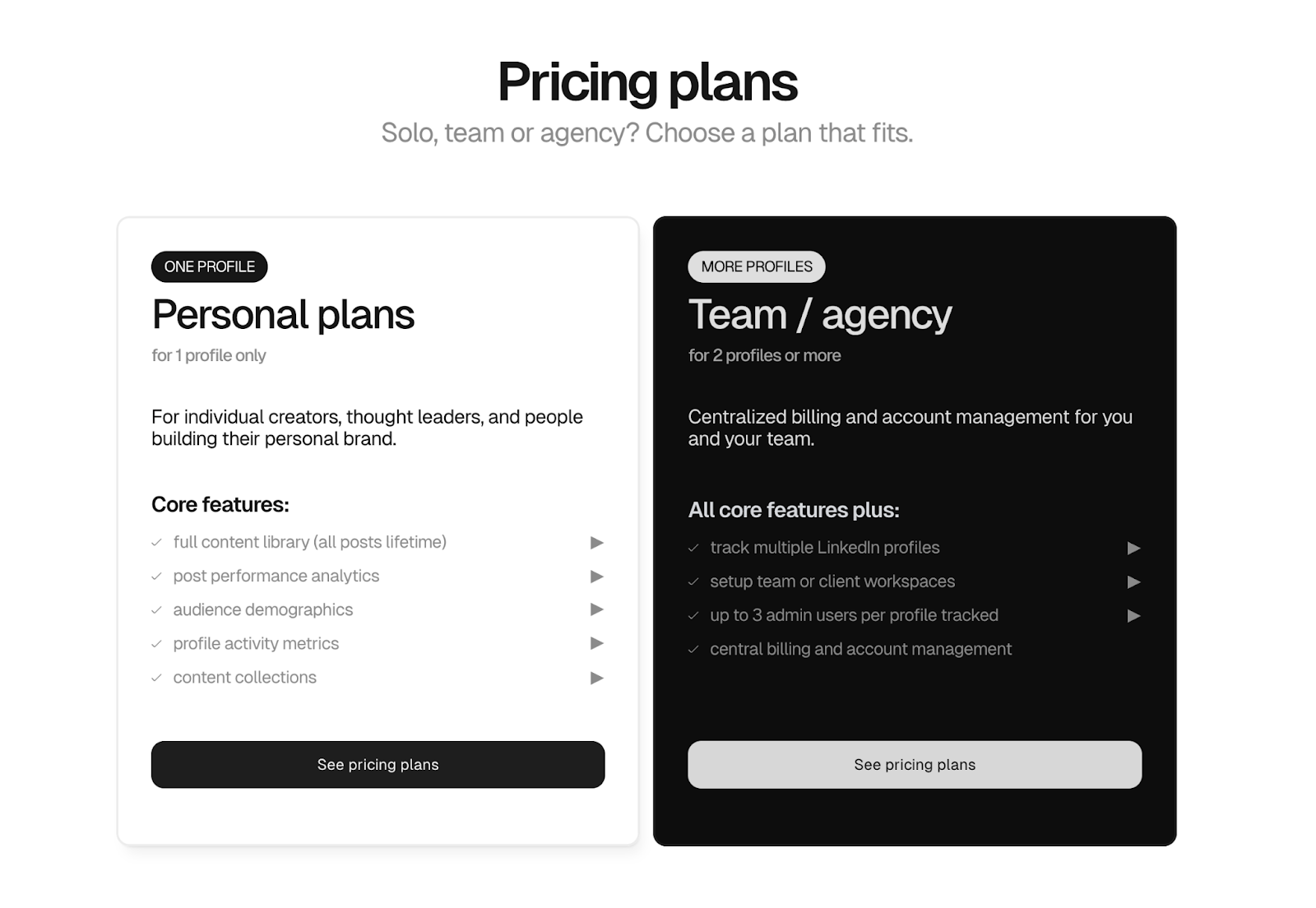
| Plan | Price | Profiles | Collections | Workspaces |
|---|---|---|---|---|
| Personal | $15/mo | 1 | ✓ | ✗ |
| Team/Agency | $25/mo per profile | Unlimited | ✓ | ✓ |
A 14-day free trial is available with no credit card required. The pricing math for agencies scales quickly: managing 10 profiles on the Team plan costs $250/month, at which point you're spending more on analytics reporting than many teams spend on content creation.
Pros and cons
What Shield does well
- Multi-profile aggregation: the clearest use case. Seeing all connected profiles in a single dashboard is something LinkedIn doesn't offer natively.
- Collections: genuinely useful for content strategists tracking themes or campaigns over time.
- EMV reporting: useful for teams that need to present organic LinkedIn performance in terms that stakeholders understand.
- No credit card for trial: lower friction to test it than many competitors.
Where Shield falls short
- Loads very slowly: consistently flagged in user reviews. Dashboard can take 10–20 seconds to populate for accounts with significant post history.
- The data isn't new: Shield reads the same metrics LinkedIn already provides. If you only manage one profile, you're paying for a prettier interface, not more data.
- No content analytics gap-filling: Shield doesn't surface what LinkedIn's analytics don't show (shares, click-through rates, post-type performance comparisons). It just restyles what LinkedIn already gives you.
- Agency pricing adds up fast: $25/profile/month for teams means the cost scales linearly with the number of profiles you manage.
Who is Shield Analytics actually for?
Shield's strongest use case is narrow but real: agencies and enterprise teams that monitor multiple LinkedIn personal profiles and need centralized reporting to deliver to clients or leadership. Employee advocacy programs, executive communications teams, and agencies managing thought leadership for clients fit this profile.
For solo LinkedIn creators or individual B2B professionals growing their own presence, Shield is hard to justify. LinkedIn's native analytics and the LinkedIn optimization tools built into most scheduling platforms cover the same ground, and the free Social Selling Index gives you a meaningful benchmark on your profile health.
The question isn't whether Shield is a well-built product. It is. The question is whether the problem it solves is yours.
Alternatives to Shield Analytics
Before committing to Shield, it's worth knowing what your other options are:
- DemandBird: built for B2B teams who want to connect LinkedIn content performance to pipeline outcomes, not just impressions and EMV. Start Free Trial.
- LinkedIn native analytics (free): covers post impressions, reactions, comments, follower breakdowns, and a top-8 audience breakdown by company, title, and region. Sufficient for most individual users. See our full LinkedIn analytics paid vs free breakdown.
- LinkedIn Premium ($40–$60/mo): adds full profile viewer history (beyond the last 5 viewers) but adds nothing to post or content analytics. Reviewed in detail: is LinkedIn Premium worth it?
- LinkedIn publishing tools: tools like Taplio and AuthoredUp include basic analytics dashboards as part of their feature set. If you're already paying for one of these, you likely don't need Shield on top of it.
Verdict
Shield Analytics is a good product solving a real-but-narrow problem. If you're an agency managing five or more LinkedIn profiles and need clean multi-profile reporting with structured collections, it's worth a free trial. The workspace feature is legitimately differentiated.
If you're an individual creator or a B2B marketer growing your own LinkedIn presence, save your $15/month. LinkedIn's native analytics cover most of what Shield shows, and the data Shield adds on top (EMV, collections) can be replicated with a spreadsheet and a bit of discipline.
The deeper issue: most LinkedIn analytics tools, Shield included, focus on vanity metrics (impressions, EMV, follower counts) rather than business outcomes (pipeline, conversations started, deals influenced). If your goal is LinkedIn as a revenue channel, impressions in a prettier dashboard won't get you there.
Frequently asked questions
Is Shield Analytics worth it?
For solo LinkedIn creators, Shield is hard to justify at $15/month; LinkedIn's native analytics cover most of the same data for free. Shield makes more sense for agencies or teams managing multiple LinkedIn profiles who need centralized reporting and organized collections across accounts.
What does Shield Analytics show you?
Shield shows post impressions, reactions, comments, follower growth, earned media value, and top posts, across one or multiple LinkedIn profiles. It also lets you organize posts into collections and group profiles into workspaces. The underlying data mirrors what LinkedIn's native dashboard provides.
How does Shield Analytics calculate Earned Media Value?
Shield calculates EMV using the formula: Impressions × CPM ÷ 1,000. It uses a default CPM of $35 (adjustable per account). A post with 10,000 impressions would show an EMV of $350, meaning your organic post had the equivalent reach of $350 in paid advertising; it's a reporting metric, not actual revenue.
What is Shield Analytics pricing?
Shield has two plans: Personal at $15/month for one LinkedIn profile, and Team/Agency at $25/month per profile with workspaces for managing multiple accounts. A 14-day free trial is available with no credit card required.
Understand what's working on your LinkedIn
DemandBird helps B2B teams grow their social media presence, without the guesswork.
Start Free Trial