
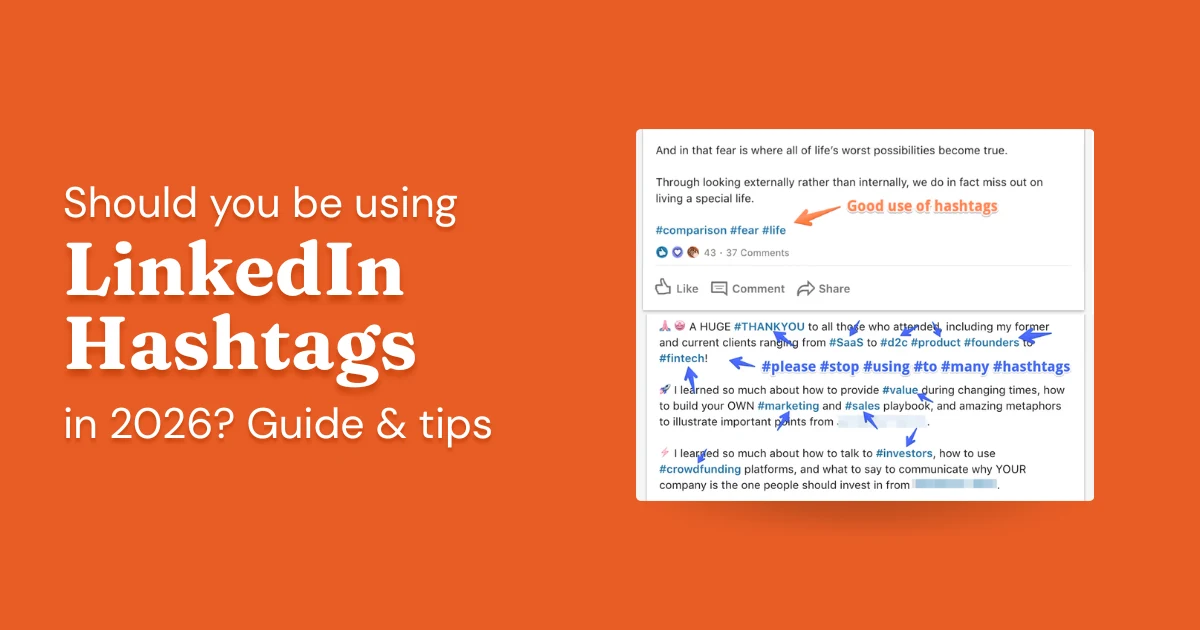
Every social media guide will tell you LinkedIn hashtags are essential to your growth strategy. They're not. Most top creators use zero hashtags, and creators who obsessively optimize their hashtag strategy see results indistinguishable from those who don't bother.
LinkedIn's algorithm has matured significantly. It understands what your content is about from the text itself. You don't need to label it with pound signs. Hashtags on LinkedIn no longer function the way they once did; you can't follow a hashtag, they don't have follower counts, and searching one just pulls up a topic-based post search. This guide covers what you actually need to know. Which isn't much.
- Hashtags no longer have followers on LinkedIn; you cannot follow a hashtag
- Searching a hashtag just surfaces LinkedIn's post search by topic, not a curated feed
- LinkedIn's algorithm detects your post's topic from the text itself; it doesn't need hashtags
- The recommendation: use zero hashtags. If you must, add 1–2 at the very bottom, knowing it won't help
- More than 3 hashtags risks an algorithmic penalty and looks unprofessional
Do LinkedIn Hashtags Actually Work?
A hashtag is a word or phrase tagged with # that groups content by topic on LinkedIn. The honest history: hashtags carried real weight several years ago, when LinkedIn's algorithm relied on explicit topic signals to understand what a post was about. Today, the algorithm reads the post text directly and no longer needs the assist.
Hashtags still let people follow topics and occasionally discover content outside their network, so they haven't disappeared entirely. Think of them as a legacy feature LinkedIn has kept around. Not harmful. Not transformative.
Here's what hashtags won't do for you:
- Rescue a mediocre post and make it go viral
- Replace a genuine content strategy
- Meaningfully expand your reach on their own
- Make up for low engagement from your existing network
If you're measuring your LinkedIn strategy in terms of reach, engagement, and business outcomes, hashtags should be at the very bottom of your priority list, after writing a clear hook, posting consistently, and engaging genuinely with other people's content.
Using Hashtags (If You Must)
If you've read this far and still want to use hashtags, here's the honest guidance.
How Many Hashtags Should You Add?
The real recommendation: use zero. Most top creators use none, and the data suggests hashtags provide no meaningful reach benefit. If you feel compelled to use them anyway, add 1–2 at the very bottom of your post, appended quietly, not woven into the text. Go in knowing they won't help the post. More than 3 is counterproductive and risks an algorithmic penalty.
As of 2026, LinkedIn has no official guidance on how many hashtags to use. There is no LinkedIn recommendation that you need even one hashtag for your post to get seen. The 1-3 rule is a maximum amount suggested in legacy industries, and most top creators use no hashtags at all.
Do LinkedIn Hashtags Still Have Followers?
No. LinkedIn removed the ability to follow hashtags. There are no follower counts to check, and no curated hashtag feeds to tap into. If you search a hashtag today, you get LinkedIn's topic-based post search, essentially the same results you'd get searching the keyword as plain text.
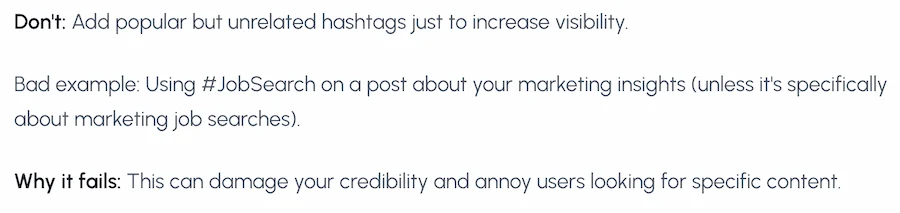
This is the key shift: LinkedIn no longer needs hashtags to understand what a post is about. Its algorithm is smart enough to infer the topic from the content itself. The old strategy of mixing broad and niche hashtags to reach different audience segments is obsolete. Those audience segments don't exist in that form anymore.
Can You Use Hashtags to Optimize Your Profile?
Here's a common misconception worth clearing up: hashtags in your LinkedIn profile don't meaningfully improve discoverability. What actually works is having the right keywords in your headline and About section, written naturally, as complete phrases.
LinkedIn search surfaces profiles based on keyword relevance. So instead of sprinkling hashtags through your profile hoping they act as SEO signals, write clearly about what you do and who you help. "B2B content strategist for SaaS companies" beats "#b2b #content #SaaS" every time.
If you're going to use keywords strategically:
- Identify the phrases you actually want to rank for (e.g. "demand generation consultant", "B2B copywriter", "sales manager")
- Work those phrases naturally into your headline and About section
- Post consistently on those topics so LinkedIn associates your profile with them over time
The hashtags on your posts might contribute a marginal signal. The actual words in your profile are what drive search visibility.
The Honest Verdict on LinkedIn Hashtags
Hashtags on LinkedIn are a legacy feature that has largely lost its function. You can't follow them. They don't have audiences. LinkedIn's algorithm doesn't need them to understand what your post is about. The old playbook (pick 3 hashtags, mix broad with niche, grow your reach) doesn't apply anymore.
The recommendation is simple: don't use hashtags. The top creators on LinkedIn mostly don't. Posts without hashtags perform just as well as, and often better than, posts with them.
- If you use none: good. You're doing it right.
- If you add 1–2 at the bottom out of habit: fine, it's unlikely to hurt, but know it's not helping either.
- If you use 3 or more: stop. It signals inexperience and risks an algorithmic penalty.
- If you're spending time researching hashtag strategy: redirect that time entirely to the post itself.
Your audience finds you because of what you write and who you engage with, not because of the tags you append.
Frequently asked questions
Do LinkedIn hashtags actually increase reach?
No, they may in fact dampen it. LinkedIn's algorithm now understands post content from the text alone and doesn't rely on hashtags for topic classification. There's no reliable evidence that adding hashtags increases distribution, and some evidence that posts loaded with hashtags are penalized. If you use hashtags at all, keep it to 1–3 genuinely relevant ones.
Does LinkedIn have official guidance on how many hashtags to use?
As of 2026, LinkedIn has no official guidance on the number of hashtags to use. There is no LinkedIn recommendation, official or otherwise, that you need to use even one or two hashtags for your post to get seen. The only thing LinkedIn has indicated is that excessive hashtags are likely to receive an algorithmic penalty. The 1-3 rule is a maximum amount suggested in legacy industries, and most top creators use no hashtags at all.
Should you add hashtags to your LinkedIn profile?
No. Hashtags in your LinkedIn profile About section or headline do not function as clickable tags and have no measurable effect on profile search visibility. Plain keywords in your headline and About section do matter for LinkedIn SEO, but hashtag-formatted ones don't add anything. Save your profile real estate for terms your target audience would actually search for.
What happens if you use too many hashtags on LinkedIn?
Posts with excessive hashtags (generally more than 3–5) risk an algorithmic penalty that reduces distribution. Beyond the technical penalty, a post packed with hashtags looks spammy to readers and signals inexperience. If you use hashtags at all, 1–3 directly relevant ones is the limit worth defending.
Are LinkedIn hashtags the same as Instagram or YouTube hashtags?
No, they behave very differently. On Instagram, hashtags are a primary discovery mechanism and 10–20 relevant tags is standard. On YouTube, hashtags appear above video titles and can drive some discoverability for trending topics. On LinkedIn, hashtags have minimal discoverability value and carry a penalty risk when overused. Strategies that work on Instagram or YouTube do not transfer to LinkedIn.
See how your LinkedIn posts are actually performing
Paste any post and get an instant engagement score, with specific tips to improve reach and resonance.
Try the Post Grader →