
Yes, you can schedule Threads posts. Threads added a native scheduler in 2024: compose a post, open the three-dot menu, choose "Schedule," and set a date and time. It works, but it is a bare-minimum picker with no queue, no calendar, and no cross-platform support, which is where a third-party tool fills the gaps.
Here's how to use both.
Method 1: Schedule with the Native Threads Scheduler
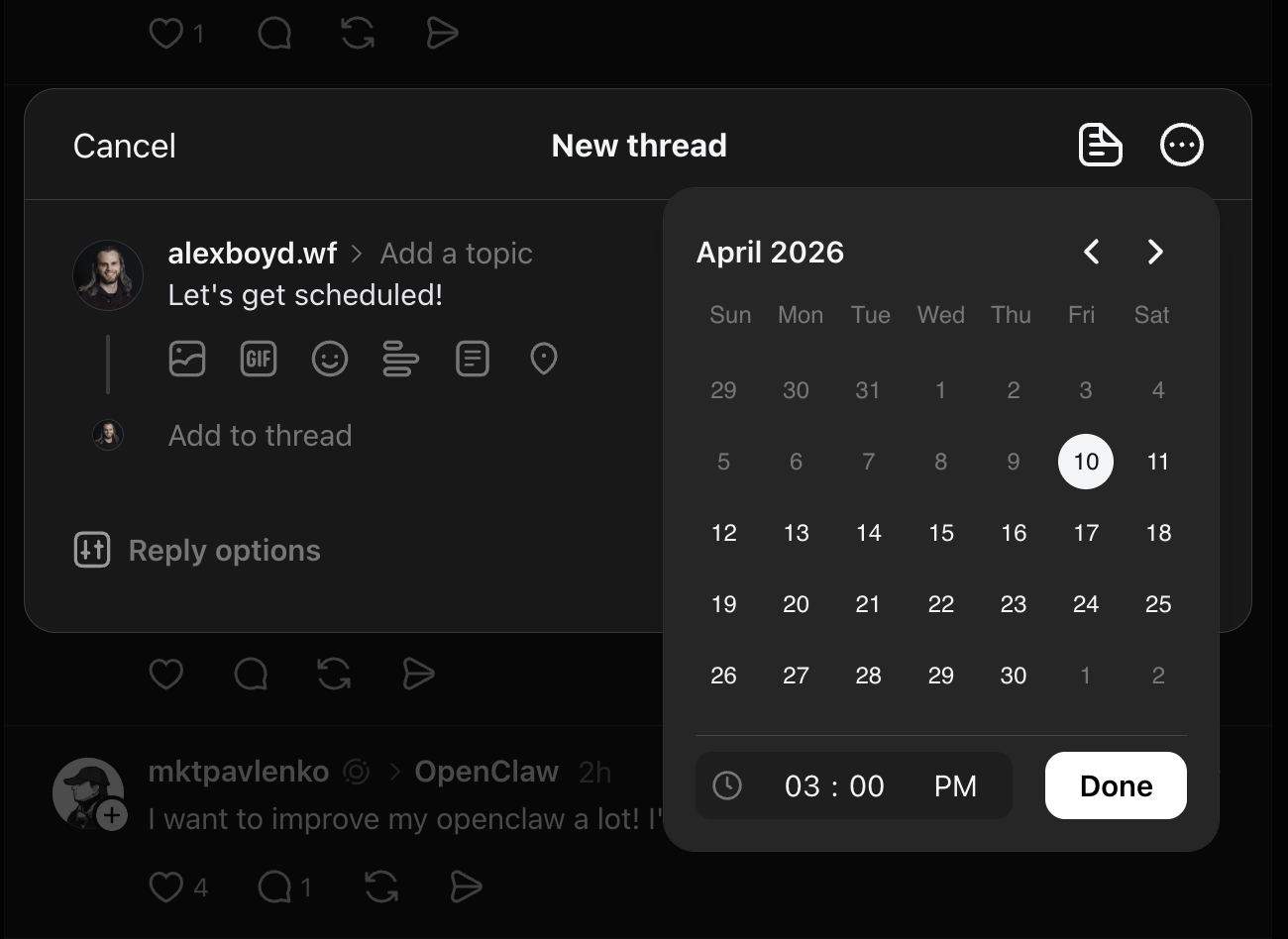
The native scheduler is built into the Threads mobile app. It handles single posts only and gives you one control: pick a date and time.
- Open the Threads app and tap the compose (pencil) icon
- Write your post and add any media
- Tap the clock icon in the bottom toolbar of the composer
- Select a date and time from the calendar picker
- Tap Done, then Post to confirm the scheduled time
Your post is now queued and will publish automatically at the time you set.
To find and manage your scheduled posts after saving them: go to your profile, tap the three-line menu (top right), and select Scheduled posts. You can edit or delete a scheduled post from there before it publishes.
What the Native Scheduler Can't Do
The native scheduler covers the basics, but it has real limits for anyone publishing with intent:
- No queue. Every post needs a manually chosen time — there is no "next available slot" logic or recurring schedule.
- No calendar view. You cannot see your upcoming posts laid out across a week or month. Planning ahead is blind.
- Single posts only. You cannot schedule a thread chain (a series of connected replies) natively.
- No analytics. The scheduler has no connection to performance data. You cannot see how a scheduled post performed relative to others.
- Threads only. If you post the same content to LinkedIn, X, or Bluesky, that is a separate workflow each time.
For occasional posting with no particular growth goal, the native scheduler is fine. For anyone trying to stay consistent, manage multiple platforms, or understand what content is actually working, it runs out of road quickly.
Method 2: Schedule Threads Posts with DemandBird
DemandBird connects to Threads via the official Meta API and adds the layer the native scheduler is missing: a shared queue across all your platforms, a calendar view, and the ability to adapt content per channel without rewriting from scratch.
- Sign up for DemandBird and connect your Threads account from the accounts settings
- Open the composer and write your post
- Select Threads as a publish destination (along with any other platforms you want to hit at the same time)
- Choose Schedule to pick a specific time, or Add to queue to drop it into your next available slot
- DemandBird publishes automatically at the scheduled time
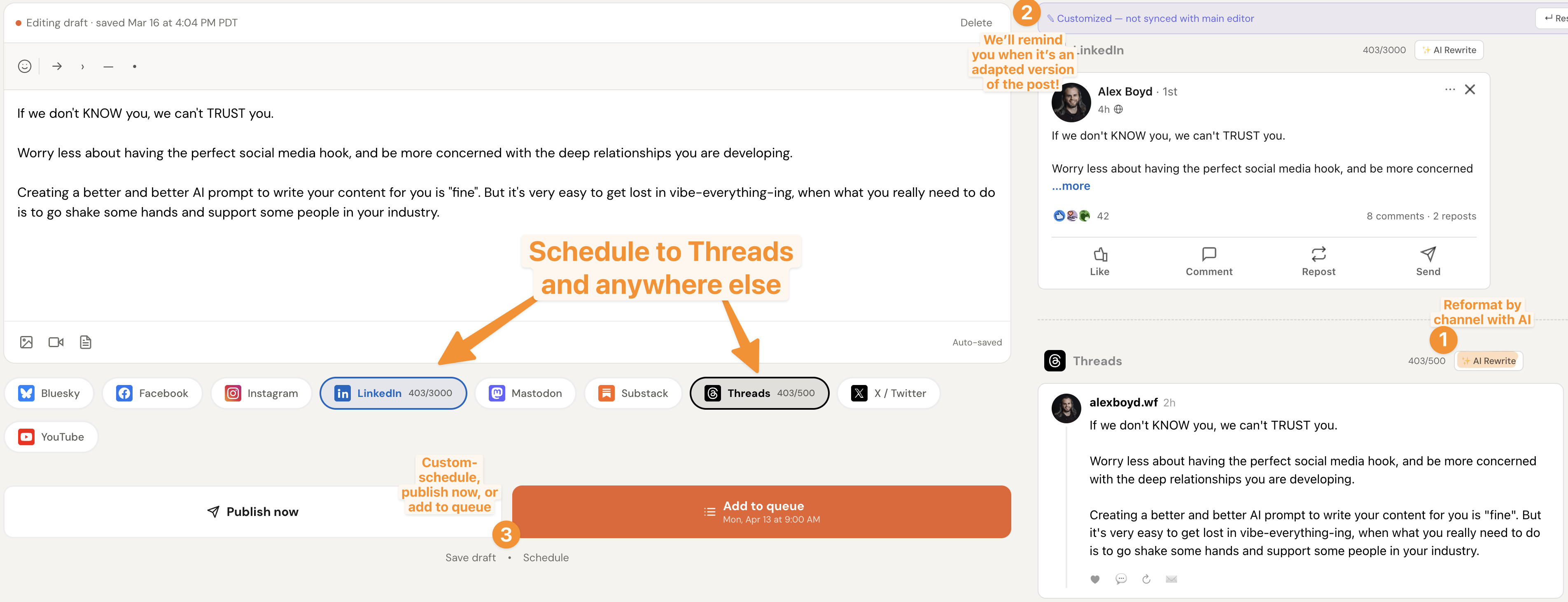
A few things worth knowing about how DemandBird handles Threads specifically:
- Per-channel AI rewrite. If you are adapting a LinkedIn post for Threads (or vice versa), DemandBird can reformat the content to fit Threads' shorter, more conversational style without you having to rewrite manually.
- Character count. Threads has a 500-character limit. DemandBird shows the count in real time per platform so you don't overshoot.
- Live preview. The right panel shows exactly how the post will appear on Threads before it publishes.
- Queue logic. Rather than manually assigning every post a time, you can set a posting schedule and DemandBird fills the slots automatically as you add content.
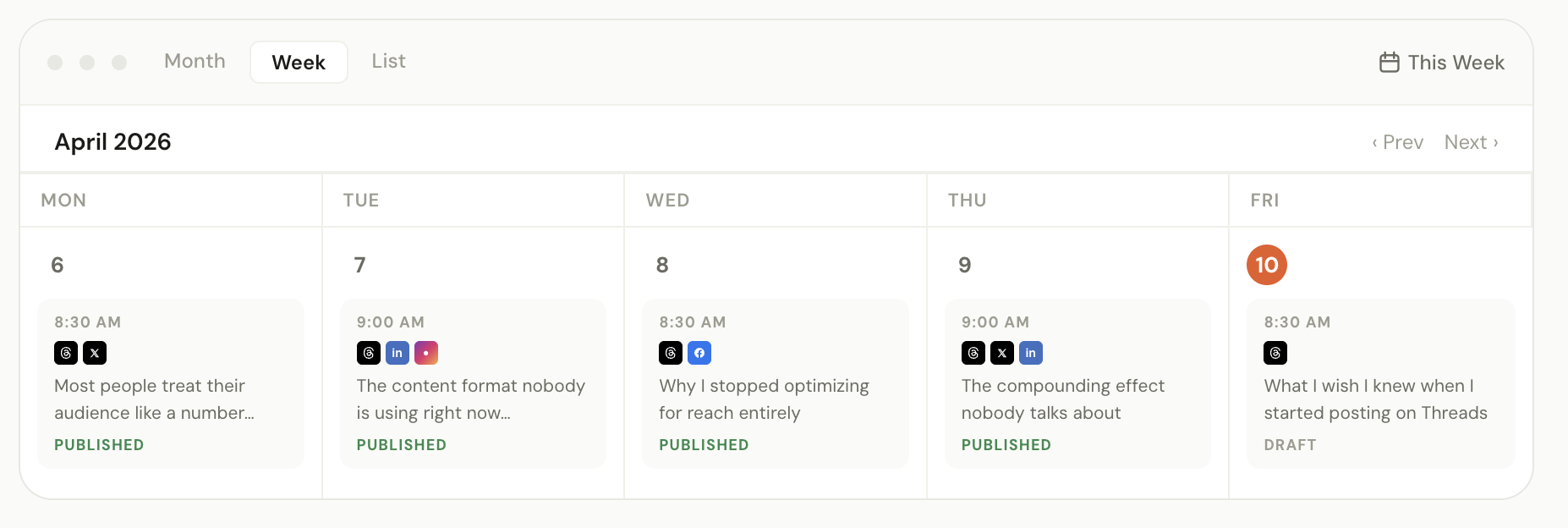
Manage all your platforms from one queue
Schedule Threads alongside LinkedIn, X, and more — DemandBird keeps everything in sync.
One queue for Threads, LinkedIn, X, and more
DemandBird schedules your Threads posts via the official API — alongside every other platform you publish to.
Frequently Asked Questions
Does Threads have a built-in post scheduler?
Yes, but it is very basic. Threads added native scheduling in 2024. You can pick a date and time for a single post, but there is no queue, no calendar view, no draft library, and no analytics. It is functional for casual use but falls short for anyone managing a consistent content schedule.
Is there a reason to use a third-party tool if the native scheduler already works?
If Threads is your only platform and you post occasionally, the native scheduler is enough. Where third-party tools like DemandBird earn their place is cross-platform efficiency: scheduling Threads posts alongside LinkedIn, X, and others from one queue, seeing everything in a calendar view, and understanding which content is actually driving growth.
Do third-party Threads schedulers use the official API?
The best ones do. Threads opened its official API to scheduling partners, meaning tools built on it can publish to your account without violating Meta's Terms of Service. DemandBird uses the official Threads API.
Can you schedule a multi-reply thread chain in advance?
The native Threads scheduler only supports single posts. Some third-party tools support scheduling thread chains (a series of connected replies). Check the specific tool's feature list before signing up if this is a requirement.
What are other tools for scheduling Threads posts?
Plenty. Blacktwist and Threadify are built specifically for Threads, while Metricool and Postiz cover it alongside many other networks. For a ranked comparison of the best Threads schedulers and where DemandBird fits, see the full roundup.